
I was sitting in a cramped corner of a hotel lobby in Warsaw, three hours behind schedule, staring at a tangle of charging cables and a laptop that was running hotter than a studio strobe. I had just finished a grueling wedding shoot, my client was asking for a “quick preview” before dinner, and my entire workflow was currently held together by sheer desperation and a single, fraying USB-C hub. Most tutorials will tell you that learning how to set up a mobile editing station is about buying the most expensive portable SSDs or the sleekest ergonomic mice. They’re wrong. It’s actually about managing the inevitable friction between your creative brain and a workspace that wasn’t designed for you to sit in.
In this guide, I’m skipping the gear-lust and focusing on what actually keeps you from losing your mind when you’re working out of a backpack. I’ll show you how to curate a kit that prioritizes reliability over aesthetics, from selecting the right power solutions to organizing your digital assets so you aren’t hunting for files in a dimly lit cafe. This isn’t about perfection; it’s about building a setup that survives the chaos of real life.
Guide Overview
Tools & Supplies
- Laptop or Tablet (Primary processing unit)
- External Hard Drive (High-speed storage for footage)
- Multi-port USB-C Hub (To connect peripherals)
- Portable SSD (1TB or larger)
- Ergonomic Laptop Stand (1 unit)
- External Mouse (1 unit)
- Power Bank or Travel Adapter (1 unit)
Step-by-Step Instructions
- 1. Start with the bag that doesn’t kill your spine. I used to think a sleek, designer laptop sleeve looked professional, but after three years of hauling gear through London Underground stations, I realized that’s a lie. You need a dedicated, weather-resistant backpack with actual structural support. If you can’t swing the bag over one shoulder and walk two blocks without feeling like your vertebrae are shifting, it’s the wrong bag.
- 2. Forget the “all-in-one” dream and pack for the worst-case scenario. This means your power brick, your specific dongles (and a spare of each), and a high-speed external SSD that actually stays plugged in. I always keep a small, organized pouch for cables so I’m not digging through a dark bag like I’m looking for lost keys while a client watches me sweat in a cafe.
- 3. The “Light Control” step is where most people fail. If you’re editing in a hotel lobby or a bright studio, your screen brightness will be fighting a losing battle against the sun. Don’t just crank the brightness until your eyes ache; get a dedicated matte screen protector or a physical sun hood if you’re doing color-critical work. It’s a clunky solution, but it beats guessing if your shadows are actually crushed.
- 4. You need a “tactile backup” for when the trackpad becomes your enemy. I know, it’s more weight, but a small, wireless mouse is non-negotiable for anything involving video timelines. Trying to scrub through a 4K clip with a trackpad is a recipe for unnecessary frustration and a very twitchy hand. Just grab something small that fits in the side pocket.
- 5. Create a “Clean Workspace” kit, because clients rarely provide a desk that isn’t covered in crumbs or coffee rings. I carry a microfibre cloth and a small spray bottle of screen cleaner, but more importantly, I bring a portable laptop stand. Getting the screen up to eye level isn’t just about ergonomics; it’s about creating a psychological boundary that says, “I am working now,” even if you’re sitting at a cluttered communal table.
- 6. Finally, manage your data like your reputation depends on it—because it does. Never, under any circumstances, edit directly off a single source. Your workflow should involve a redundant drive system where you’re pulling from one and backing up to another simultaneously. If a drive coughs and dies halfway through a client’s deadline, no amount of “technical troubleshooting” is going to save your skin.
Understanding How to Set Up a Mobile Editing Station
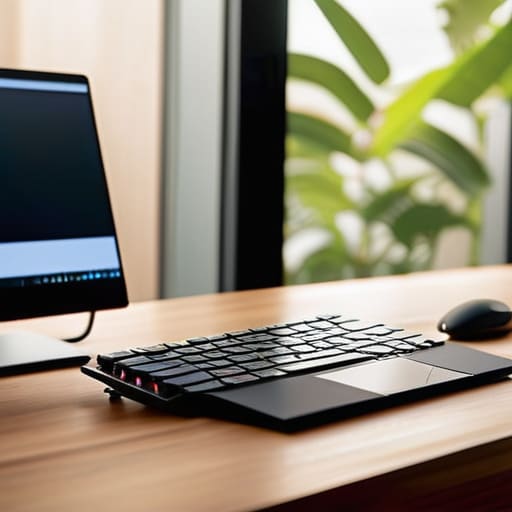
Before you start shoving cables into a bag, you need to realize that a mobile setup isn’t just about miniaturizing your desk; it’s about managing friction. When I’m working out of a cramped hotel room or a client’s noisy office, the biggest threat to my sanity isn’t a slow processor—it’s the sheer amount of physical clutter. You have to decide what is essential and what is just “nice to have.” I’ve learned the hard way that if you don’t prioritize mobile workstation ergonomics, you’ll spend your third hour of editing fighting a neck cramp rather than actually grading footage. Even a simple laptop stand and a separate, slim keyboard can be the difference between finishing a project and wanting to throw your gear out a window.
You also need to account for the “what if” scenarios. I never leave without a dedicated external SSD for video editing, because relying on internal drives or shaky cloud connections is a recipe for a breakdown. If you’re working on high-bitrate video, your workflow lives or dies by how quickly you can move files without the system choking. It’s about building a system that can survive a sudden change in environment or a client who suddenly demands a revision while you’re still on a train.
Key Things to Know
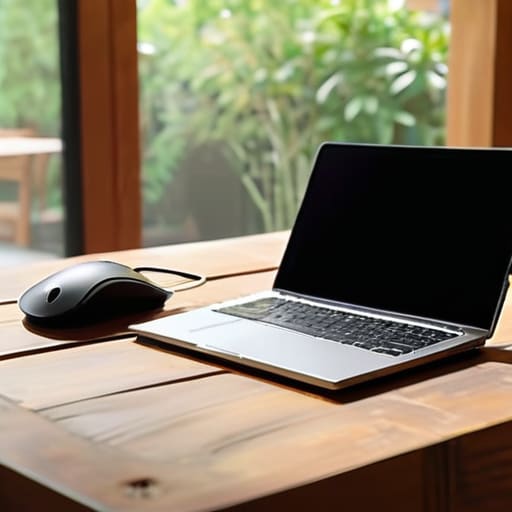
First, let’s talk about the reality of working in a cafe or a cramped hotel room. You can have the most expensive laptop in the world, but if you’re hunched over a tiny screen for three hours, your neck will pay the price. I’ve learned the hard way that mobile workstation ergonomics aren’t a luxury; they are a necessity for staying sane. Invest in a decent, lightweight laptop stand and a separate mouse. It feels like extra weight in your bag, but it’s the difference between finishing a project and needing a chiropractor by Tuesday.
Then there is the storage issue. I used to try and edit everything off my internal drive, which was a recipe for a system crash and a very bad mood. Now, I never move without a high-speed external SSD for video editing tucked into a padded pocket. If you’re working with 4K footage, your drive needs to be as fast as your workflow, or you’ll spend more time watching progress bars than actually creating. Don’t let a slow connection be the reason you miss a deadline.
Practical Tips and Steps
First, let’s talk about the physical reality of sitting in a coffee shop or a cramped hotel room for four hours. I’ve learned the hard way that your back will forgive you for a bad shot, but it won’t forgive a bad desk. If you’re serious about this, you need to prioritize mobile workstation ergonomics; even a foldable laptop stand and a slim, external keyboard can be the difference between a finished edit and a pinched nerve. Don’t just hunch over your screen like you’re hiding from the client.
Then there is the data problem. You can have the fastest laptop in the world, but if you’re trying to scrub through 4K footage off a cramped internal drive, you’re going to lose your mind. I always carry a high-speed external SSD for video editing tucked into a padded pouch. It needs to be rugged, because let’s face it, gear gets bumped in transit. I also keep a small, high-capacity power bank in my kit—not just for my phone, but to ensure my drives don’t die mid-transfer when the cafe’s outlet turns out to be a dud.
The "Don't Get Stuck in a Coffee Shop" Survival Kit
- Stop packing for the dream scenario and start packing for the reality. You aren’t editing in a sun-drenched studio; you’re editing in a cramped corner of a cafe with a flickering fluorescent light. Your first priority isn’t a fancy mouse; it’s a high-quality, high-brightness screen protector or a hood. If you can’t see your color grades because the sun is hitting your laptop at 4 PM, the most expensive monitor in the world is just a black mirror.
- The power situation is where most people trip up. Don’t just rely on “the battery life.” If you’re working on video, that battery is a liar. I never leave the house without a dedicated power bank that can actually handle a laptop’s draw, not just a phone charger. And for heaven’s sake, bring a long charging cable. You will inevitably find a socket that is three feet too far from where you actually need to sit.
- Get a dedicated external SSD, and I mean a real one, not some cheap thumb drive you found in a drawer. When you’re editing short-form video on the move, your internal drive is going to scream for mercy. You need something fast enough to handle the playback without the stuttering, because nothing kills your creative momentum faster than watching a loading circle while you’re trying to find the right cut.
- Your workspace needs to be tactile, even if it’s tiny. A tiny, foldable Bluetooth keyboard and a mouse that actually fits your hand are non-negotiable. Trying to edit a timeline using a trackpad is a special kind of hell that leads to wrist cramps and mistakes. If your hands are uncomfortable, your decisions will be sloppy.
- Redundancy is the only thing that will let you sleep at night. If you are editing off a mobile station, you must have a secondary backup of that specific project on a separate drive before you leave the location. I’ve seen too many people lose a week’s worth of commission work because a single cable frayed or a drive decided to stop communicating mid-export. Assume the hardware will fail; plan accordingly.
The Reality of the Edit
Stop obsessing over which high-spec laptop will make your color grading look professional and start worrying about whether you have a stable surface, a way to charge your gear without tripping over a cafe patron, and enough mental space to handle a client who decides they hate their chin ten minutes before you hit export.
Iwona Krawczyk
The Final Kit Check
At the end of the day, your mobile editing station isn’t about having the most expensive SSDs or a laptop that looks like it belongs in a sci-fi film. It’s about the boring, essential stuff: having a reliable power bank that won’t die mid-export, a bag that actually fits your peripherals without breaking your shoulder, and a workflow that doesn’t fall apart when you’re sitting in a cramped cafe with bad Wi-Fi. If you’ve prioritized portability over prestige and organized your cables so you aren’t fishing for a dongle in the dark, you’ve already won half the battle. Remember, the goal is to minimize the friction between the moment you finish a shoot and the moment the client sees the first draft.
I spent years thinking I needed a dedicated studio desk to be a “real” professional, but the truth is that the work happens wherever you can find a flat surface and a bit of focus. Don’t let the lack of a perfect setup become an excuse for procrastination. Your gear is just a tool to facilitate the story, and sometimes that story needs to be told from the back of a train or a corner table in a noisy hotel lobby. Build your kit to handle the unpredictable reality of this job, then get out there and start creating. The best setup is the one that actually lets you work.
