
I once spent three hours in a rented studio with a client who had skin like fine porcelain, convinced that if I just bought a more expensive softbox or a secondary strobe, the problem would vanish. I was wrong. I was staring at a monitor full of white, featureless blobs, sweating through my shirt while she sat there wondering why I looked so stressed. The truth is, most tutorials treat skin like a math equation, but when you’re actually in the room, you realize that learning how to light pale skin without blowing it out isn’t about your gear budget; it’s about understanding how light bounces off a surface that has almost no pigment to absorb it.
I’m not going to give you a lecture on the physics of photons or tell you to go buy a $2,000 light meter. Instead, I’m going to tell you exactly how I handle these sessions when the light is too harsh and the skin is too bright. We’ll talk about specific distances, the exact modifiers I use to catch those highlights, and the inevitable compromises you’ll have to make when the room refuses to cooperate. This is the stuff they leave out of the manuals.
The Ghost in the Room Why We Fail Pale Subjects
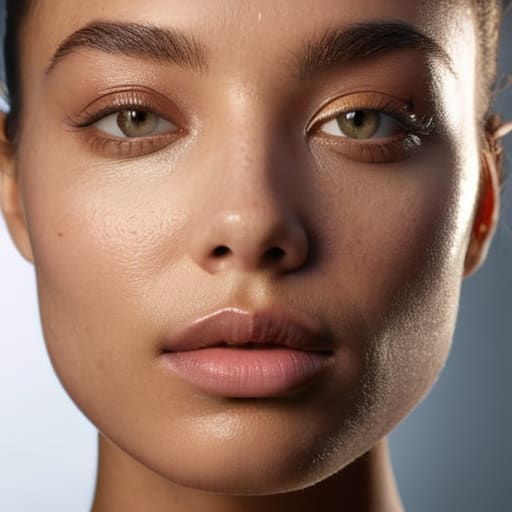
The problem usually starts before I even touch the power switch. Most of us walk into a studio thinking about the gear, but we ignore the environment. If you’re working in a room with massive floor-to-ceiling windows or white walls that bounce everything back at you, you’ve already lost half the battle. I’ve seen so many beginners try to fight the ambient light with a massive strobe, only to realize they’ve just created a chaotic mess of reflections. You aren’t just fighting the subject’s complexion; you’re fighting the room itself.
When I’m working with a subject who has that translucent, porcelain quality, the light doesn’t just sit on the skin—it seems to sink into it. This is where most people stumble into the trap of preventing overexposure in portraits by simply cranking down the ISO or closing the aperture, which often results in a flat, lifeless image. If you don’t understand how light interacts with fair skin, you’ll end up with a face that looks like a glowing orb rather than a human being. It’s not about the light being too bright; it’s about the light being too uncontrolled.
How to Light Pale Skin Without Blowing It Out
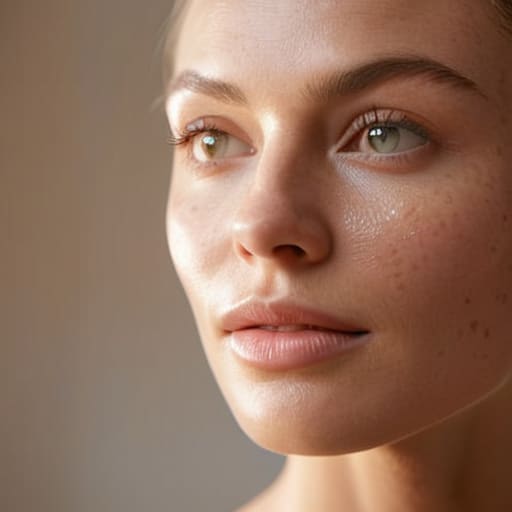
First, stop thinking about your light source in isolation and start looking at the bounce. If you’re using a single strobe, don’t just point it at the subject and hope for the best. I usually opt for a large octa or a deep parabolic, but the trick isn’t the modifier itself—it’s the distance. If you’re too close with a high-output flash, you’re begging for a blowout. I’ve found that diffusing light for porcelain skin works best when you pull the modifier back about five or six feet and use a subtle reflector to fill the shadows, rather than cranking the power to compensate for the distance.
Then there is the technical side, which most people ignore until they’re staring at a histogram that looks like a mountain range. You cannot rely on your eyes alone in a bright studio. You need to be aggressive with managing highlights in portrait photography by slightly underexposing your base setting and recovering the skin tones in post, rather than trying to nail it in-camera. It is much easier to pull detail out of a slightly dark file than it is to fix a forehead that has turned into a white void.
The Softbox Lie Finding Better Softbox Lighting for Fair Skin
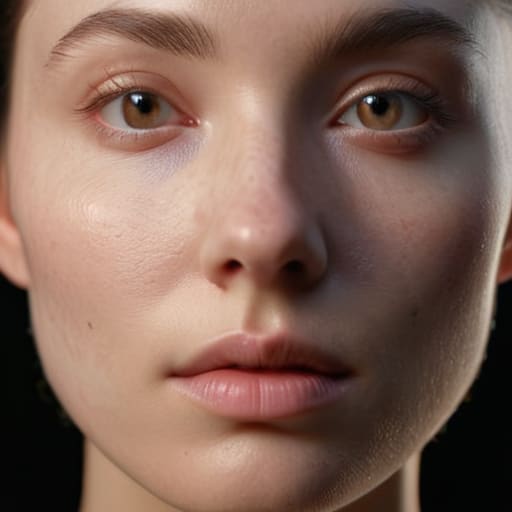
We’ve all been told that a large softbox is the universal fix for everything, but when you’re working with someone who has porcelain skin, that “wrap-around” light can easily turn into a giant, glowing sheet of white paint. The problem isn’t the size of the modifier; it’s the lack of control. A massive, cheap softbox often creates a light source so broad that it flattens every feature, making preventing overexposure in portraits feel like a losing battle. You end up with a face that looks like a marble statue—beautiful, sure, but completely devoid of life or dimension.
If you want to actually use softbox lighting for fair skin without losing the shape of the nose or the hollows of the cheeks, you need to stop relying on the light being “soft” and start focusing on its direction. I usually grab a medium octabox and place it at a tighter 45-degree angle, slightly higher than eye level. This creates a subtle shadow that gives the face structure. If the highlights are still jumping out at you, don’t just dial back your power; try adding a small piece of black foam core just out of frame to sculpt the light back into place.
Managing Highlights in Portrait Photography Before They Vanish
Once you’ve figured out the modifier, you have to deal with the sensor. I’ve seen so many assistants get obsessed with the light quality only to realize they’ve completely ignored the histogram. When you are managing highlights in portrait photography, especially with someone who has that translucent, porcelain quality, the margin for error is razor-thin. You can’t just “fix it in post.” If those forehead or cheekbone highlights hit pure white, the skin texture is gone forever, replaced by a digital void that no amount of dodging and burning can rescue.
The trick is to stop thinking about the light as a single source and start thinking about it as a series of controlled gradients. Instead of blasting the subject with a single direction, I often find myself slightly underexposing my initial test shot to see where the “cliff” is. You need to find that sweet spot in your camera settings for light skin tones where the skin looks luminous rather than radioactive. It’s a constant tug-of-war between wanting that bright, airy feel and needing to maintain the subtle tonal shifts that actually make a face look three-dimensional.
Diffusing Light for Porcelain Skin Without Losing the Soul
The mistake I see most often is the assumption that more diffusion equals better results. People grab the largest, thickest silk or the most expensive octabox thinking they can just “soften” their way out of a blowout. But if you’re diffusing light for porcelain skin by just adding layers of sheer fabric without adjusting your distance, you aren’t fixing the problem; you’re just making the light more expensive. You end up with a flat, milky haze that strips the subject of their bone structure, leaving them looking less like a person and more like a thumb.
If you want to keep the dimension, you have to stop treating diffusion as a magic wand and start treating it as a tool for control. I usually find that a medium-sized beauty dish with a diffusion sock—or even a single, well-placed scrim about three feet away from the subject—works better than a massive softbox. It allows you to maintain a directional quality that defines the cheekbones while still preventing overexposure in portraits. You need that subtle fall-off to tell the eye where the face ends and the background begins, otherwise, you’ve just lost the soul of the portrait to a sea of white.
Beyond the Meter Camera Settings for Light Skin Tones
Once you’ve wrestled with the modifiers and finally got the light behaving, you can’t just blindly trust your light meter. I’ve seen so many assistants get a reading, set the exposure, and then realize too late that the skin looks like a piece of unbaked dough. The meter is a liar when it comes to high-reflectance skin; it sees all that brightness and tries to “correct” it by underexposing the subject, which leaves you with a muddy, greyish mess instead of a luminous glow. You have to stop thinking in terms of “correct” exposure and start thinking about preserving the texture.
When I’m dialing in my camera settings for light skin tones, I usually lean toward slightly overexposing the skin by a fraction of a stop, but I do it with extreme caution. If you’re playing with high key lighting techniques, the temptation is to just crank the exposure, but that’s how you lose the nose, the chin, and the soul of the person in front of you. I prefer to keep my ISO as low as humanly possible to maintain clean shadows, then use a slightly faster shutter speed to clamp down on those stray highlights before they turn into digital white noise.
Five Ways to Stop Fighting Your Light and Start Working With It
- Stop relying on your light meter to tell the whole story. The meter is a liar when it comes to pale skin because it sees a bright surface and thinks “perfect exposure,” when in reality, it’s just reading a massive spike in luminance that’s about to clip your highlights. Look at your histogram instead; if that mountain is leaning too hard against the right wall, you’re losing the texture of the skin, no matter what the meter says.
- Kill the bounce. I’ve spent too many shoots in rooms with white walls or light ceilings only to realize the ambient light is bouncing back and washing out my subject’s features. If you’re working with someone very fair, that secondary bounce is your enemy. Use black flags or even just a dark coat on a stand to kill those stray reflections that turn a soft portrait into a flat, white smear.
- Watch your distance, not just your power. When you’re working with a small strobe and a subject who is basically translucent, the temptation is to crank the power to 1/1. Don’t. Instead, move the light further away and use a larger modifier. It gives you more granular control over the fall-off, so you aren’t constantly toggling between “pitch black” and “blown out” every time you nudge the dial.
- The “One Stop Down” rule for skin texture. If you find yourself struggling to keep the skin tones looking human rather than like marble, try backing your exposure down by a full stop and then pulling the shadows up slightly in post. It’s much easier to recover a slightly underexposed, moody portrait than it is to try and reconstruct the pores and fine lines of a face that has been completely obliterated by overexposure.
- Check your color temperature mid-shoot. Pale skin can turn a sickly, sallow yellow or a ghostly blue very quickly depending on the ambient light in the room. If you’re using a mix of flash and window light, don’t just assume your white balance is fine. Grab a grey card, do a quick reading, and make sure you aren’t accidentally making your subject look like they’ve been dead for three days just because the room has warm overhead lights.
The Fallacy of the Perfect Exposure
Stop chasing a clean histogram like it’s a holy grail. If you’re so obsessed with keeping your exposure levels perfect that you end up flattening your subject into a featureless sheet of white paper, you haven’t actually captured them; you’ve just successfully photographed a lightbulb. Real skin has texture, even when it’s pale, and if you’re afraid to let a little shadow sit in the hollows of the cheek just to keep the highlights under control, you’re doing the subject a disservice.
Iwona Krawczyk
The Reality of the Final Frame
At the end of the day, lighting fair skin isn’t about chasing a specific setting on your light meter or buying a more expensive silk diffuser. It’s about the constant, annoying, and necessary dance between your light source and the actual physics of the room. You have to stop relying on the “default” softbox settings and start looking at how much light is actually hitting the skin versus how much is bouncing off the walls and turning your subject into a featureless white blob. Remember: watch your highlights, control your diffusion, and never trust a single light source to do all the heavy lifting when you’re working with high-reflectance skin. It’s about the small, manual adjustments—moving the modifier six inches back or dimming the power by half a stop—that actually save the shot.
If you find yourself staring at a screen full of blown-out highlights and feeling like the gear is failing you, take a breath and step away from the settings. The camera is just a box; the real work is happening in how you manage the environment and the person sitting in front of you. Don’t let a difficult lighting scenario make you forget that the goal is the person, not the exposure. Once you stop fighting the light and start negotiating with it, you’ll find that those porcelain skin tones aren’t a hurdle to overcome, but a beautiful medium to work with. Now, go check your highlights and get back to shooting.
