
I spent years watching photographers buy $200 “signature” packs, only to watch them fall apart the second they stepped out of a controlled studio and into a room with a window that wouldn’t close. It’s a ridiculous cycle: you buy a preset designed for perfect, high-end lighting, apply it to a messy, real-world portrait, and then spend three hours fighting the software to make it look human again. If you’re looking for a magic button that solves everything, you’re in the wrong place, but if you actually want to learn how to build your own preset that survives a change in weather or a client who refuses to sit still, then we can actually talk.
I’m not going to give you a tutorial on clicking buttons in a vacuum; I want to show you how to build tools that actually work when the lighting is trash. We’re going to look at the specific sliders that matter—the ones that handle skin tones without turning everyone into an orange—and the necessary compromises you have to make so your workflow doesn’t grind to a halt. This isn’t about perfection; it’s about predictable results in an unpredictable world.
Understanding How to Build Your Own Preset
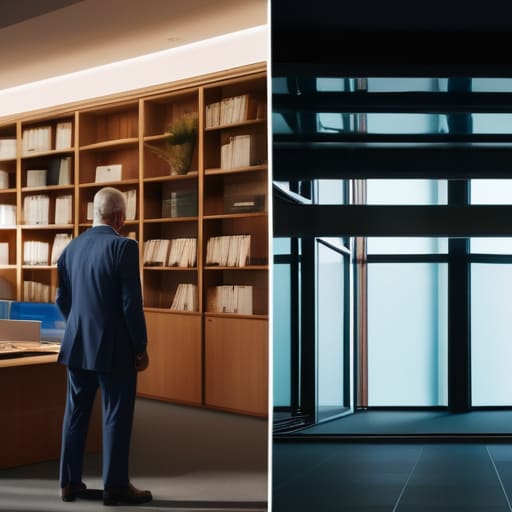
Before you touch a single slider, you have to stop thinking about “looks” and start thinking about consistency. Most people approach this by slapping a heavy filter on a photo and calling it a day, but that’s not a preset; that’s a mask. To actually succeed at developing unique aesthetic styles, you need to look at how your light interacts with skin tones across different environments. If you’re shooting an author in a dimly lit library one day and a CEO in a glass-walled office the next, a “one-size-fits-all” tweak is going to fail you. You aren’t just moving sliders; you are trying to codify a specific way of seeing.
The real work happens in the nuances—the way you pull the shadows without crushing the texture in a linen blazer, or how you nudge the midtones to keep someone from looking jaundiced under office fluorescents. This is where custom color grading techniques actually become useful. You aren’t looking for a magic button; you’re looking for a repeatable mathematical relationship between your highlights and your blacks. It’s about building a foundation that survives the chaos of a real shoot, so you aren’t reinventing the wheel every time a client asks for “something a bit warmer.”
Key Things to Know
First, stop trying to find a “look” in a single click. A preset isn’t a magic wand; it’s a starting point for developing unique aesthetic styles that actually hold up across different lighting conditions. If you build a preset based on one perfect shoot where the sun was hitting the subject just right, it’s going to fall apart the moment you walk into a dimly lit studio with a client who’s already running ten minutes late. You need to build for the variables, not the miracles.
Second, think about your editing software workflow optimization. If your preset requires you to manually fix the white balance or exposure every single time you apply it, you haven’t built a tool—you’ve built a chore. A good preset should handle the heavy lifting of your color science so you can spend your energy on the nuances. Focus on how the tones react to skin than on just slapping a heavy grain or a specific tint over the top. You’re aiming for consistency, not a filter, and that distinction is what separates a professional kit from a collection of expensive mistakes.
Practical Tips and Steps
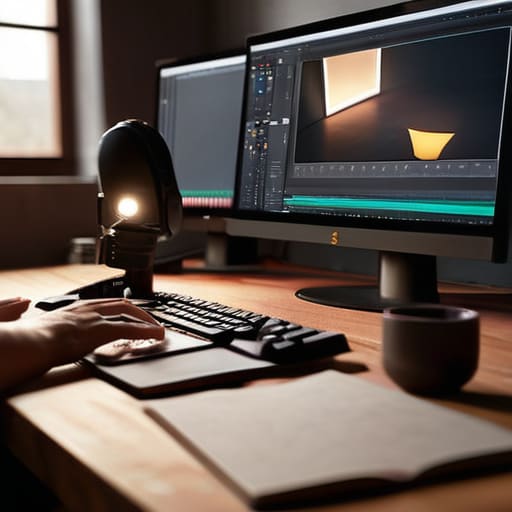
Start by picking a “hero” image—one that actually represents the mood you want to capture, not just the one where the lighting was perfect. Don’t just slap a filter on it. Instead, look at the shadows and the skin tones. I usually start with the white balance and the tone curve, nudging the blacks up just enough to lose that digital clinical sharpness. This is where you begin developing unique aesthetic styles that don’t look like a carbon copy of a YouTube tutorial. If you find a balance that works, save it, but don’t get married to it yet.
Once you have a baseline, test it against a variety of lighting conditions. A preset that looks beautiful on a sunny afternoon portrait will fall apart completely if you’re shooting a corporate team in a room with sickly green fluorescent lights. You want to focus on editing software workflow optimization by creating “anchor” presets—one for high-contrast black and white, one for warm skin tones, and one for those tricky, dim indoor sessions. It’s about building a toolkit, not a single magic button.
Common Mistakes to Avoid
The biggest mistake I see is people trying to build a preset that works on everything. If you try to create a “one size fits all” solution, you’ll end up with a look that is muddy, lifeless, and frankly, quite boring. You cannot bake a specific lighting setup into a file and expect it to survive a different room or a different subject’s skin tone. Instead of aiming for a magic wand, focus on developing unique aesthetic styles that act as a foundation rather than a final coat of paint. A preset should be your starting point, not your finish line.
Another trap is getting so lost in the sliders that you forget about your actual editing software workflow optimization. I’ve seen assistants spend forty minutes tweaking a single HSL panel only to realize they’ve ruined the skin tones beyond repair. If your preset requires you to undo ten different adjustments every single time you apply it, you haven’t built a tool; you’ve built a chore. Keep your adjustments intentional. If you have to fight the preset to make the image look human, it’s a bad preset.
Final Thoughts
At the end of the day, don’t let the pursuit of the perfect preset turn into a way to avoid actually looking at your images. A preset isn’t a magic wand that fixes a poorly lit room or a subject who won’t stop fidgeting; it’s just a way to make your editing software workflow optimization actually mean something when you’re staring at three hundred similar files at 11 PM. If you spend all your time tweaking sliders and none of your time understanding why the skin tones look muddy in the first place, you’re just automating mistakes.
The goal here is developing unique aesthetic styles that feel like you, not like a copy-paste version of whatever is trending on Instagram. Use these tools to find your footing, but stay ready to throw the preset out the window the moment the light shifts or the mood changes. Real consistency comes from your eye and your ability to react to the chaos, not from a file you exported six months ago. Keep your presets flexible, keep your eyes on the subject, and for heaven’s sake, don’t forget to breathe.
Five ways to stop making presets that break
- Stop chasing a “look” and start solving a problem. I don’t build a preset because I want a specific tint; I build one because I’m tired of fighting the sickly yellow light in a specific client’s office. If your preset doesn’t fix a recurring environmental headache, it’s just extra weight in your drive.
- Build for the skin, not the shadows. It’s easy to get obsessed with making the blacks deep and moody, but if your preset turns a subject’s complexion into something resembling a bruised peach, you’ve failed. Always check your HSL sliders—specifically the oranges and reds—before you hit save.
- Leave yourself some breathing room. A common mistake is cranking the contrast or the saturation to 100 in the preset itself. If you do that, you have nowhere to go when the lighting is slightly different than you expected. Keep your adjustments moderate so you can still nudge the exposure or warmth manually without the file falling apart.
- Test against different white balances. A preset that looks like magic in your studio under controlled strobes will look like a disaster when you try to apply it to a shot taken near a window on a cloudy day. If the preset is too “brittle,” it won’t bend to the reality of the light you actually captured.
- Don’t forget the calibration panel. Most people ignore the bottom section of the Lightroom Develop module, but that’s where the real magic happens for skin tones. If you want a preset that actually feels professional and cohesive, learn how to nudge those primary colors in the calibration tab rather than just slapping a heavy tint on the entire image.
The Trap of the Perfect Preset
Stop trying to build a preset that makes every photo look “magical”; build one that actually survives the reality of a client showing up with skin tones that fight your settings and a room lit by terrible, flickering overheads. A good preset isn’t a filter, it’s a controlled starting point for when things inevitably go sideways.
Iwona Krawczyk
The Reality of the Workflow
At the end of the day, building a preset isn’t about finding a magic button that makes every RAW file look like a magazine spread; it’s about creating a reliable baseline so you aren’t fighting your software while the light is changing in the studio. You’ve learned that it starts with understanding your specific color science, avoiding the trap of over-processing the skin tones, and knowing when to stop tweaking the sliders before you destroy the image data. Remember, a good preset is a starting point, not a finish line. It should handle the heavy lifting of the technical corrections so you can spend your actual energy on the subject, the composition, and the fact that they’ve just realized they have no idea what to do with their hands.
Don’t get discouraged if your first few attempts look a bit amateur or, worse, a bit too “digital.” Developing a signature look is a slow, iterative process of trial and error that happens in the quiet hours after the client has left and the gear is packed away. Stop looking for the perfect preset in a downloaded pack and start building one that actually reflects the chaos and character of the rooms you work in. Your presets should work for you, not the other way around. Now, go back through your last shoot, find the files that felt right, and start breaking them down.
