
I remember a shoot for a corporate team back in a rented studio that had the lighting capacity of a damp basement. We were fighting a losing battle against the shadows, and I could see the client’s face sinking every time I checked the monitor. I spent the next hour in a frantic, sweaty panic, trying to figure out how to lift shadows without noise in Lightroom, only to realize I was essentially trying to perform surgery with a sledgehammer. You can buy the most expensive sensor on the market, but if you’re trying to rescue a shot that was fundamentally underexposed because the room was a cave, you aren’t “editing”—you’re wrestling with physics.
I’m not going to give you a tutorial on which expensive plugin to buy or how to pretend your mistakes didn’t happen in post-production. Instead, I want to talk about the actual mechanics of the light you have in front of you and the specific, messy compromises we make when the gear doesn’t cooperate. We’re going to look at how to manage your exposure ratios and when to just accept the darkness rather than turning your subject’s skin into a grainy, digital mess.
Understanding How to Lift Shadows Without Noise
Before we even touch a slider in Lightroom, we need to talk about why your files are screaming at you. If you’re shooting JPEGs and trying to pull detail out of the dark, you’ve already lost the battle. You need to be working with RAW vs JPEG shadow recovery in mind from the second you click the shutter; JPEGs are essentially baked goods, and once they’re burnt or underdone, you can’t un-bake them without everything turning to mush. A RAW file gives you the data—the actual mathematical information—to play with, which is the only way to achieve any real dynamic range optimization without the image falling apart.
When you do start pulling those sliders, you’ll notice two different kinds of mess. You’ve got that ugly, chunky grain—the luminance noise—and then that weird, psychedelic purple and green splotchiness, which is color noise. My rule of thumb? It is much easier to clean up grain than it is to fix a face that looks like it’s covered in digital acne. If you find yourself constantly fighting the sensor, it’s usually a sign that your exposure was too conservative to begin with.
Key Things to Know
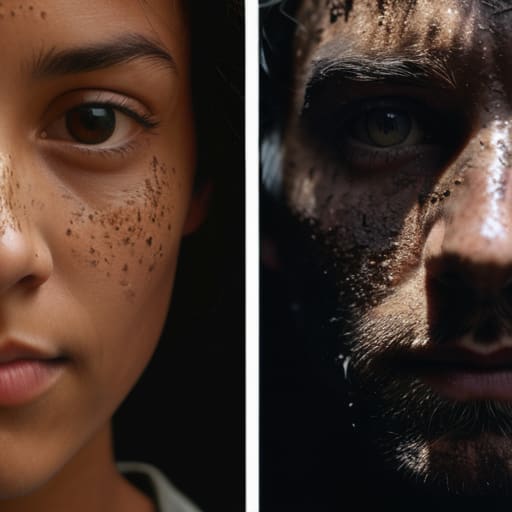
First, let’s get one thing straight: if you’re shooting JPEGs and trying to pull detail out of the dark, you’ve already lost the battle. There is no magic slider in Lightroom that can save a file that’s been compressed and baked by the camera’s internal processor. You need to be shooting RAW. The difference in RAW vs JPEG shadow recovery isn’t just academic; it’s the difference between a usable portrait and a grainy, muddy mess that looks like it was taken through a screen door.
You also need to understand what you’re actually looking at when you zoom in 200%. There is luminance noise, which looks like that annoying sand or grit, and then there’s color noise, which is those ugly purple and green blotches that make skin look like a bruised peach. If you push your exposure compensation for shadows too hard without a solid foundation, you’ll end up fighting both. My rule of thumb? It’s much easier to fix a slightly underexposed image than it is to fix a file that’s been crushed into the dirt by a lack of data.
Practical Tips and Steps

First, stop relying on your camera’s auto-exposure to save you. If you’re shooting a portrait in a dim studio and you see the histogram hugging the left wall, you’re already in trouble. My rule of thumb is to use a bit of exposure compensation for shadows during the shoot rather than trying to fix a black hole in Lightroom later. If you can, push your ISO just a hair higher to get a cleaner signal; I’d rather have a slightly brighter, grainier file that I can control than a dark one that falls apart the moment I touch the shadows slider.
When you actually sit down at the computer, remember that the real battle is between luminance noise vs color noise. Color noise looks like digital vomit—those ugly purple and green splotches in the dark areas—and it’s much easier to kill with a light touch. If you go too heavy on the luminance reduction, your subject’s skin will end up looking like a melted wax figure. It’s a delicate balance, so keep your sliders moving in small increments and always check your skin textures before you call it finished.
Common Mistakes to Avoid
The biggest mistake I see—and I’ve made it myself during those frantic wedding shoots I promised I wouldn’t do—is treating the RAW file like a magic wand. People think they can just drag that shadow slider to the right and everything will be fine. It won’t. If you’re shooting JPEGs, you’re basically trying to perform surgery with a sledgehammer; you’ll get those ugly, blotchy patches of color noise almost immediately. Even with a RAW file, if you didn’t give the sensor enough light to begin with, you aren’t “recovering” data—you’re just manufacturing it out of thin air.
Another trap is getting obsessed with digital noise reduction techniques in Lightroom before you’ve even checked your exposure. I see assistants spending twenty minutes trying to smooth out grain in a dark corner of a portrait, when they should have just used a reflector or moved the subject two inches closer to the window. If you’re constantly fighting luminance noise in post, it’s usually a sign that your post-processing workflow for low light is actually just a way to hide a mistake you made in the room. Stop chasing the shadows and start managing the light.
Final Thoughts
At the end of the day, stop treating your post-processing like a magic wand. You can spend hours obsessing over digital noise reduction techniques, but if you didn’t give yourself enough data in the room to begin with, you’re just painting over a crack in the wall. I’ve seen so many juniors try to save a shot by dragging the shadows up until the skin looks like it’s made of sand. It’s a losing battle.
The real secret is a better post-processing workflow for low light that starts long before you open Lightroom. It starts with being brave enough to bump your exposure compensation or moving that single light source just six inches closer to the subject’s face. If you nail the exposure in the camera, you aren’t fighting the sensor; you’re just polishing the image. Trust your eyes, watch your histogram, and remember that a little bit of deep, intentional shadow is always better than a flat, grainy mess that looks like it was shot through a screen door.
Five ways to stop fighting your sensor in post
- Stop relying on the slider. If you’re looking at a shadow that’s a black hole, no amount of dragging the “Shadows” slider in Lightroom is going to save you; you’re just going to end up with a grainy, muddy mess. If the light isn’t there, you have to go back to the room and find a way to bounce it.
- Use a reflector, even if it feels cliché. I’ve spent many a shoot with a client who refuses to move from a window, so I just grab a white foam board or a silver reflector and tuck it right under their chin. It’s much easier to bounce a little light into the eyes now than to try and digitally “invent” light in a dark corner later.
- Watch your ISO like a hawk, but don’t be a martyr. I know we’re taught to keep it at 100, but if you’re in a dim studio and you need a faster shutter speed to catch a subject who won’t stop fidgeting, bump it to 800 or 1600. A little bit of clean, intentional noise is better than a blurry shot that you can’t even recover.
- The “one light” rule works for shadows too. Instead of adding a second light to fill the dark side—which often just makes the whole image look flat and boring—try moving your single source. Angling your key light just a few degrees higher or further to the side can change how the shadows fall and prevent them from becoming total voids.
- Shoot in RAW, obviously, but don’t get cocky. Having a RAW file gives you the data to lift those shadows, but it doesn’t give you magic. If you underexposed by three stops because you were chasing a “moody” look, you’ve essentially deleted the information you need. Aim for a histogram that isn’t hugging the left wall.
The hard truth about post-production
You can spend three hours in Lightroom trying to rescue a shadow that should have been lit in the first place, but all you’re really doing is paying a digital tax in noise. If you find yourself dragging that exposure slider like it’s a lifeline, stop. Go back to the room, find a reflector, or just move your light two feet closer. The best way to lift a shadow is to make sure it wasn’t a black hole to begin with.
Iwona Krawczyk
The reality check
At the end of the day, lifting shadows in post isn’t a magic trick; it’s a recovery mission. We’ve talked about why you can’t just crank the slider to the right and hope for the best, and why your exposure strategy in the room matters more than any plugin you’ll ever buy. If you’ve managed to keep your ISO low, used a reflector to bounce just a little bit of light into those dark corners, and avoided the temptation to underexpose for “drama,” you’ve already done eighty percent of the heavy lifting. Remember, the goal isn’t to make everything bright; it’s to ensure that the details in the dark areas are actually visible rather than just a grainy, digital mess that ruins the texture of a person’s skin.
Don’t let the fear of a dark frame paralyze you when you’re behind the lens. We’ve all been in that position where the light is failing, the client is running late, and the shadows are swallowing the subject whole. When that happens, take a breath, check your histogram, and remember that you can fix a lot in Lightroom, but you can’t fix a sensor that’s screaming for mercy. Trust your eyes, watch your noise floors, and keep moving. The best images usually come from the moments where you stopped worrying about the technical perfection and started focusing on the person in front of you.
