
I once spent three hours in a studio with a tech founder who had spent a small fortune on professional veneers, only to have him look like a cartoon character the second the strobe hit him. He had achieved that blinding, fluorescent glow that looks great in a bathroom mirror but looks utterly terrifying in a high-resolution portrait. Everyone tells you that you need the most expensive whitening strips on the market, but they forget that if you’re trying to figure out how to whiten teeth believably on camera, the secret isn’t actually in the mouth—it’s in the light. You can have the whitest teeth in the world, but if you don’t understand how color temperature and shadow interact, you’re just going to end up with a subject who looks like they’re wearing plastic dentures.
I’m not here to sell you a new brand of toothpaste or a magic gel. I want to talk about the actual mechanics of the shot: how to manage your white balance, how to use a subtle bounce to soften those highlights, and when to stop retouching in post-production before you lose the person entirely. This is about the practical reality of making a smile look healthy and bright without stripping away the human element that makes a portrait work.
The Problem Isnt the Lens Its the Artificial White Teeth Look
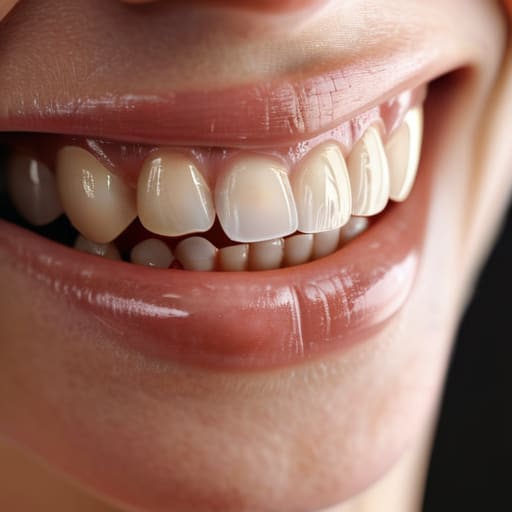
The problem isn’t the lens, it’s the artificial white teeth look. I’ve seen it a hundred times: a client shows up after a heavy round of chemical whitening, and suddenly their mouth looks like it’s been cut out of a piece of white construction paper. In high-resolution portraits, those teeth don’t just look bright; they look flat. They lose all the micro-shadows and translucency that make a human face look alive. When you strip away the natural depth of the enamel, you aren’t just getting a brighter smile; you’re losing the ability to capture a believable expression.
The real trick to achieving a realistic smile isn’t about hitting a “maximum brightness” button in Lightroom. It’s about understanding that a healthy tooth has layers—slight variations in tone and a bit of warmth. If you go too far, you end up with that uncanny valley effect where the subject looks like a CGI character. Instead of chasing a blinding bleached look, focus on natural tooth shade enhancement. You want to lift the muddy yellows just enough to clean up the frame without turning the mouth into a glowing, two-dimensional void.
How to Whiten Teeth Believably Without Losing the Soul
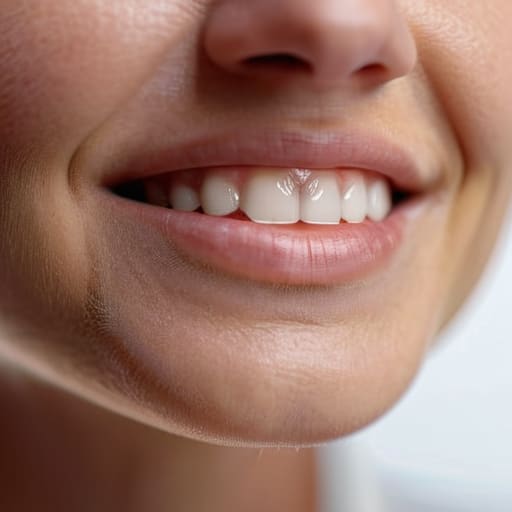
The trap most people fall into is thinking that “better” means “brighter.” If you go into a retouching session or a shoot with the mindset that teeth should be pure white, you end up with something that looks like a row of bathroom tiles. You lose the translucency, the tiny imperfections that make a person look human, and suddenly you’re looking at a ghost. Achieving a realistic smile isn’t about erasing the natural color; it’s about lifting the muddy, yellow undertones just enough so they don’t distract from the eyes.
I usually handle this in post, but I approach it like I’m adjusting a light modifier. Instead of a global brush, I work with small, selective masks. You want to target the warmth, not the brightness. If you’re aiming for natural tooth shade enhancement, you have to respect the shadows between the teeth. If those shadows disappear, the teeth look flat and fake. My rule of thumb is to stop the moment the subject looks like they’ve had a professional Hollywood makeover they didn’t actually ask for. Less is always more.
Natural Tooth Shade Enhancement Working With the Subject Not Against
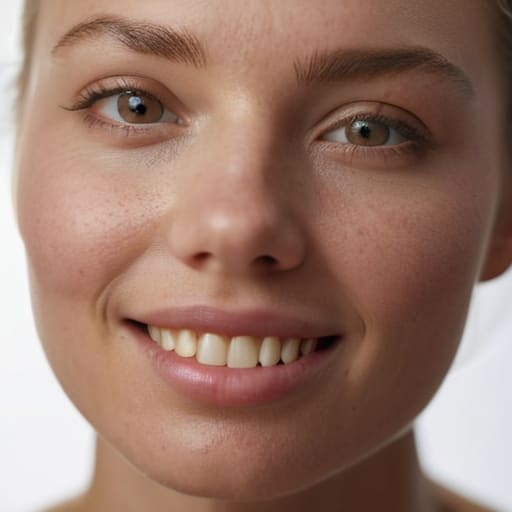
Before you even touch the retouching slider, you need to talk to the person in front of you. I’ve learned the hard way that if a client arrives having just spent three hours under a chemical whitening lamp, they are often physically uncomfortable and mentally braced for a critique. If they are dealing with teeth whitening sensitivity management, they aren’t going to give you a relaxed, open expression; they’re going to be tensing their jaw to avoid any sensation. You can’t fix a grimace in post-production. I always try to gauge their comfort level early on—usually while I’m still fiddling with my light stands—to see if we’re working with a genuine smile or a forced one.
When we do get to the editing stage, my goal is always natural tooth shade enhancement rather than a total overhaul. I don’t go for the “paper white” look that makes people look like they have porcelain veneers glued into their gums. Instead, I focus on reducing the yellow cast in the shadows of the mouth while keeping the natural translucency of the enamel. It’s about lifting the mid-tones just enough so they look healthy and bright, without losing the subtle variations that make a mouth look like a human mouth instead of a row of piano keys.
Subtle Teeth Whitening Techniques for the Discerning Eye
If you’re working in post, the temptation to just slap a white brush over the teeth is massive, especially when you’re staring at a screen at 11 PM. Don’t do it. Instead, focus on preventing over-whitening by targeting only the most stubborn yellowing in the crevices. I usually go in with a low-opacity mask and a brush set to a very soft edge, working the luminosity rather than the actual color. You want to lift the heavy, sallow tones while leaving the natural translucency at the edges of the teeth intact. If you kill the shadows between the teeth, you aren’t making them look cleaner; you’re making them look like a row of porcelain tiles.
For those more advanced workflows, I find that subtle teeth whitening techniques work best when you play with the saturation of the yellows rather than just bumping up the exposure. If the subject has a warmer skin tone, a clinical, bright white smile will look completely disconnected from their face. You have to match the brightness of the teeth to the overall temperature of the light in the room. It’s a game of balance—if the teeth look like they’re glowing from within, you’ve probably gone too far.
The Fine Line Preventing Over Whitening and Losing Reality
The moment you start sliding that luminance slider to the right in Lightroom, you are playing a dangerous game. I’ve seen it a hundred times: a portrait looks technically “clean,” but the subject looks like a plastic mannequin because their teeth have lost all depth. When you strip away the natural translucency and the slight, healthy warmth of the enamel, you aren’t just brightening a smile; you are erasing the person. Achieving a realistic smile means respecting the fact that teeth aren’t white tiles—they are organic tissue that reacts to the light in the room.
If you find yourself obsessing over every individual tooth, stop. You’re likely preventing over-whitening by simply stepping back from the monitor. Instead of a global brush stroke, try using a small, low-opacity brush to target only the darkest corners near the gumline. It’s about subtle correction, not a total overhaul. If the teeth start looking like they’re glowing from within, you’ve gone too far. You want the viewer to notice the expression, not the post-processing.
Achieving a Realistic Smile Amidst the Chaos of the Room
You can spend three hours perfecting your retouching workflow, but if the energy in the room is dead, the smile will look like a hostage situation. I’ve seen it a dozen times: the lighting is technically perfect, the modifier is positioned exactly where it should be, but the subject is so stiff they’re practically vibrating. When people are tense, their lips tighten, their jaw locks, and suddenly you’re fighting a losing battle against a mouth that looks more like a grimace than a grin. This is where achieving a realistic smile becomes less about the pixels and more about the psychology of the session.
I usually start by asking them what they do with their hands when they’re nervous—it breaks the ice, even if they just stare at me blankly. Once they’re breathing again, you have to manage the physical reality of the shoot. If they’ve just come from a dental appointment, they might be dealing with some discomfort, and teeth whitening sensitivity management becomes a real factor in how much they’re willing to actually open their mouth. You can’t force a natural expression out of someone who is physically uncomfortable or mentally checked out. If the room feels heavy, the teeth will look fake, no matter how much you try to brighten them in post.
Five Ways to Stop Making Your Subjects Look Like They Have Porcelain Veneers
- Stop the global “brightness” slider. When you’re in post, don’t just slap a whitening filter over the whole mouth; you’ll end up washing out the natural shadows between the teeth, making them look like a flat, white slab. Use a targeted brush and dial back the saturation specifically in the yellows, rather than just cranking the exposure.
- Respect the gums. If you whiten the teeth but leave the gums their natural, slightly pinkish-red hue, the contrast looks uncanny and clinical. A tiny bit of softening on the gum line helps the teeth look like they actually belong in the face, rather than being pasted on top of it.
- Watch your white balance first. Half the time, I’m fighting “yellow teeth” that are actually just a warm tungsten light bulb or a client with a bad tan. Fix your color temperature in the RAW stage before you even touch the teeth; it saves you from over-processing later.
- Keep a little bit of the “character” in. Real teeth have slight variations in translucency and tiny, microscopic imperfections. If you go for a perfect, uniform #FFFFFF white, you lose the texture. Aim for a clean, healthy look, not a dental mannequin.
- The “Nervous Smile” check. If I notice a subject is white-knuckling their hands or holding their lips too tight, their teeth will look smaller and more crowded. Instead of trying to “fix” the color of a tense mouth, try to get them to relax their jaw first. A natural, relaxed smile always looks better than a bright, forced one.
The Ghost in the Smile
If you push the whites until they glow like a fluorescent bulb, you haven’t fixed the smile; you’ve just turned the person into a mannequin. My job isn’t to give them perfect teeth—it’s to make sure the light hitting those teeth looks like it belongs in the same room as their eyes.
Iwona Krawczyk
The Last Word on the White-toothed Lie
At the end of the day, believable teeth whitening isn’t about finding a magic slider in Lightroom and cranking it to a hundred. It’s about the messy, unglamorous work we’ve discussed: managing the client’s expectations before they even sit in the chair, understanding how your specific light modifier is going to hit their enamel, and having the restraint to stop editing before they look like a CGI character. If you can master the balance between subtle shade enhancement and maintaining the natural texture of the mouth, you’ve won. Remember, if the teeth look like they were pasted on in post-production, you haven’t made the subject look better; you’ve just made the portrait look fake.
I’ve spent years watching photographers panic when a subject feels self-conscious about their smile. They try to fix it with heavy-handed digital surgery, but all they do is strip away the person’s character. Don’t let the pursuit of “perfection” rob your portraits of their life. A slightly off-white tooth that fits a human face is infinitely more powerful than a blindingly white grin that feels entirely disconnected from the eyes. Trust your eyes, trust the light you’ve spent time setting up, and most importantly, trust the subject. The goal isn’t to create a dental advertisement; it’s to capture a human being.
