
I once spent three hours in a drafty studio trying to convince a CEO that he didn’t need a $2,000 lighting kit to look professional, but rather just a better way to handle the window light fighting his key light. People will try to sell you expensive software or complex HDR workflows as the magic fix, but they’re usually just masking a failure to read the room. If you’re staring at a shot where the subject is a silhouette and the background is a blown-out mess, you don’t need a miracle; you just need to know how to blend two exposures without making the whole thing look like a cheap, surrealist fever dream.
I’m not here to give you a sanitized, step-by-step tutorial that assumes your lighting is perfect. Instead, I want to show you the actual way I do it when the sun is moving too fast or the client is losing patience. We’re going to talk about the specific masks, the inevitable mistakes in luminance, and the compromises you have to make to keep the image looking human. This is about saving the shot when the gear isn’t doing the heavy lifting for you.
Understanding How to Blend Two Exposures
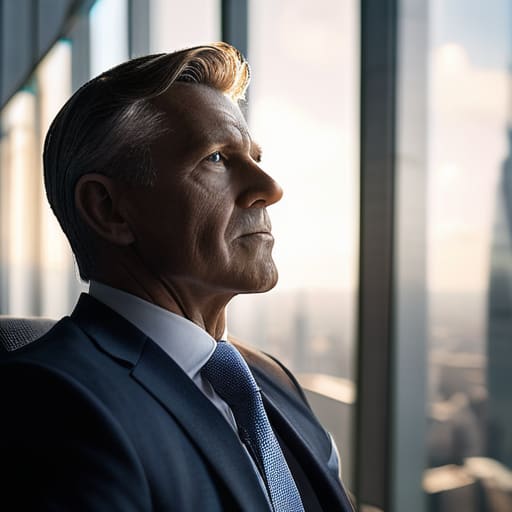
Before you even touch your mouse, you have to understand that we aren’t talking about those garish, “crunchy” HDR looks you see on social media where everyone looks like they’re made of wax. That’s not what we’re doing here. We are practicing exposure blending to solve a specific, physical problem: the sensor simply cannot see as much as your eyes can. If I’m shooting a corporate headshot near a massive floor-to-ceiling window, the subject’s face is in shadow while the view outside is a blown-out white mess. You can’t fix that in post with a slider; you have to build the image from pieces that actually contain data.
The goal of a proper bracketed exposure workflow is to capture the extremes without losing the soul of the shot. I usually grab one shot underexposed to keep the details in the clouds or the bright windows, and one shot pushed for the shadows so I can actually see the texture in my subject’s blazer. It’s about gathering the ingredients before you start cooking. You aren’t “fixing” a bad photo; you are assembling a single, coherent moment from several different perspectives of light.
Key Things to Know
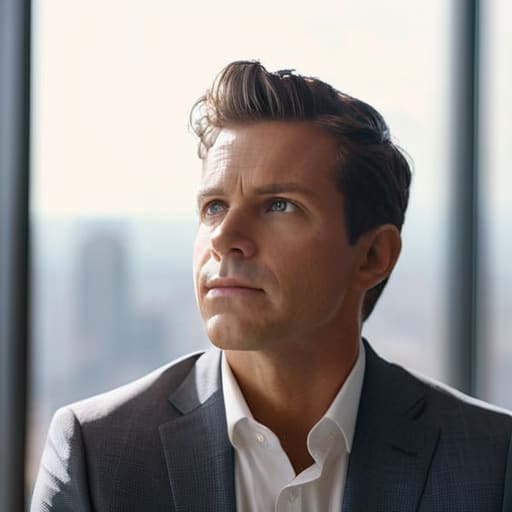
First, let’s get one thing straight: this isn’t about that plastic-looking, surrealist nightmare you see in some amateur HDR photography techniques. I’m not talking about smashing five different exposures together until the sky looks like a bruised grape. We are talking about subtle correction. When I’m shooting a corporate headshot near a massive window, the light is going to fight me. I’ll take one shot for the skin tones and another for the view behind them, then use Adobe Photoshop exposure blending to marry the two. The goal is to make the viewer believe the light was actually that perfect, not to show off how much math you did in post.
You also need to respect your tripod. If your subject moves—and they always move, usually right when you think they’ve settled—your bracketed exposure workflow is going to fall apart. You can’t blend two images if the eyes have shifted three pixels to the left. It’s a nightmare to fix. If you can’t get them to stay still, you might be better off just accepting a slightly harder shadow than trying to fake a seamless blend that looks like a glitch in the matrix.
Practical Tips and Steps
First, don’t go overboard with the bracketed exposure workflow. If you take five shots of a subject, you’re probably overthinking it; two or three is usually the sweet spot. Start by setting your camera on a tripod—if it moves even a millimeter between shots, you’re in for a headache. I usually shoot one at a standard exposure, one pulled down to save the highlights in a window, and one pushed up to see what’s happening in the shadows.
Once you’re in Photoshop, avoid the automated “HDR” button that makes everyone look like they’re made of wax. Instead, I prefer a manual approach to blending highlights and shadows. Bring your two layers in, align them, and use a soft brush on a layer mask to paint in the best parts of each. If you want to get really precise, look into a luminosity masking tutorial to help you isolate those tricky light transitions without the messy edges. It takes longer, but it’s the difference between a professional portrait and a digital mess.
Common Mistakes to Avoid
The biggest mistake I see—and I’ve made it myself during a frantic wedding shoot—is falling into the trap of making everything look like a video game. When you’re using high dynamic range imaging to rescue a shot, there is a very fine line between “balanced” and “uncanny valley.” If you push the shadows too hard just because you can, you end up with a flat, lifeless image where nothing feels grounded. You aren’t trying to see into the dark corners of a soul; you’re just trying to make the light look intentional.
Another pitfall is ignoring the movement between frames. If you’re working with a subject who can’t keep still—and trust me, everyone fidgets—your bracketed exposure workflow can fall apart if you don’t watch for ghosting. Don’t just blindly mash the layers together in Photoshop and hope for the best. If a hand or a stray hair has shifted between shots, you’ll need to go in manually with a brush to mask the sharpest version of that detail. It’s more tedious, but it’s the difference between a professional portrait and a digital mess.
Final Thoughts
At the end of the day, don’t let the technical side of things paralyze you. I’ve spent enough hours in darkrooms and studios to know that you can have the most perfect bracketed exposure workflow in the world, but if the connection with your subject isn’t there, the image will feel hollow. Blending isn’t about fixing a bad photograph; it’s about reclaiming the detail that the sensor was too small or too stubborn to catch in a single go.
If you find yourself getting lost in the weeds of a complex luminosity masking tutorial, just take a breath and step back. Look at the image as a whole. Sometimes, the most “perfect” exposure is the one that feels real, even if it means letting a few shadows stay deep or a highlight stay bright. Don’t over-process the life out of the portrait.
The goal is to make the viewer forget you even had to do the work. When you finally nail that balance between the light and the dark, it shouldn’t look like a digital trick—it should just look like a beautiful moment captured in a difficult room.
Five ways to keep your blends from looking like a mess
- Lock your tripod down or don’t bother. If you’re blending a bright window with a dark corner, even a millimeter of movement between those two shots will leave you with ghosting that no amount of masking can fix. I’ve seen enough “accidental” handheld blends to know that if the camera moves, the math fails.
- Watch the subject’s eyes, not just the light. If you’re doing a headshot and the client blinks or shifts between the underexposed and overexposed frames, you’re going to end up with a half-closed eyelid in your final composite. I usually ask them to hold a breath—it sounds weird, but it keeps them still for the three seconds I actually need.
- Don’t overdo the “magic.” The temptation when you have two clean exposures is to push the highlights and shadows to extremes. Resist it. If the blend looks like a heavy-handed Photoshop tutorial, you’ve lost the soul of the portrait. Aim for what the eye actually saw in the room, not what the sensor struggled to capture.
- Check your white balance on both shots. It sounds basic, but if your ambient light is warm and your flash is cool, and you don’t match them in-camera or immediately in post, the blend will look like a patchwork quilt. I always check the histogram of both shots to make sure the color temperature isn’t drifting between frames.
- Use a soft brush for the mask. When you’re blending the light from a window into a dark studio corner, a hard edge is your enemy. Use a low-opacity brush to transition the exposures; you want the light to feel like it’s actually falling across the subject’s skin, not like someone cut a hole in the image and pasted a brighter version underneath.
The reality of the RAW file
Blending exposures isn’t some magic trick to make a mediocre setup look professional; it’s a survival tactic for when the sun decides to dive behind a cloud or your subject’s skin tone is being swallowed by a window that’s just too bright. You aren’t just merging data; you’re trying to negotiate with a room that isn’t playing fair.
Iwona Krawczyk
The reality of the finished frame
At the end of the day, blending exposures isn’t about chasing some perfect, hyper-real digital dream; it’s about managing the chaos of a room that won’t cooperate. Whether you’re fighting a window that’s blowing out your subject’s shoulder or a ceiling that’s swallowing your shadows whole, remember that the goal is cohesion, not perfection. You’ve got your brackets, you’ve checked your tripod stability, and you’ve made sure your subject didn’t move between frames. If you can master the transition between the highlights and the shadows without making it look like a heavy-handed Photoshop job, you’ve already won half the battle. It’s a technical safety net that allows you to stop worrying about the light and start focusing on the person in front of you.
Don’t let the gear or the software intimidate you into playing it safe. We spend so much time obsessing over whether we have the right modifier or the perfect aperture, but the real magic happens when you learn to work with the compromises the environment forces upon you. If the light fails you, use the blend. If the dynamic range is a disaster, use the blend. Use these tools to reclaim the image you actually saw with your eyes, rather than the one the sensor struggled to capture. Just remember: once the technical part is sorted, get back to the human element. That’s the only part that actually matters.
