
I remember standing in a drafty studio in East London, sweating through my shirt because I’d spent forty minutes trying to stitch a wide architectural shot, only to realize the software was fighting me every step of the way. Every photography tutorial online makes it sound like you just click a button and magic happens, but they never mention the wind catching a light stand or the way a slight tilt in your tripod can ruin everything. If you’re sitting there staring at a jagged horizon line, wondering how to make a panorama that lines up without losing your mind, trust me: it isn’t a software problem, it’s a physicality problem.
I’m not going to give you a lecture on the mathematical geometry of pixels or suggest you buy a three-thousand-dollar specialized panoramic head. Instead, I want to talk about the actual, messy mechanics of the shoot—the way you position your body, how you manage your overlap, and why your tripod is likely lying to you. This is about the unseen adjustments you make in the room so that when you finally get to your desk, the computer actually does its job.
Its Not the Lens Its the Camera Rotation Axis Importance
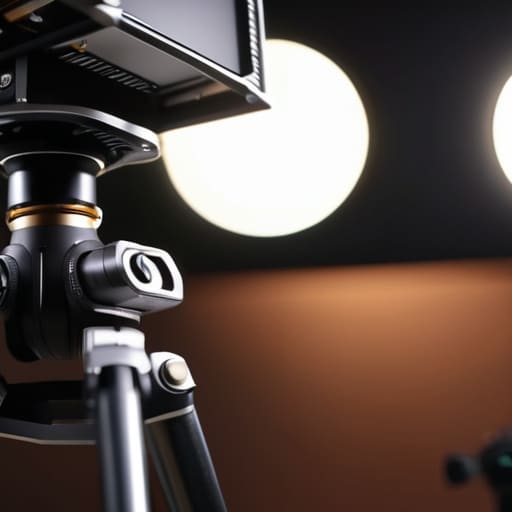
You can buy the most expensive glass on the market, but if you’re pivoting your body instead of the tripod, you’re already losing. Most people think they just need to swing the camera left and right like a pendulum, but that’s how you end up with a jagged mess that no amount of panorama stitching software tips can actually fix. When you rotate from the tripod head—or worse, from your hips—you’re shifting the lens’s position in space. This creates a shift in perspective between frames, meaning a lamp in the foreground might jump three inches to the left in the next shot.
This is exactly why camera rotation axis importance cannot be overstated. To get a clean sweep, you have to rotate around the lens’s optical center, a trick often called the nodal point alignment technique. If you aren’t rotating around that specific, invisible pivot point, you’re inviting parallax error into your workflow. It’s a headache that makes the foreground and background fight each other during the merge. It’s not a software problem; it’s a geometry problem. Stop moving the camera, and start moving the axis.
Mastering the Nodal Point Alignment Technique Amidst the Chaos
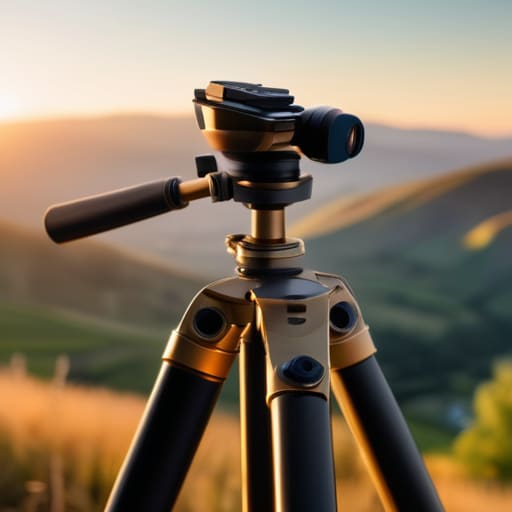
Here is the reality: you can have the most expensive sensor on the market, but if you’re pivoting the tripod from the center of the head instead of the lens, your stitch is doomed. This is where the nodal point alignment technique stops being a theoretical concept from a textbook and becomes your only lifeline. When you rotate around the wrong axis, you create parallax—that annoying shift where a foreground tree suddenly jumps ahead of a background building. It’s a nightmare to fix later.
I’ve spent far too many afternoons staring at a laptop, trying to save a shot through panorama stitching software tips that usually involve just masking and praying. It’s exhausting. To stop the bleeding, you need to find that magic spot where the light enters the lens. If you don’t have a geared head or a panoramic tripod, use a piece of string or a small weight to find the balance point. It feels tedious when you’re in the middle of a shoot and the client is checking their watch, but avoiding parallax error in photography at the source is significantly faster than trying to fake it in post-production.
How to Make a Panorama That Lines Up Every Time
If you’ve stopped obsessing over your tripod’s weight and started focusing on the geometry of the shot, you’re halfway there. To actually get a result that doesn’t look like a glitch in the Matrix, you need to treat your overlap like a safety net, not a suggestion. I always aim for about 30% to 40% overlap between frames. If you skimp on that, even the best panorama stitching software tips won’t save you from a seam that looks like a jagged scar across a building. You aren’t just taking pictures; you are building a map, and a map with missing pieces is useless.
The real trick to avoiding parallax error in photography happens before you even press the shutter. If you aren’t rotating around that specific nodal point we talked about, the foreground elements will jump wildly between frames. It’s frustrating, I know. You’ll spend an hour fighting with software trying to fix a mistake that should have taken ten seconds to prevent on-site. Stop trying to fix it in post. If the alignment is fundamentally broken at the source, no amount of digital wizardry will make those edges melt together seamlessly.
Avoiding Parallax Error in Photography When the World Shifts
If you’ve ever spent an hour shooting a sequence only to have your stitching software spit out a jagged, broken mess of a skyline, you’ve likely fallen victim to parallax. It’s that infuriating moment where a foreground element—a tree branch, a lamp post, or a client’s shoulder—suddenly jumps or doubles in the final image. Most people think they need better panorama stitching software tips to fix this, but software can only do so much math to compensate for a fundamental physical error. You can’t code your way out of a bad pivot.
The trick to avoiding parallax error in photography isn’t about clicking more buttons in Lightroom; it’s about respecting the physics of your lens. When you rotate the camera around the sensor rather than the lens element, you prevent that “shifting” effect where the foreground and background move at different speeds. If you aren’t using a tripod with a geared head or a dedicated panoramic rail to find that sweet spot, you’re essentially just making extra work for yourself later. It’s a minor inconvenience in the setup phase that saves you a massive headache in the edit.
A Panoramic Photo Overlap Guide for Unpredictable Realities
Here is the reality: if you’re shooting for a tight crop or a weirdly shaped landscape, the standard 30% overlap is a lie. I’ve been in situations—usually a client wanting a massive view in a cramped studio or a wedding venue with awkward architecture—where the software just gives up. If you want to stop fighting your computer later, you need to shoot more than you think you need. I usually aim for a 50% overlap minimum. It feels redundant, and you’ll feel like you’re wasting memory, but it gives the stitching software enough “shared DNA” to actually understand where one frame ends and the next begins.
When you’re dealing with complex foreground elements, like a branch or a piece of furniture that’s too close to the lens, that extra margin is your only insurance policy against a jagged mess. This is a crucial part of improving panorama seam blending; you aren’t just taking pictures, you’re providing the algorithm with enough data to make a decision. If you skimp on the overlap, you’ll end up with ghosting or, worse, a seam that looks like a tectonic plate shift. Over-shoot the data, then trim the fat later.
Improving Panorama Seam Blending and Essential Software Tips
Even if you’ve nailed the nodal point alignment technique and your shots are physically aligned, you’re still going to run into the “ghosting” problem. This usually happens when something—a leaf, a person, or a stray shadow—moves between frames. When I’m working on a wide architectural shot or a busy landscape, I don’t just hope for the best; I look for improving panorama seam blending by ensuring my overlap is generous enough to give the software some breathing room. If the software tries to stitch a moving object, you get those weird, translucent smears that make the whole image look like a glitch in the Matrix.
When you finally get to the desk, don’t just hit ‘Auto-stitch’ and walk away. Most panorama stitching software tips I’ve picked up over the years boil down to one thing: manual intervention. If Lightroom or PTGui gives you a messy seam, zoom in to 100%. Check if the software is trying to force a match where there isn’t one. Sometimes, you have to manually adjust the exposure or white balance on individual frames before you even attempt the stitch. It’s more tedious, sure, but it’s the difference between a professional wide-angle shot and a messy collage.
The stuff they don't mention in the manual
- Check your tripod legs before you start. If you’re shooting on uneven ground or a cheap, wobbly kit tripod, your rotation won’t stay level between shots. Even a millimeter of tilt at the base becomes a massive, unfixable gap by the time you’ve swept a 180-degree arc.
- Stop using the zoom ring mid-sequence. I see people try to “frame it better” by zooming in or out between shots, and it’s a disaster. If you change the focal length, you’re changing the perspective and the math the software uses to stitch, and you’ll spend three hours in Lightroom fighting a battle you’ve already lost.
- Watch the wind. If you’re shooting outdoors and it’s gusty, your tripod is going to micro-vibrate. It feels stable to you, but the sensor is dancing. If you can’t feel the wind hitting your face, you’re probably safe, but if you’re fighting a breeze, you need to find a windbreak or accept that your seams are going to look like a jigsaw puzzle put together by a toddler.
- Mind the moving parts. If there’s a person walking through the background or a car passing by, they will inevitably end up in the “seam zone”—that sliver of overlap where the software tries to blend two different moments in time. If they move, they’ll look like a glitch in the Matrix. Either wait for the gap or shoot the people out of the overlap entirely.
- Use a remote shutter or a timer. Even the lightest touch on the camera body can shift your alignment just enough to make the stitching software throw a tantrum. If you’re still pressing the button with your finger, you’re introducing human error into a mathematical process. Get a cable release or use the app and step away.
The Myth of the Perfect Stitch
You can buy the most expensive tripod in the world, but if you aren’t rotating around the nodal point, you’re just making more work for yourself in Lightroom. A panorama isn’t a software problem; it’s a geometry problem that starts with where you stand and ends with how much you’re willing to sweat before you even press the shutter.
Iwona Krawczyk
The Reality of the Stitch
At the end of the day, a seamless panorama isn’t about having the most expensive tripod or a lens that costs more than my first car. It’s about respect for the physics of the room. If you’ve paid attention to the nodal point, kept your rotation axis steady, and given yourself enough overlap to account for the inevitable slight wobble of a handheld shot, you’ve already won half the battle. Most people fail because they try to brute-force the software to fix a fundamental mechanical error made in the field. Don’t let the software do the heavy lifting that your tripod and your patience should have handled. Stop fighting the seams and start managing the geometry before you even click the shutter.
There will still be days when the wind catches the light stand, or the client moves through your frame at the exact moment you’re trying to capture the horizon, and the stitch looks like a jagged mess. That’s fine. Photography is rarely a clean, linear process, and it’s almost never as perfect as the tutorials make it seem. When the math fails, just remember that the goal isn’t a flawless mathematical construct; it’s a compelling image that makes the viewer forget they are looking at a composite. Get the technical basics down so that when the chaos happens, you have the headroom to focus on the soul of the shot instead of the errors in the software.
