
I was halfway through a portrait session for a client who was already sweating through her silk blouse when I saw it: that tiny, unmistakable dark smudge in the corner of my high-aperture test shot. My heart did a little sink, not because I thought the camera was dying, but because I realized I’d have to pause the momentum to figure out how to clean a sensor yourself without turning a five-minute fix into a three-day trip to the repair shop. Most people treat a dirty sensor like a death sentence for their gear, but after eight years of assisting, I’ve learned that it’s usually just a bit of grit that decided to join the party at the worst possible moment.
This isn’t a lecture on the physics of light or a guide to buying the most expensive specialized kits on the market. Instead, I’m going to show you the unvarnished reality of doing this at a desk, from the specific swabs you actually need to the exact way you hold your breath so you don’t blow more dust onto the glass. We’re going to talk about the tools, the tension, and the compromises you make when you’re working in a pinch.
Guide Overview
Tools & Supplies
- Air Blower (Manual bulb blower to avoid compressed air cans)
- Sensor Swabs (Specifically sized for your sensor dimensions)
- Magnifying Loupe (To inspect for remaining dust particles)
- Sensor Cleaning Fluid (Small bottle of specialized methanol-based solution)
- Microfiber Cloth (Single lint-free cloth for external body cleaning)
Step-by-Step Instructions
- 1. First, you need to find a workspace that isn’t a death trap for dust. Don’t do this on your bed or near an open window where a breeze might decide to gift you more debris. Find a stable table, turn off any fans or AC units, and clear a dedicated zone. You want a clean, well-lit surface where you won’t accidentally knock your lens cap into the abyss.
- 2. Get your kit ready before you even touch the camera body. You’ll need a specialized sensor blower (not your lungs, please), sensor swabs of the correct size for your sensor, and high-grade sensor cleaning fluid. Lay them out in order. If you realize halfway through that you’re missing the right size swab, stop immediately. You cannot wing this part.
- 3. Turn your camera on and go into the menu settings to trigger the “Manual Cleaning Mode” or “Lock Mirror Up” function. This is crucial. You need the sensor exposed and the shutter held open so you aren’t fighting a mechanical curtain while trying to be delicate. Once the sensor is exposed, carefully remove your lens and set it aside in a safe place.
- 4. Grab your blower. This is the “gentle” phase. Hold the camera with the sensor facing the floor so gravity is working with you, not against you. Give the sensor a few firm, controlled puffs of air. Do not touch the sensor with the nozzle of the blower. You’re looking to see if those little dark spots on your test shots are just loose dust that can be blown away without any liquid intervention.
- 5. If the blower didn’t do the trick, it’s time for the wet clean, which is the part that makes everyone’s heart rate spike. Take a fresh swab and apply two or three drops of cleaning fluid to the edge of the swab. You want it damp, not dripping. If it’s dripping, you aren’t cleaning a sensor; you’re creating a short circuit.
- 6. Place the swab on one edge of the sensor and, in one smooth, continuous motion, drag it across to the other side. Flip the swab and do it again in the opposite direction. The goal is a single, fluid stroke with consistent, light pressure. If you start scrubbing back and forth like you’re cleaning a kitchen floor, you are going to scratch the coating, and then we’re having a much more expensive conversation.
- 7. Once you’ve finished the wet clean, put the lens back on, close the camera, and turn it off. Take a test shot at a high aperture—something like f/16 or f/22—pointing at a plain white wall or the sky. This is how you’ll see if you actually cleared the grime or if you’ve just moved it around. If the spots are gone, congratulations, you’re a professional; if not, take a breath and try one more time with a fresh swab.
Understanding How to Clean a Sensor Yourself
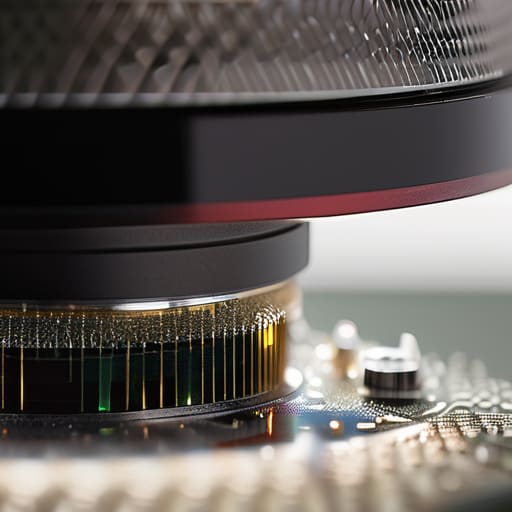
Before you actually touch anything, you need to understand the stakes. We aren’t talking about a smudge on a lens filter; we are talking about the literal heart of your machine. When I’m prepping for a shoot, I don’t want to be squinting at a high-aperture test shot only to realize I’ve spent twenty minutes removing dust spots from images that were actually just baked-in grit. The goal of a proper DSLR sensor cleaning procedure isn’t just to make things look pretty, but to stop you from panicking mid-session when a client’s portrait looks like it has a permanent gray mole on their forehead.
If you’re going to do this, stop trying to improvise with household items. I’ve seen people reach for a Q-tip or, god forbid, a cloth they found in their bag. You need a dedicated kit. Most sensor cleaning kit components are designed to be low-residue for a reason. If you’re using a swab, it needs to be the right size for your sensor—if it’s too small, you’ll leave streaks; too large, and you’ll scrape the edges. And please, for the love of everything, never use standard isopropyl alcohol unless it’s specifically formulated for optics; you’ll leave a film that’s harder to clean than the original dust.
Key Things to Know
First, let’s get one thing straight: if you see a tiny dark speck in the top corner of your RAW files, don’t panic and don’t immediately assume your gear is dying. Most of the time, you’re just dealing with the inevitable reality of removing dust spots from images that have settled on the glass. It happens to everyone, even me, when I’m swapping lenses in a drafty studio. The trick is to stop squinting at your LCD screen and actually check your aperture; stop down to f/16 to see if that little ghost is actually on the sensor or just a smudge on your lens element.
When you do decide to dive in, please, for the love of everything holy, do not reach for the isopropyl alcohol you use to clean your glasses. Standard rubbing alcohol is too aggressive; if you’re going to use anything, it needs to be specialized sensor cleaning kit components designed specifically for this level of precision. You want a dedicated sensor swab and high-purity fluid that evaporates before it can leave a streak. It’s about being surgical, not just scrubbing. If you feel any resistance at all, stop. The goal is cleaning the sensor safely without damage, not turning a twenty-minute task into a three-thousand-dollar repair bill.
Practical Tips and Steps
Before you actually touch anything, do yourself a favor and check your sensor under a bright, single light source first. I’ve seen so many people panic and start scrubbing when all they really needed was a quick blast from a rocket blower. If you see those tiny, dark specks in your test shots, you’re likely looking at removing dust spots from images that are actually just stubborn particles stuck to the glass. Don’t rush into using the wet swabs immediately; try the dry method first. If the dust is stuck, it’s usually because of static or a bit of moisture, so be patient.
When you do move to the wet stage, remember that your sensor cleaning kit components are precision tools, not cleaning supplies for your kitchen counters. If you find yourself reaching for a random bottle of isopropyl alcohol for sensor cleaning, stop right there. You need high-purity, specialized fluid designed specifically for this. One wrong swipe with the wrong chemical and you aren’t just cleaning; you’re permanently etching the coating. Treat the sensor like it’s made of thin ice.
A few things I learned the hard way so you don't have to
- Stop using canned air. I know it’s tempting when you’re in a rush between clients, but that pressurized stuff is unpredictable; it can spray liquid propellant directly onto your sensor or blow a tiny speck of dust into a corner you’ll never be able to reach again.
- Work in a “clean” zone. Don’t try to do this in the middle of a busy studio or near an open window. I usually head to the kitchen—away from the draft of the fridge and the dust of the studio floor—to minimize the number of airborne particles currently looking for a home on my glass.
- Light is your best friend, but don’t overdo it. Use a single, harsh light source—like a desk lamp or even a bright flashlight—aimed at an angle across the sensor. You need to see the shadows cast by the dust; if the light is too soft or ambient, you’ll think you’re clean when you’re actually just being lied to by your own eyes.
- If it’s stuck, don’t force it. If a piece of grit won’t budge with a gentle swipe of a swab, stop. Pushing harder doesn’t clean the sensor; it just risks scratching the coating. At that point, it’s a job for a professional, and you have to swallow your pride and accept the repair cost.
- Check your work at a high aperture. Don’t just trust a quick glance at the LCD screen. Set your camera to a narrow aperture—something like f/16 or f/22—and shoot a plain white wall or a clear sky. That’s when the sensor’s flaws actually show up, and you don’t want to find out you missed a spot halfway through a paid commission.
The Anxiety of the Sensor
I spent years watching senior shooters panic over a single speck of dust, but here’s the truth: the sensor isn’t a holy relic, it’s just a piece of glass in a high-stakes environment. Don’t let the fear of a scratch paralyze you—just move slowly, trust your hands, and remember that a little bit of cleaning is much better than a client seeing a smudge on a high-res portrait.
Iwona Krawczyk
The Dust Settles
Look, if you’ve followed the steps, you’ve likely realized that sensor cleaning isn’t some mystical ritual—it’s just a high-stakes version of cleaning a lens. You’ve got your swabs, you’ve got your fluid, and you’ve hopefully kept your hands steady. Just remember the golden rule: if a speck of dust refuses to budge after a gentle swipe, do not start scrubbing like you’re cleaning a burnt pan. You aren’t trying to polish the sensor; you’re just trying to coax the debris off without leaving a scratch. It’s about being deliberate and gentle, knowing when to stop before a minor annoyance becomes a permanent, expensive scar on your gear.
At the end of the day, we spend so much time obsessing over the technicalities of light and composition that we forget the gear is just a tool that exists in a very messy, very dusty world. You’re going to find more dust. You’re going to see more spots. Don’t let the fear of a dirty sensor keep you from actually taking the shot. Once you realize that you have the agency to fix these little hiccups yourself, the gear stops being a source of anxiety and starts being what it should be: something you can rely on. Now, get out of the studio and go shoot something that actually matters.
