
I once spent forty minutes in a cramped, overheated studio trying to explain to a client why our “cinematic” movement looked more like a drunken stumble, all because I’d picked a stabilizer that was too lightweight for my rigged-out mirrorless setup. Everyone tells you that learning how to choose a gimbal is about torque specs and motor payload, but they’re lying to you. It’s not about the math on the box; it’s about whether that piece of hardware is going to fight you when you’re trying to navigate a doorway or pivot around a subject who’s suddenly decided they’re too nervous to stand still.
I’m not here to walk you through a spec sheet or sell you on the latest expensive toy that promises magic. Instead, I want to talk about the actual physics of a shoot—the weight of your lens, the reach of your arms, and the unavoidable reality of your environment. This is my notebook on how to choose a gimbal based on what actually happens when the lights are on and the clock is ticking, focusing on the gear that works with you rather than against you.
The Myth of the Steady Hand How to Choose a Gimbal
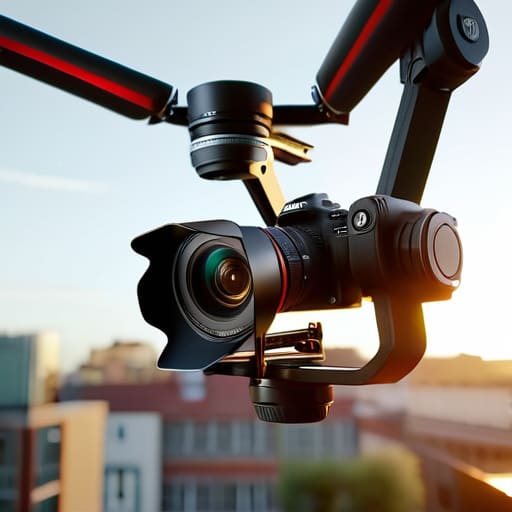
We’ve all been there: you’re trying to capture a walking subject, you’re bracing your elbows against your ribs, and you’re still getting that micro-jitter that makes the footage look like a handheld mess. People think they just need more practice with their posture, but usually, you’ve just hit the ceiling of what your gear can handle. When you’re looking at specs, stop obsessing over the brand name and look at the motor torque requirements. If you’re mounting a heavy mirrorless setup with a decent lens, a gimbal designed for a lightweight phone is going to whine, overheat, and eventually give up on you halfway through the shoot.
It’s a math problem, really. You need to calculate your camera payload capacity before you even think about clicking ‘buy.’ If your rig is pushing the absolute limit of the motors, the 3-axis stabilization technology won’t actually save you; it’ll just struggle to fight the weight. I’ve seen too many beginners buy a sleek, compact model only to realize it can’t handle their favorite prime lens. Don’t aim for the lightest option; aim for the one that has enough muscle to actually do the work without fighting your every move.
More Than Just Smoothness Understanding 3 Axis Stabilization Technology
When people talk about gimbals, they usually just mean “the thing that stops the shaking.” But if you’re moving from a phone to a real setup, you need to understand that 3-axis stabilization technology isn’t magic; it’s just a series of tiny, high-speed motors fighting against physics. You have three axes—pan, tilt, and roll—and each one is working overtime to counteract your natural human wobble. If one motor is weak, the whole illusion of “floating” falls apart, and you end up with jittery, amateurish movement that no amount of post-production editing can fix.
This is where most people trip up during the buying process. They see a sleek design and assume it’ll work for everything, but you have to look closely at the motor torque requirements. If you’re mounting a heavy mirrorless body with a chunky 24-70mm lens, a lightweight stabilizer designed for a smartphone will simply give up. It’ll vibrate, overheat, or just straight-up shut down mid-shoot. You aren’t just buying smoothness; you are buying the ability to carry your specific camera payload capacity without the motors screaming for mercy.
The Weight of Reality Calculating Your Camera Payload Capacity
Here is where most people trip up before they even leave the house. You see a sleek gimbal online, it looks balanced, it looks expensive, and you assume it’ll handle your setup. But here is the reality: your gear has a weight, and your gimbal has a limit. When you’re looking at the camera payload capacity, don’t just look at the maximum number on the spec sheet and call it a day. That number is the absolute breaking point, not the comfortable working range. If you rig a heavy mirrorless body with a fast prime lens and a shotgun mic right up to the limit, those motors are going to scream.
I’ve been on shoots where the footage looks jittery not because the tech failed, but because the motor torque requirements were being pushed to the edge. When the motors are struggling just to hold the weight, they can’t do their actual job of smoothing out your movement. You end up with micro-jitters that no amount of post-production can fix. If you’re transitioning from a lightweight smartphone vs DSLR gimbal setup, you need to account for the extra glass and the accessories. Always leave yourself a buffer of at least 20% so the motors can actually breathe.
Fighting the Friction Why Motor Torque Requirements Actually Matter
Here is the thing they don’t tell you in the glossy brochures: a gimbal can support your camera’s weight on paper, but that doesn’t mean it can actually move it. I’ve been there—trying to execute a slow, controlled pan for a client’s brand video, only to have the motors start stuttering and vibrating like they’re having a panic attack. That’s not a gear failure; it’s a failure to respect the motor torque requirements. If your motors are constantly fighting to keep your setup level, you aren’t getting smooth cinematic footage; you’re just getting a very expensive, vibrating paperweight.
When you are calculating your camera payload capacity, you have to build in a massive buffer. If your rig sits right at the limit of what the gimbal claims to handle, the motors will run hot, the gimbal battery life will plummet, and you’ll lose that fluid motion that makes a shot look professional. Think of it like trying to run a marathon in heavy boots; you might be able to do it, but you aren’t going to be graceful about it. Always choose a motor strength that feels slightly “overkill” for your specific setup.
The Battle of Scales Smartphone vs Dslr Gimbal Realities
Here is the reality check: stop looking at the sleek, lightweight smartphone stabilizers and thinking they’ll work for your professional kit. A smartphone gimbal is a brilliant tool for a quick social media clip or a walk-through video, but it is a completely different beast. When you’re dealing with the physics of a heavy mirrorless setup, the smartphone vs DSLR gimbal debate isn’t even a contest; it’s a matter of survival for your gear.
If you try to treat a small stabilizer like a professional workhorse, you’re going to run into a wall. A phone gimbal is designed for light, nimble movements, whereas a DSLR gimbal has to contend with much higher motor torque requirements just to keep the frame level when you’re moving through a crowd. If your rig is too heavy for the motors, you won’t get that silky movement you were promised; you’ll get a jittery, vibrating mess that looks amateurish. You have to respect the weight of your glass, or the gimbal will spend the whole shoot fighting itself rather than helping you get the shot.
Running Out of Time When Gimbal Battery Life Fails You
There is nothing quite like the sinking feeling of watching your battery indicator turn red just as the client finally finds their light. I’ve been there, standing in a cramped studio hallway, trying to explain to a very frustrated creative director why we can’t get that final tracking shot. When you are working with a heavy setup, gimbal battery life isn’t just a spec on a box; it is your literal lifeline for the shoot. If you are pushing the limits of your motor torque requirements to stabilize a heavy lens, those motors are sucking power faster than you can say “recharge.”
Don’t fall for the marketing fluff that promises twelve hours of runtime. That number is almost always calculated with a tiny, lightweight mirrorless setup and zero movement. In reality, if you are running a professional rig, you need to plan for the actual drain. I always tell my assistants to carry a high-capacity power bank and a dedicated charging cable that can actually handle a pass-through charge. If you can’t charge the gimbal while you’re still shooting, you aren’t prepared for a real production.
The Real-World Checklist: Things That Actually Matter When You’re On Location
- Check the balance, not just the specs. I’ve seen people buy a high-torque gimbal only to realize that once they add their favorite prime lens and a decent microphone, the center of gravity is so far off that the motors scream like they’re dying. If you can’t balance it easily on your kitchen table, you’ll never balance it in a dark studio when you’re stressed.
- Test the “small space” factor. A gimbal might be smooth in a wide-open field, but if you’re shooting a corporate interview in a cramped office, a massive, heavy rig becomes a liability. You need to know if you can actually maneuver the thing around a desk or a chair without hitting a wall or looking like you’re operating a piece of heavy machinery.
- Don’t ignore the software ecosystem. It’s easy to get distracted by the hardware, but if the app is buggy or the way it handles follow-focus is unintuitive, you’re going to lose the moment. A gimbal is useless if you’re spending half your shoot fighting a glitchy interface instead of watching your subject’s eyes.
- Account for your “kit creep.” You might think you’re just shooting a lightweight mirrorless setup today, but three months from now, you’ll want to add a wireless transmitter, a better monitor, or a different lens. Buy for the rig you want to have in six months, not the one you have sitting in your bag right now.
- Look at the ergonomics of the grip. This sounds trivial until you’ve been holding a stabilizer for forty-five minutes straight during a wedding or a long corporate shoot. If the buttons are awkward or the grip is too thin, your hands will cramp, your movements will get jerky, and suddenly, all that expensive stabilization doesn’t mean a thing.
## The Payload Trap
Don’t get seduced by the spec sheet’s maximum capacity; if you buy a gimbal that can technically hold your rig but makes the motors scream every time you tilt the camera, you haven’t bought a tool, you’ve bought a headache that will fail you halfway through a client’s wedding.
Iwona Krawczyk
The Final Check
At the end of the day, choosing a gimbal isn’t about finding the most expensive piece of tech on the market; it’s about matching the tool to the chaos you actually expect to encounter. You need to stop looking at the marketing brochures and start looking at your own kit. Check your payload, don’t ignore the motor torque, and for heaven’s sake, make sure you can actually carry it from the car to the set without wanting to quit. If the motors can’t fight the weight of your specific lens setup, or if the battery dies halfway through a client’s precious twenty-minute window, the smoothest footage in the world won’t save the shoot. It’s about predicting the friction before you even step into the room.
Once you’ve done the math and picked the right stabilizer, remember that the gimbal is just there to handle the physics so you can handle the art. It won’t fix a subject who is staring blankly at the lens or a room with terrible lighting, but it will stop you from fighting your own equipment. Use the tech to clear the path, then get back to the work that actually matters—the composition, the light, and the person in front of you. The gear is just the buffer between your vision and a shaky reality. Now, go out and actually use it.
