
I once spent forty minutes in a drafty studio, obsessing over my tripod height and checking my spirit level every thirty seconds, only to realize later that the client had installed their floorboards at a slight, nauseating tilt. It’s the same story every time: you buy the most expensive leveling tools and swear by your sensor’s internal inclinometer, but you still end up staring at a shot that feels fundamentally wrong. People spend way too much time researching complex gear solutions when the real lesson in how to straighten a horizon is often just about accepting that the world isn’t as level as we want it to be.
I’m not here to give you a lecture on the physics of light or a tutorial on every slider in Lightroom. Instead, I want to talk about the practical compromises you make when the room is working against you. I’ll show you how to spot a crooked line before you even click the shutter, how to use your composition to hide a sloping landscape, and exactly when to stop fighting the geometry and just fix it in post.
The Leaning Horizon and the Illusion of Faulty Gear

I’ve seen it happen a dozen times: a photographer finishes a shoot, pulls up the previews, and immediately starts cursing their tripod or wondering if the sensor is somehow skewed. They think they need a new piece of kit because the world looks like it’s sliding off the edge of the frame. But let’s be honest—it’s almost never the gear. It’s usually just a matter of fixing tilted camera angles that happened because the floor was uneven or the subject moved at the last second.
When you’re out in the field, you’re fighting reality. You might be working on a slope or dealing with a client who refuses to stand on a level surface, and suddenly your composition is ruined. Instead of spiraling into a gear crisis, just accept that the tilt is part of the chaos. Most of the time, editing crooked horizons in Lightroom is a much faster, much cheaper solution than buying a more expensive leveling base. It’s not a failure of your equipment; it’s just the price we pay for working in the real world instead of a vacuum.
Why Your Landscape Photography Composition Tips Arent Fixing the Tilt
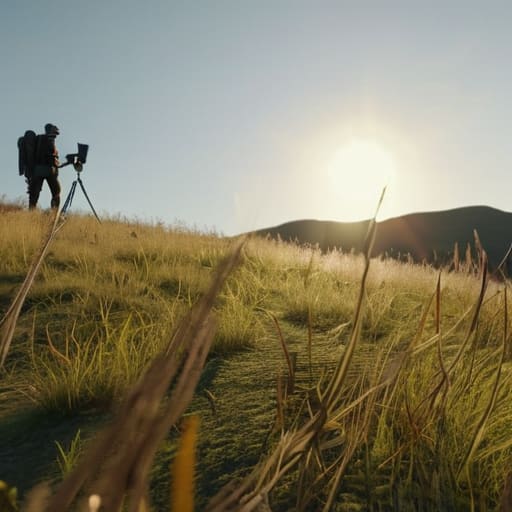
The problem is that most of the landscape photography composition tips you find online assume you’re standing on a flat, predictable plane with a tripod that isn’t slightly bent. They talk about the “rule of thirds” or “leading lines” as if the world is a geometry textbook. But when I’m shooting a portrait in a rented studio with a floor that’s settled three degrees to the left, or a wedding in a garden built on a slope, those rules feel like a joke. You can’t compose your way out of a physical tilt that’s baked into the environment.
If you’re waiting for the perfect shot to magically align itself, you’re going to waste a lot of expensive light. You’ll find yourself fiddling with the tripod legs or trying to fix tilted camera angles mid-shoot, but sometimes the room just won’t cooperate. You have to accept that the tilt is part of the reality of the space. Instead of fighting the physics of a crooked room during the session, just make the shot and prepare to deal with the heavy lifting during the edit.
The Art of Learning How to Straighten a Horizon

Once you accept that the tilt happened because of a heavy tripod, a distracted client, or just a floor that wasn’t actually level, you can stop panicking and start working. I used to spend way too much time trying to physically re-adjust my gear on set, but sometimes the room simply won’t cooperate. Instead of fighting the physics of a cramped studio, I’ve learned to embrace digital image correction techniques as a standard part of the workflow. It isn’t “cheating”; it’s just managing the reality of the environment.
When I sit down at my desk, I usually start by using the crop tool for leveling in Lightroom. It’s the fastest way to see if a simple rotation solves the problem without destroying too much of the frame. The real trick, though, is watching your edges. If you rotate too aggressively to fix a tilted camera angle, you end up with awkward, empty corners that look artificial. You have to find that sweet spot where the horizon is straight but the composition still feels intentional, rather than a desperate attempt at fixing a mistake.
Editing Crooked Horizons in Lightroom Without Losing the Soul
Once you’ve accepted that the tilt happened because the tripod leg sank into a patch of soft mud or the client shifted mid-pose, you have to deal with the digital aftermath. When it comes to editing crooked horizons in Lightroom, the temptation is to just grab the transform tool and crank it until it looks right. But there’s a cost. Every time you rotate a frame to fix a mistake, you’re cutting off the edges of your composition. If you’re working with a tight portrait or a landscape where the subject is hugging the frame, you might find yourself staring at empty, ugly slivers of dead space because you’ve cropped too deep to compensate for the angle.
The trick is to stop thinking about it as a mechanical fix and start thinking about compositional trade-offs. I usually find that using the crop tool for leveling works best when you pair it with a slight adjustment to the geometry settings. Instead of just rotating, try nudging the vertical or horizontal sliders to see if you can regain some of that lost perspective. It’s about finding the sweet spot where the line is straight, but the image doesn’t feel like it’s been suffocated by the crop.
Using the Crop Tool for Leveling and Improving Photo Perspective
Once you’ve accepted that the tilt happened because the tripod leg was on a rug or the client shifted mid-pose, it’s time to actually fix it. Most people just grab the rotate slider and hope for the best, but I’ve found that using the crop tool for leveling is much more intuitive when you’re trying to save a composition. In Lightroom, don’t just spin the image blindly; use the “Auto” button within the crop overlay first to see what the software thinks is level, then manually override it. It’s a blunt instrument, but it gets you 90% of the way there before you start making artistic decisions.
The real danger here isn’t the rotation itself, but the loss of edge data. When you’re fixing tilted camera angles, you’re inevitably cutting into your frame. This is where improving photo perspective becomes a game of compromise. If you’re shooting a tight headshot and you rotate it 3 degrees, you might lose the subject’s hair or the edge of a shoulder. I always tell my assistants to shoot slightly wider than necessary for this exact reason. You can always crop in, but you can’t magically conjure back a corner of the frame that you’ve rotated out of existence.
Digital Image Correction Techniques for Fixing Tilted Camera Angles
When you’re deep in the trenches of a shoot, you eventually realize that even with a tripod, things go sideways. Maybe the floor was uneven, or the client moved just enough to throw your plane of focus off. When you’re stuck in the post-processing phase, you have to rely on digital image correction techniques that go beyond a simple rotation. If you just spin the image, you end up with those awkward, empty corners that make a portrait look like a poorly framed snapshot.
Instead of just panicking and cropping everything into oblivion, I usually lean on the Transform panel. It’s much more surgical than just using the crop tool for leveling. By adjusting the vertical and horizontal sliders, you can actually fix the geometry of the room rather than just tilting the frame. It’s about improving photo perspective so the viewer doesn’t feel like they’re sliding off the side of the chair. It’s a compromise—you might lose a bit of the edges, but you save the integrity of the shot.
Five ways to stop fighting the tilt before you even hit the shutter
- Stop trusting your eyes and start trusting the grid; your brain is a liar when you’re tired, so turn on the level or the grid lines in your viewfinder and actually look at them instead of assuming “it looks fine” from where you’re standing.
- Watch your feet, not just your hands; if you’re shooting a portrait in a studio or a corporate team on a site, the floor is often sloped or the tripod is sitting on a rug, so check if the tilt is coming from the ground up before you blame your sensor.
- Mind the edges of the frame during the shoot; if you know you’re going to have to rotate the image in Lightroom to fix a slight lean, leave more breathing room around the subject than you think you need, otherwise you’ll end up cropping so hard you lose the whole composition.
- Use a bubble level on your tripod, not just a prayer; I learned the hard way during my assisting years that a “level” tripod on a slightly uneven studio floor is just a fancy way to ensure every single shot is crooked.
- Check your vertical lines when you’re fixing your horizontals; if you rotate the camera to fix a leaning sea line, you’re going to tilt every building or doorway in the shot, so be prepared to use the Transform tool to bring the architecture back to reality.
The Real Lesson of the Tilt
“We spend so much time obsessing over whether the sensor is level or if the tripod is stable, but the truth is that a crooked horizon is usually just a symptom of a rushed setup or a room that wasn’t as square as you thought it was. Don’t blame the glass; just learn to fix the tilt in post so you can get back to the person in front of the lens.”
Iwona Krawczyk
The Reality of the Level
At the end of the day, straightening a horizon is less about mastering a complex software algorithm and more about understanding that perfection is often a moving target. We’ve looked at why your gear isn’t actually broken, why your composition might be fighting the physics of the room, and how to use the crop tool in Lightroom without slicing away the very essence of the frame. Whether you are dealing with a literal ocean line or a slightly tilted corporate headshot where the wall meets the ceiling, the fix is usually a matter of calculated compromise. You have to decide when a slight tilt adds character and when it simply looks like you forgot how gravity works.
Don’t let the technicalities paralyze you when you’re behind the lens or sitting at your desk at 2:00 AM. If the horizon is leaning, fix it, but don’t let the pursuit of a perfectly level line rob the image of its humanity. Most of the time, the magic isn’t in the straightness of the line; it’s in the light, the expression, and the way you managed to keep your cool when everything in the room seemed to be tilting. Stop obsessing over the pixels and start focusing on the story the image is trying to tell you. The level is just a tool, not the destination.
