
I once spent three hours in a rented studio trying to calibrate a $500 color checker, only to realize the window facing the street had a subtle, greenish tint that shifted every time a bus drove past. I was sweating over my sensor settings, thinking my gear was failing me, when the reality was much simpler: the light was a moving target. Most courses will tell you that color science is a mathematical certainty, but if you want to learn how to match colour across a shoot, you have to stop trusting the software and start watching the room. It isn’t about having the most expensive LUTs; it’s about realizing that the environment is constantly lying to you.
In this notebook, I’m not going to give you a lecture on color theory or a list of expensive hardware you don’t actually need. Instead, I’m going to show you how I actually manage the chaos when the sun moves, the fluorescent overheads kick in, or a client brings in a beige suit that refuses to cooperate. This is about the practical, messy reality of keeping your skin tones consistent from the first frame to the last.
Understanding How to Match Colour Across a Shoot
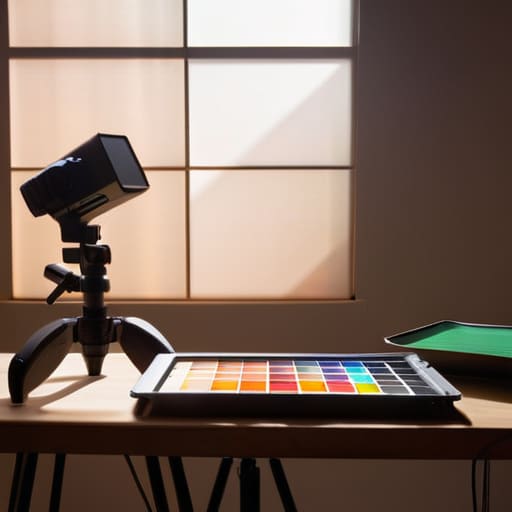
Before you even touch a dial, you have to accept that color is a moving target. You aren’t just fighting the light bulbs; you’re fighting the sun creeping through a window or a client walking in wearing a neon green sweater that suddenly turns your entire studio into a lime-flavored nightmare. If you rely solely on your eyes, you’ve already lost. I’ve seen too many assistants trust their “gut” only to realize three hours later that the skin tones have drifted from peach to something resembling a bruised apricot.
The secret isn’t magic; it’s about creating a baseline. This is where disciplined color checker card usage becomes your best friend, not a chore. I don’t care if you think you have a “good eye”—take the shot with the card at the start of every lighting change. It gives you a mathematical truth to return to during post-production color correction. You aren’t just guessing anymore; you’re referencing a known constant. It’s about building a safety net so that when the room inevitably betrays you, your files don’t.
Key Things to Know
First, let’s talk about the gear that actually matters. You can have the most expensive sensor in the world, but if you aren’t being disciplined about color checker card usage, you’re basically just guessing. I started doing this religiously after a wedding where the reception lighting turned the skin tones into something out of a horror film. You take the shot, you get the data, and you stop relying on your eyes to tell you if the red in a tie matches the red in the background.
Then there is the reality of the environment. If you are moving from a window-lit studio to a dimly lit office, your white balance consistency is going to take a massive hit. I’ve spent far too many hours in post-production trying to bridge the gap between “natural afternoon sun” and “flickering overhead fluorescent.” Don’t expect a single setting to save you; you have to account for the shift in the room before you even press the shutter. It’s about setting a baseline that you can actually defend later when you’re sitting in front of a monitor at 11 PM.
Practical Tips and Steps
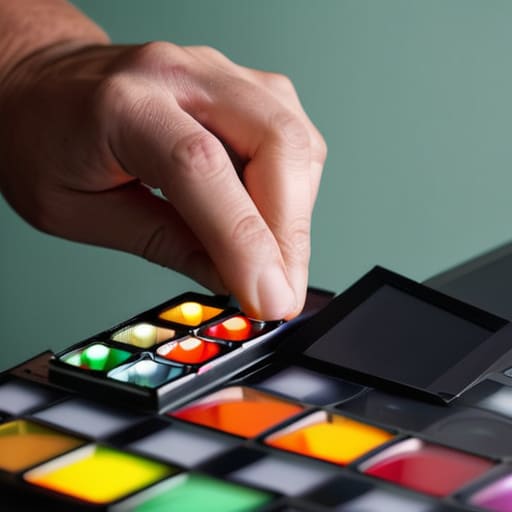
First, stop relying on your camera’s auto white balance to save you; it’s a liar, especially when you move from a window to a corner lit by a tungsten lamp. I always keep a color checker card usage routine at the very start of every session. Before you even look at your subject, slap that card in front of the lens, hit the shutter, and capture it under your primary light source. It’s not about being precious; it’s about having a North Star for your post-production color correction when you’re sitting in a dark room three days later trying to remember if the skin tones were meant to be that peach or if the light just shifted.
If you’re moving between rooms or even just shifting a modifier, don’t just guess. If you’re doing video, your white balance consistency is your lifeline—once that color drifts, the edit becomes a nightmare of mismatched clips. I’ve learned the hard way that a quick snap of a grey card every time the lighting setup changes is worth more than any expensive sensor. It’s about building a safety net for your future self.
Common Mistakes to Avoid
The biggest mistake I see is treating the color checker card like a chore you do once at the start of the day and then forget. If you’re moving from a window-lit office to a windowless conference room, that initial shot is useless. You can’t rely on a single reference point when the light temperature is actively shifting under your feet. I’ve seen people spend hours in post-production color correction trying to fix a mismatch that could have been solved in ten seconds with a fresh card shot in the new environment.
Another trap is the “set it and forget it” mentality with your camera settings. People think that because they’ve dialed in a specific Kelvin number, they’ve achieved white balance consistency. But if you’re mixing a tungsten lamp with a sliver of afternoon sun hitting a subject’s shoulder, your sensor is going to struggle, and no amount of cleverness in Lightroom will make that skin tone look natural. Don’t trust your eyes alone when the light is fighting you; trust the data, even when it feels like it’s slowing you down.
Final Thoughts
At the end of the day, don’t let the pursuit of perfection paralyze you. You can spend an hour obsessing over colorimeter calibration and measuring every single corner of the room, but if the client shows up late and you’re rushing to finish before the sun dips below the window frame, you’re going to have to make a choice. Sometimes, the most professional thing you can do is accept a little bit of chaos and rely on a solid color grading workflow to bridge the gaps later.
I’ve learned that the goal isn’t to eliminate every single color shift—it’s to make sure those shifts are manageable. If you’ve used a color checker card usage strategy at the start of your session, you’ve already won half the battle. You’ve given your future self a fighting chance in post-production. Just remember: the gear is there to serve the image, not the other way around. If the light is behaving, take the win. If it isn’t, trust your eyes and move on to the next shot.
Five ways to stop the color from drifting while you work
- Stop trusting your eyes and start trusting a grey card. Your brain is a liar; it will adapt to a warm, yellow-tinted room in minutes and tell you everything looks “natural” right up until you look at the RAW files and realize you’ve shot an entire session in sepia. Hold that card in front of the subject’s face, get a clean reading, and lock it in.
- Watch the windows like a hawk. If you’re shooting a corporate team in a room with massive floor-to-ceiling windows, that blue light from the sky is going to crawl across the floor and hit your subject’s cheekbones as the clouds move. If you can’t kill the natural light, you have to commit to it—don’t try to fight a moving sun with a static strobe setting.
- Check your skin tones every twenty minutes, not just at the start. If you’re switching between a heavy softbox and a more directional light, or if the client moves from the studio corner to a window seat, your white balance might be technically “correct” but the color rendition will shift. Take a test shot of the skin and look at the histogram; don’t wait until the end of the day to realize the skin went from peach to olive.
- Watch out for the “hidden” color thieves. A bright red wall behind the subject or even a client wearing a neon sweater can throw a massive color cast onto their skin through bounce light. If the room is a mess of conflicting colors, bring a black foam core board to flag the light and keep the color clean.
- Consistency in the camera is only half the battle; you need consistency in your files. If you are shooting a mix of stills and short-form video, make sure your video profile isn’t fighting your photo profile. There is nothing more soul-crushing than having a beautiful portrait and a video clip from the same minute that look like they were shot in two different decades.
The illusion of consistency
You can buy the most expensive color checker on the market, but it won’t save you if you haven’t accounted for the sun creeping through the window or the cheap fluorescent light in the hallway that your client insists on using for the ‘candid’ shots. Matching color isn’t about a single perfect setting; it’s about anticipating how the room is going to betray your white balance halfway through the afternoon.
Iwona Krawczyk
The reality of the finished frame
At the end of the day, matching color isn’t about finding a magical setting on your sensor or praying for a perfect white balance; it’s about the relentless pursuit of consistency through chaos. You have to account for the shifting sun through that one window, the way a client’s new linen blazer fights with your strobe, and the inevitable drift in your light sources. Whether you are using a gray card to anchor your shots or spending an extra twenty minutes in post-production fighting a color cast, remember that technical precision is your baseline, not your finish line. If you don’t manage the light and the color at the source, you’ll spend the rest of your week trying to fix a mistake that should have been handled in the room.
Don’t let the fear of a color mismatch paralyze you or make you second-guess your creative instincts. Even with all the color checkers and calibrated monitors in the world, there will be moments when the light simply refuses to cooperate. When that happens, don’t panic and don’t blame the gear. Instead, lean into the intentionality of your choices. If the color is off, make it look like it was meant to be that way. Mastery isn’t about achieving a sterile, perfect spectrum every single time; it’s about having the control to decide exactly how much reality you want to let into your frame.
