
I was halfway through a corporate team shoot in a rented office space last Tuesday when I realized the skin tones looked less like “professional professionals” and more like unsettling swamp creatures. The client was staring at my monitor with growing panic, and my first instinct—the one I spent years unlearning as an assistant—was to check if my sensor was failing. It wasn’t. It was just those cheap, flickering ceiling lights sabotaging everything. If you’re currently staring at a monitor wondering how to fix green cast from fluorescent tubes without losing your mind or your profit margin, stop looking at your lens settings. The problem isn’t your gear; it’s the physics of a poorly lit room.
I’m not going to give you a lecture on the Kelvin scale or some theoretical physics lesson that won’t help when you’re on a ticking clock. Instead, I’m going to show you the actual workarounds I use when I can’t kill the overheads. We’ll talk about manual white balance hacks, why your gels might actually save your skin tones, and the specific post-processing tweaks that stop the bleeding. This is about making the shot work when the environment is actively fighting you.
Guide Overview
Tools & Supplies
- Stepladder for reaching light fixtures
- Screwdriver to open fixture housings
- Replacement LED tubes (warm white or daylight) 2-4 units
- Cleaning cloth and glass cleaner 1 unit
Step-by-Step Instructions
- 1. First, stop trying to fix this in post-production. If you’re shooting a corporate headshot and you see that sickly green tint on the subject’s skin through the viewfinder, don’t just keep shooting thinking you’ll “fix it in Lightroom.” You’ll spend three hours fighting color casts in a RAW file that should have taken ten minutes to edit, and you’ll still end up with skin that looks like an extra from a zombie movie.
- 2. Grab your grey card—and I mean actually use it, don’t just leave it in your bag—and hold it right in front of the subject’s face. You need to find where the light is actually hitting them. Set your camera to Manual White Balance and take a shot of that card under the exact same fluorescent mix you’re dealing with. This gives your camera a baseline for what “neutral” actually looks like in that specific, cursed room.
- 3. If you’re working with a single light setup—which is what I usually prefer because it’s easier to control—try to physically move your light further away from the overhead tubes. If you can position your softbox so it’s the dominant light source and the fluorescents are just a dim, messy background element, you’ve already won half the battle. The goal is to make the fluorescent light a secondary character, not the lead actor.
- 4. Check your Kelvin settings. If you’re shooting in a room with those old, flickering tubes, your auto white balance is going to panic and guess wrong every single time. Switch to Kelvin mode and start nudging the number up or down in increments of 100. You’re looking for that sweet spot where the skin tones stop looking like they’ve been dipped in lime juice and start looking like actual human beings.
- 5. If the green is still winning, you might need to use a bit of “color math” on the fly. If you have a gel kit, grab a 1/4 or 1/2 Minus Green gel and slap it on your strobe or continuous light. It sounds counter-intuitive to add more stuff to the light, but you’re essentially using your professional light to neutralize the garbage coming from the ceiling. It’s a compromise, but it works.
- 6. Finally, do a quick “sanity check” on your monitor or the LCD. Don’t just look at the subject’s eyes; look at the whites of their eyes and the color of their shirt. If the white shirt looks mint green, your white balance is still lying to you. Adjust, re-test, and move on. We have a schedule to keep, and the client is already starting to fidget with their hands.
Understanding How to Fix Green Cast From Fluorescent Tubes
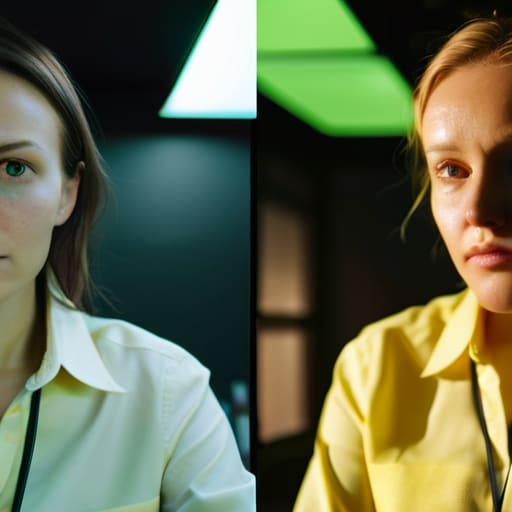
Before you start clicking away, you need to understand that you aren’t just fighting a color; you’re fighting physics. Fluorescent tubes are notoriously bad at rendering skin tones because of their low CRI and color rendering index. They basically skip over the parts of the spectrum that make a person look alive, leaving you with that sickly, swampy undertone. If you’re working in a space where you can’t kill the overheads—which happens way more often than it should when a client insists on “natural office vibes”—you have to stop treating your light source as a neutral constant.
If your white balance adjustments are hitting a wall, it’s likely because the light itself is fundamentally broken. I’ve spent too many shoots trying to save a frame in post, only to realize I should have just used color correction gels for lighting from the start. Slapping a bit of CTO or a specific magenta gel over your own strobes or continuous lights can help bridge that gap, providing a counter-balance to the room’s nastiness. It’s about creating a truce between your controlled light and the chaotic, flickering mess of the ceiling tubes.
Key Things to Know
First, let’s talk about why your sensor is actually struggling. It isn’t just a random color shift; it’s a fundamental issue with CRI and color rendering index. Cheap fluorescent tubes are notorious for having a low CRI, meaning they simply don’t output the full spectrum of light. They skip the parts of the rainbow that make skin look alive, leaving you with that sickly, subterranean hue. If you’re working in a space with old-school tubes, you aren’t just fighting a tint; you’re fighting a light source that is inherently broken.
If you find yourself in a room where the white balance settings just won’t behave no matter how much you fiddle with the Kelvin scale, stop fighting the software and start fighting the physics. I’ve spent too many afternoons trying to fix a heavy green cast in post-production only to realize I could have saved an hour by just using color correction gels for lighting. Slapping a bit of magenta gel over your key light or even a secondary fill can neutralize that nasty cast before it ever hits your sensor. It’s much easier to shape the light in the room than it is to perform surgery on a RAW file later.
Practical Tips and Steps
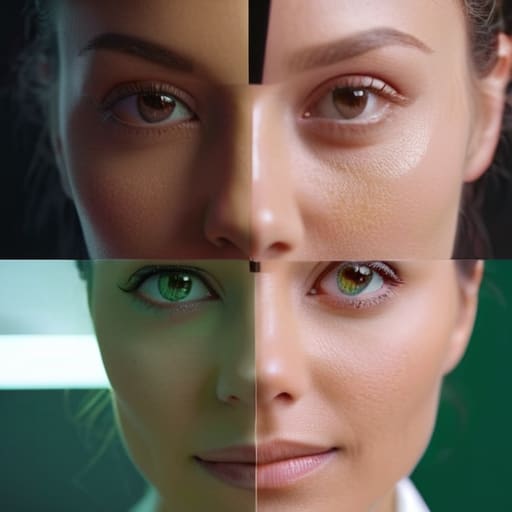
If you’re stuck in a room where you can’t kill the overheads—which happens more often than I’d like during corporate team shoots—don’t just rely on your camera’s presets. Most “fluorescent” settings are a lie. If the skin looks sickly, you’ll likely need to lean into some manual magenta correction for green tint in post-production. I usually pull the green slider toward magenta in Lightroom, but do it in small increments. If you go too hard, your subject will look like they’ve been underwater for twenty minutes.
Another thing: if you have any control over your own gear, check your lights’ CRI and color rendering index. If you’re mixing a high-quality LED with those cheap, flickering tubes from the ceiling, you’re inviting a color war. I’ve learned the hard way that even if you nail the white balance, the spectral gaps in poor lighting can make skin tones look muddy regardless of your settings. If you can, bring a single light with a decent CRI to overpower the room’s garbage light; it’s much easier to balance one clean source than to fight a whole ceiling of bad ones.
A few things I’ve learned the hard way
- Don’t trust the Auto White Balance. It’s a liar. In a room full of flickering tubes, the camera will try to find a middle ground that ends up looking like a sick person’s skin tone. Lock it in manually or use a grey card; don’t let the machine make that call for you.
- If you’re shooting video, check your shutter angle. Fluorescent lights don’t just mess with color; they pulse. If you see a weird rolling band moving up your frame, it’s not a sensor issue, it’s the light’s frequency fighting your shutter speed.
- Bring a portable LED panel, even if you think you don’t need it. If the room is a green nightmare, I usually just turn off the overheads entirely and use my own light to overpower the garbage coming from the ceiling. It’s easier to fight one light source than five.
- Watch the skin tones, not the walls. A little green tint on a white background is easy to fix in post, but once that sickly hue settles into your subject’s cheeks and forehead, you’re fighting an uphill battle. Fix the light at the source before it hits their face.
- Keep a cheap piece of white foam core in your bag. If the green cast is coming from a specific angle, you can use the foam to bounce a cleaner, neutral light back into the shadows, effectively “filling” the green out with something more human.
The Lie of the Perfect Sensor
Stop staring at your histogram and blaming your sensor for looking sickly; those fluorescent tubes are just lying to your light meter, and no amount of expensive glass is going to fix a room that refuses to play fair.
Iwona Krawczyk
The Reality of the Room
At the end of the day, fighting fluorescent lighting isn’t about finding a magic setting in your menu; it’s about recognizing that the environment is working against you. Whether you decide to lean into the manual white balance adjustments, use a CTO gel on your key light to bridge the gap, or just accept that you’ll be spending ten extra minutes in Lightroom pulling those green channels back, the goal is the same: control. You can’t always control the architecture of the room or the cheap lighting the client insisted on keeping, but you can control how much you let it ruin your files. Stop looking at your sensor like it’s failing you and start looking at the light source as the variable that needs managing.
If you find yourself staring at a screen full of sickly, neon-tinted skin tones and feeling like the shoot is a write-off, take a breath. We’ve all been there, usually about twenty minutes before a deadline when the client is hovering. Just remember that most of photography isn’t about the perfect, controlled studio environment you see in textbooks; it’s about the graceful recovery from the chaos of real life. Fix the cast, get the shot, and move on. The gear didn’t fail you, the room did—and you’re smart enough to handle it.
