
I once spent three hours in a rented studio in East London, sweating through my shirt while trying to figure out why my skin tones looked like they’d been dipped in orange juice. I had the best lens, a high-end sensor, and enough gear to sink a small boat, but the light in that room was a lying, inconsistent mess. I was staring at my monitor, questioning my entire career, when I realized I hadn’t even bothered to figure out how to use a grey card properly. We spend thousands on glass and bodies, yet we ignore the five-dollar piece of plastic that actually tells us what the light is doing.
I’m not here to give you a lecture from a textbook or explain the physics of light waves. I want to show you the actual mechanics of getting it right when you’re tired, the client is running late, and the color temperature is shifting every time someone opens a door. This is about the practical, slightly messy reality of how to use a grey card to stop guessing and start shooting with confidence. No fluff, just the specific steps I use to fix a shot before it’s too late.
Stop Blaming the Sensor the Truth About White Balance Calibration

Stop Blaming the Sensor: The Truth About White Balance Calibration
I’ve lost count of how many times I’ve sat in a post-production suite, staring at a portrait where the subject looks like they’ve been sprayed with orange Cheeto dust. The instinct is always to blame the sensor or the software, but that’s a lie. The sensor is just a recording device; it’s doing exactly what you told it to do with the data you gave it. If your white balance calibration is off from the jump, you aren’t just fighting a tint; you’re fighting a fundamental misunderstanding of the light in the room.
When I’m shooting a corporate team in a boardroom with those hideous, flickering overhead fluorescents, I don’t trust the camera’s “Auto” setting for a second. Auto is a gambler, and I don’t like gambling with a client’s budget. Instead, I grab the card, find a patch of light that isn’t being swallowed by a shadow, and force the camera to see reality. This is the only way to ensure achieving natural skin tones that don’t require two hours of tedious slider-fiddling later. If you don’t get the foundation right in the studio, you’re just performing digital surgery instead of photography.
Why Color Accuracy in Photography Starts Before You Press Shutter
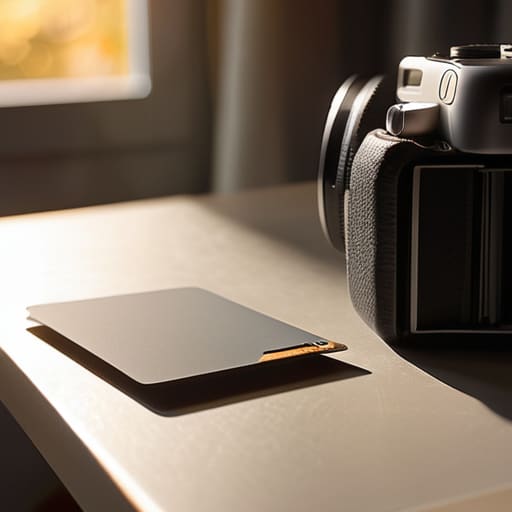
If you wait until you’re sitting in front of a monitor at 11 PM to fix your colors, you’ve already lost. I’ve spent enough late nights staring at skin that looks either sickly green or unnaturally orange to know that post-processing color correction is a band-aid, not a solution. You can try to nudge the sliders in Lightroom all you want, but you can’t manufacture data that wasn’t captured in the first place. If the foundation is shaky, the whole image feels “off” in a way that’s hard to name but impossible to ignore.
Real color accuracy in photography isn’t about magic software; it’s about setting a baseline while you’re still in the room. When I’m shooting a corporate team or an author, my priority is achieving natural skin tones that actually look like the person standing in front of me. I use the card to tell the camera exactly what “neutral” looks like under those specific, annoying fluorescent office lights or that weirdly warm sunset hitting the studio window. It’s about making a decision in the moment so that when I finally get home, I’m editing for style, not for survival.
The Real Way to Master How to Use a Grey Card
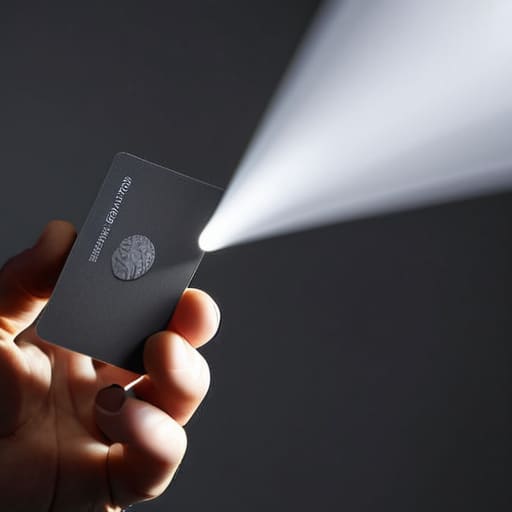
Here is the practical reality: don’t just wave the card around and hope for the best. If you’re shooting a portrait, place the card where the subject’s face will actually be. If you’re using a single strobe, hold it right in the path of that light. I’ve seen too many people try to do a white balance calibration in a corner of the room that’s nothing like the actual lighting hitting the client. You need that card to experience the same light, the same temperature, and the same intensity as the subject.
Once you’ve snapped that reference shot, you’ve essentially created a roadmap for your post-processing color correction. When you get back to the desk, you aren’t guessing anymore; you’re telling the software exactly what “neutral” looks like in that specific room. This is the fastest way to stop fighting with your sliders and start achieving natural skin tones that don’t look like they’ve been dipped in orange juice. It’s about taking the guesswork out of the math so you can actually focus on the person in front of you.
Exposure Metering With Grey Card Solving the Rooms Chaos
Most people think a grey card is just for fixing colors later, but if you’re actually using it for exposure metering with a grey card, you’re playing a much smarter game. I’ve been in those rooms where the windows are throwing massive amounts of light from the left, but your subject is sitting in a deep shadow on the right. If you trust your camera’s internal meter in a mess like that, it’s going to try to “correct” the scene by making everything look muddy and mid-toned. Instead, place the card where the subject’s face will be, meter for that 18% neutral tone, and then dial in your exposure based on that specific reading.
This isn’t just about avoiding a technical error; it’s about predictability. When you nail the exposure against a neutral reference, you aren’t fighting the software in post-processing color correction just to make the skin look human. It’s the difference between spending an hour in Lightroom trying to rescue a shot and actually having the confidence to move on to the next setup. It’s about achieving natural skin tones from the moment the light hits the sensor, rather than trying to manufacture them out of thin air later.
Achieving Natural Skin Tones When the Light Wont Cooperate
This is where the theory hits the wall of reality. You can have the most expensive lighting kit in the world, but if you’re shooting a portrait under those weird, sickly green fluorescent office lights or near a window with heavy afternoon shadows, your subject is going to look like they’ve been poisoned. People get defensive about their skin tone, and rightfully so. If I spend twenty minutes in post-processing color correction trying to fix a muddy, jaundiced complexion, I’ve already lost the battle.
The trick isn’t to hope for better light; it’s to establish a baseline. Before you even think about the subject’s expression, place that card near their face—not in their lap, but near their skin—to get a proper white balance calibration. You aren’t just looking for a “correct” white; you are looking for the specific temperature of the room. Once you have that reference, you aren’t guessing anymore. You’re actually achieving natural skin tones because you’ve given your software a map of exactly where the light went wrong. It turns a frantic rescue mission in Lightroom into a simple, predictable adjustment.
Post Processing Color Correction Is Not a Magic Wand
I’ve seen it a thousand times: a photographer spends half the shoot panicking because the mixed lighting in the studio looks like a disaster, telling themselves they’ll just “fix it in post.” Let me be blunt—post-processing color correction is not a magic wand. You can slide those temperature and tint bars around in Lightroom until your eyes bleed, but you can’t manufacture data that wasn’t captured in the first place. If you’ve let the color cast bake into the shadows, you aren’t “correcting” the image; you’re just performing digital surgery on a mutilated file, and the skin tones will always look slightly bruised or plastic as a result.
When you rely on a grey card during the shoot, you aren’t just taking a snapshot; you are providing a mathematical anchor for the entire file. By getting your white balance calibration right in-camera, you ensure that the sensor actually understands what “neutral” looks like. This saves you from the frantic, pixel-destroying guesswork that happens when you try to force color accuracy in photography through software alone. Trust me, you want to spend your editing time on the mood and the light, not fighting a losing battle against a messy spectrum.
Five ways to actually use the card without wasting your session
- Don’t just shoot the card once and call it a day. If you’re moving from a window with soft morning light to a corner lit by a single tungsten lamp, you need to re-calibrate. The light changed, so your reference point has to change too.
- Keep the card away from your subject’s skin during the actual calibration shot. If you’re trying to balance for a person but you’re holding the card right next to their face, you’re going to get a reading that’s a mess of skin tones and plastic, and neither will be accurate.
- Watch your shadows. If you hold the grey card in a patch of deep shadow or under a heavy modifier, you aren’t measuring the ambient light of the room; you’re measuring a dark corner. Keep it in the same light plane where your subject’s face will actually sit.
- Use it for video, too. If you’re shooting a short-form piece and the sun starts ducking behind a cloud, your white balance is going to drift like a boat without an anchor. Grab the card, get a fresh reading, and save yourself the headache of trying to fix a shifting tint in Premiere later.
- Treat it like a tool, not a ritual. You don’t need to make a production out of it, but if you’re working in a room with mixed lighting—say, a warm lamp fighting a blueish window—the grey card is the only thing that’s going to tell you which one is winning. Use it to find the middle ground before you even think about setting your Kelvin.
The Safety Net You'll Wish You Had
“Don’t treat a grey card like some academic ritual you do to satisfy a textbook; treat it like an insurance policy. You aren’t just calibrating a sensor; you’re fighting the room’s bad lighting so you don’t spend six hours in Lightroom trying to fix a mess that could have been solved in six seconds.”
Iwona Krawczyk
The Bottom Line
At the end of the day, a grey card isn’t some high-tech gadget you need to worship; it’s just a way to stop fighting against the room and start working with it. We’ve covered how it fixes your white balance, how it gives you a baseline for exposure when the light is behaving like a moving target, and why trying to “fix it in post” is usually just a recipe for muddy skin tones and wasted hours. If you take nothing else away from this, remember that the goal isn’t to be perfect, it’s to be consistent. Use the card to get your foundation right so that when you sit down at your computer, you’re actually editing the mood instead of fighting a losing battle against a weird green tint.
I know it feels like an extra step when you’re already rushing to get a client settled or trying to remember what they do with their hands when they’re nervous. But those thirty seconds spent with a piece of grey plastic are what separate a professional workflow from a frantic scramble. Don’t let the gear intimidate you, and don’t let a difficult room dictate your results. Once you master these small, practical habits, you’ll realize that you are the one in control, not the lighting. Now, go grab your card, get your settings dialed in, and actually enjoy the shoot for once.
