
I once spent three hours setting up a beautiful, moody interview in a client’s office—perfect lighting, the right depth of field, the subject finally stopped fidgeting with their hands—only to realize the audio sounded like we were recording inside a tin can. I had focused entirely on the visual composition, thinking a decent camera was the heavy lifter, but I’d completely ignored the acoustics of the room and the limitations of my gear. If you are currently staring at a dozen different spec sheets, wondering how to choose a microphone for video that won’t leave you feeling like a fool during playback, stop. Most of the technical jargon in the manuals is just noise designed to make you spend money you don’t need to spend.
I’m not here to sell you a dream or a specific brand. I want to talk about the real variables: the distance between the mouth and the capsule, the hum of a nearby refrigerator, and why a shotgun mic might be your worst enemy in a small studio. This isn’t a gear review; it’s a survival guide for the practical side of production. I’m going to show you how to match your audio to your actual environment, so you can finally stop worrying about the tech and start focusing on the person in front of the lens.
Understanding How to Choose a Microphone for Video
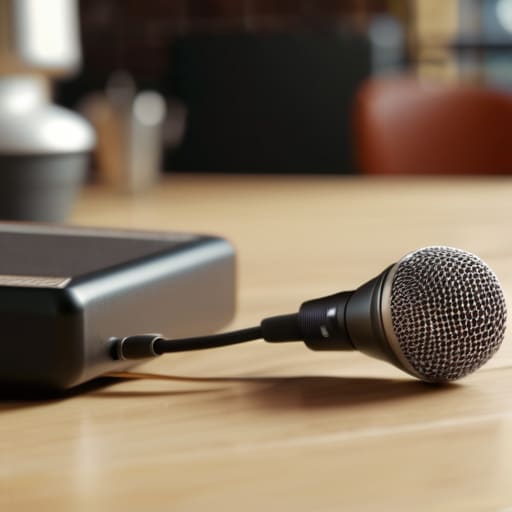
Before you even look at a spec sheet, you need to figure out where you’re standing. If you’re filming an interview in a quiet studio, you can get away with a lot. But if you’re out in a cafe or a windy park, your gear choice is the difference between a professional clip and something that sounds like it was recorded through a tin can. Most people get stuck in the trap of thinking they need the most expensive kit, but the real decision is usually about the pickup pattern: the classic battle of directional vs omnidirectional microphones.
An omni mic picks up everything—the beautiful room tone, the subject’s voice, and that loud espresso machine in the background. A directional mic (like a shotgun) tries to ignore the chaos and focus on the person in front of you. If you’re doing more run-and-gun work, you’ll likely find yourself weighing the pros of an on-camera microphone vs wireless lavaliers. One is easy and sits on your hot shoe; the other requires you to actually touch the subject, which—as I’ve learned the hard way—requires a bit of social grace and a lot of cable management.
Key Things to Know
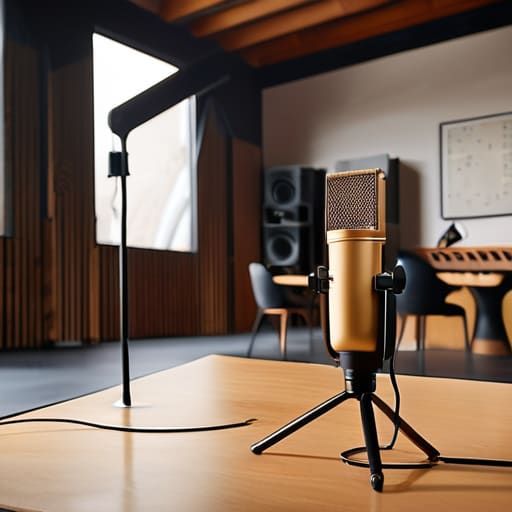
First, let’s talk about the physics of the room. You can spend your entire budget on the best microphones for vlogging, but if you’re standing in a kitchen with tile floors and high ceilings, you’re just recording a very expensive echo. You need to decide early on if you’re fighting the environment or working with it. This usually comes down to the battle of directional vs omnidirectional microphones. If you’re in a controlled studio, an omni mic captures that lovely, natural warmth, but if you’re shooting a client in a busy cafe, you better be using a shotgun mic to kill the background noise before it ruins your edit.
Then there’s the technical headache of how everything actually plugs in. I’ve seen so many beginners get halfway through a shoot only to realize their gear won’t talk to their camera. You’ll be staring at the choice between microphone connection types, XLR vs USB, and it’s not just about convenience; it’s about signal integrity. USB is fine for a quick setup at your desk, but if you’re serious about improving video audio quality on a professional commission, you want that XLR connection. It’s sturdier, it’s professional, and it won’t quit on you when the client starts moving around.
Practical Tips and Steps
Before you click ‘buy’ on anything, do a test run in the space where you actually intend to shoot. I once spent three hours setting up a beautiful interview only to realize the air conditioning unit was humming like a jet engine right behind the subject. If you’re choosing between directional vs omnidirectional microphones, remember that the pattern is your first line of defense against a bad room. A shotgun mic can help isolate a voice, but it isn’t magic; it won’t fix a room that echoes like a tiled bathroom.
If you’re moving toward more serious audio recording for filmmakers, stop looking at the price tag and start looking at your cables. You need to decide early on if you’re playing in the world of XLR vs USB. USB is fine for a quick vlog in your bedroom, but if you want to actually control your levels without the digital hiss, you’ll eventually want to invest in an XLR setup. It’s more cables, more weight, and more things that can go wrong, but it’s the only way to get that clean, professional sound that doesn’t make people want to turn off the video immediately.
Common Mistakes to Avoid
The biggest mistake I see is people treating audio as an afterthought, something you “fix in post.” You can’t fix a recording that’s buried under a layer of room reverb or a gust of wind. I once watched a colleague spend three hours lighting a beautiful interview, only to realize the audio sounded like they were speaking from the bottom of a well because they used a cheap on-camera microphone vs wireless setup without actually testing the distance. If you aren’t close to the source, you’re just recording the room, not the person.
Another trap is getting caught up in the gear specs without looking at your environment. You might buy one of the best microphones for vlogging because a YouTuber told you to, but if you’re shooting in a tiled kitchen or a glass-walled office, that mic is going to pick up every single bounce. Don’t just grab the shiny new thing; look at your space. If you can’t control the acoustics, your choice of directional vs omnidirectional microphones becomes the difference between a professional clip and something that feels amateurish and distracting.
Final Thoughts
Look, at the end of the day, you aren’t going to find a magic piece of gear that fixes a chaotic environment. You can spend your entire budget on the best microphones for vlogging, but if you’re shooting in a coffee shop with a humming refrigerator or a client who won’t stop tapping their pen, you’re still going to be fighting an uphill battle. My advice? Don’t get paralyzed by the specs. Pick a setup that fits the specific mess you usually find yourself in.
If you’re mostly doing solo work, a decent on-camera microphone vs wireless debate usually settles itself based on how much you move, but the real goal is simply making sure the voice is clear and the distractions are quiet. Stop obsessing over the perfect technical setup and start focusing on improving video audio quality through preparation. Check your levels, watch your distance from the subject, and for heaven’s sake, listen to the playback before you pack up the lights. That’s where the real work happens.
Five things to check before you tap 'buy'
- Stop looking at the frequency response charts and start looking at the environment. If you’re shooting interviews in a client’s glass-walled office, a shotgun mic is going to pick up every single reflection and hum from the AC unit. You don’t need a “professional” mic; you need a mic that doesn’t turn the room into an echo chamber.
- Distance is your real enemy, not the sensor size. If you’re using a camera-mounted mic because you’re too lazy to run a cable, you’re basically deciding to record the room instead of the person. Get the mic as close to the mouth as the shot allows—lavaliers or a boom just out of frame are your only real friends here.
- Check the connection type like your life depends on it. I’ve seen so many beginners buy a gorgeous XLR microphone only to realize they have no way to plug it into their mirrorless camera without a bulky, expensive interface. Know if you need 3.5mm, USB-C, or a full studio setup before you commit.
- Don’t ignore the “noise floor.” A cheap mic might sound okay in a silent studio, but the moment a car drives past or a laptop fan kicks in, that low-level hiss becomes unbearable in post. Look for mics that have a decent signal-to-noise ratio, or you’ll spend three hours trying to EQ out a sound that shouldn’t have been there in the first place.
- Think about how you actually move. If you’re doing short-form video where you’re walking and talking, a heavy studio mic on a stand is useless. You need something lightweight, ideally wireless, that won’t make you look like you’re lugging around a piece of heavy machinery every time you want to film a quick clip.
The real cost of bad audio
You can spend three months obsessing over the focal length and the way the light hits a subject’s cheekbones, but if the audio is thin and hollow, no one is going to watch your video for more than ten seconds. I’ve seen beautiful, cinematic shots ruined by a cheap mic in a room with too much reverb—it’s a hard lesson to learn, but remember: people will forgive a grainy image, but they will never forgive bad sound.
Iwona Krawczyk
The bottom line
At the end of the day, choosing a mic isn’t about finding the one with the prettiest spec sheet or the most expensive brand name; it’s about matching the tool to the messiness of your actual environment. You’ve learned that a shotgun mic is a lifesaver in a noisy room but a disaster in a tight corner, and that a lavalier is your best friend for movement—provided you don’t let the cable snag on a sweater. Remember that audio is the invisible foundation of your video. You can fix a slightly underexposed frame in post, but you can almost never fix a recording that sounds thin, hollow, or drowned out by a hum. Stop looking for the “perfect” mic and start looking for the right tool for the specific room you’re standing in.
Don’t let the gear paralysis stop you from hitting record. I spent years thinking I needed a studio-grade setup before I could take a serious commission, only to realize that the best audio comes from being prepared for the chaos of reality. Once you understand the relationship between your space and your sensor, the technical side becomes second nature, leaving you more headspace to actually connect with your subject. Trust your ears more than the manual, keep your backups close, and just get to work.
