
I remember a corporate shoot three years ago where I was tasked with photographing a CEO in a cramped, glass-walled boardroom. I had the best prime lens in my kit, but because I was forced to back into a corner to fit him in the frame, his head looked like it had been stretched by a cartoon animator. I spent twenty minutes cursing the glass, convinced I needed to buy a more expensive lens or a tilt-shift setup to save the session. But here’s the truth they don’t tell you in those glossy gear reviews: you don’t need a miracle lens, you just need to know how to correct lens distortion without making your subject look like they’re melting.
I’m not going to give you a lecture on the physics of light or suggest you spend three grand on new glass. Instead, I want to talk about the actual workflow—the specific sliders in Lightroom, the way you compensate for a wide angle when you’re trapped in a small room, and when to just admit the angle is the problem. This is about the practical reality of fixing the warp in post so you can get back to the work that actually matters.
Blaming the Glass When Its Actually Just Physics

Before you start swearing at your sensor or checking for a manufacturing defect, let’s get one thing straight: sometimes the glass is just doing what it was built to do. If you’re shooting a tight corporate headshot with a wide-angle lens because the studio room is too small, you’re going to see it. You’ll see barrel distortion vs pincushion distortion fighting for dominance depending on whether you’re looking at the center of the frame or the edges. It’s not a broken lens; it’s just physics playing a trick on your subject’s nose or the straight lines of a bookshelf.
I’ve spent enough time assisting to know that you can’t always shoot your way out of a bad focal length, but you can certainly fix it later. When you’re staring at a doorframe that looks like it’s melting, don’t panic. Most modern setups allow for lens profile calibration right in the back end of your workflow. It’s less about “fixing” a mistake and more about rectifying curved lines in images so they actually look like the world we live in. It’s a digital bandage for a physical reality.
The War Between Barrel Distortion vs Pincushion Distortion
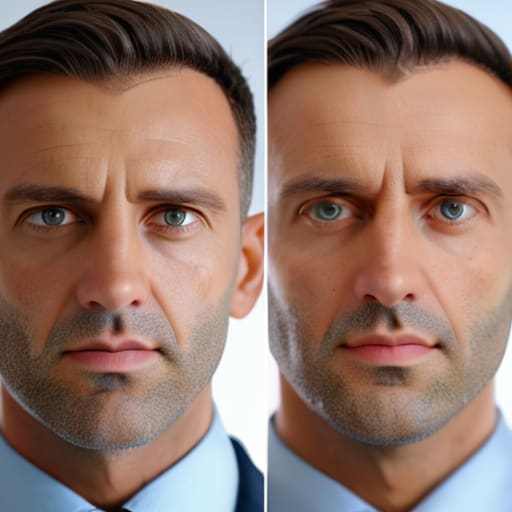
Think of it as a tug-of-war between your glass elements. On one side, you have barrel distortion, which is the classic headache when you’re shooting wide. The image looks like it’s being pushed outward from the center, turning straight doorframes into gentle curves. It’s common with my wider primes, and while it adds a certain “look” to some street shots, it’s a nightmare for a corporate headshot where a client’s head suddenly looks like a beach ball.
On the other side of the ring is pincushion distortion. This is the opposite effect, where the lines seem to pinch inward toward the center. You’ll mostly run into this when I’m reaching for my longer telephoto lenses to compress a background. It’s less “artistic” and more just a mathematical nuisance. When I’m rectifying curved lines in images, I’m essentially just trying to find the middle ground where the geometry actually makes sense. Most of the time, I’m not doing this by hand with a liquify tool—that’s a recipe for disaster—but rather using lens profile calibration to let the software undo the physics I can’t control in the studio.
How to Correct Lens Distortion Without Losing the Soul
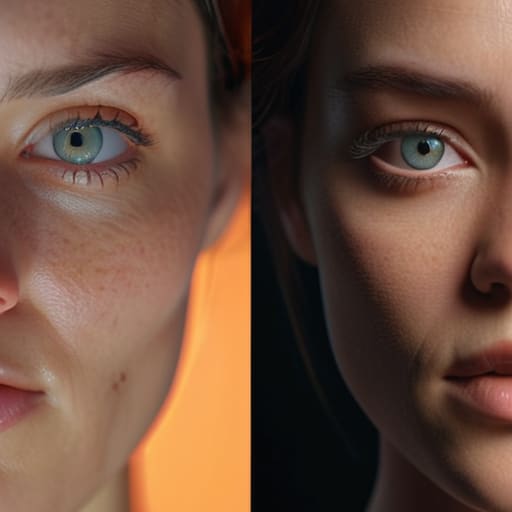
Here’s where most people ruin a good portrait: they go too heavy on the sliders. You’ve got a beautiful, candid shot of a client, but their face looks slightly stretched because you were working with a wide angle, so you reach for the wide angle lens correction software and crank it to 100%. Suddenly, the person doesn’t look like a human anymore; they look like a character in a fever dream. When you’re rectifying curved lines in images, you have to remember that geometry isn’t the same thing as character.
The trick is to treat lens profile calibration as a suggestion rather than a command. I usually toggle the correction on, see what it does, and then immediately dial it back by about twenty percent. It’s about finding that sweet spot where the architecture looks straight but the person in the frame still feels real. If you’re fixing perspective distortion in photography, aim for the minimum amount of intervention required to make the image readable. We want to fix the math, not erase the moment.
The Invisible Math of Lens Profile Calibration
Now, I know what you’re thinking: “Can’t the computer just do this for me?” Technically, yes. Most of the wide angle lens correction software tucked inside Lightroom or Capture One is doing a decent job of reading the metadata your lens spits out. This is what we call lens profile calibration. It’s essentially a mathematical map that tells the software, “Hey, this specific piece of glass tends to bow lines outward at 24mm, so pull them back in.” It feels like magic until you realize the software is just guessing based on a database, and if you’re using an older manual lens or something slightly off-spec, the math fails.
When the automated profiles miss the mark, you have to step in manually. I’ve spent more afternoons than I’d like to admit staring at a vertical doorframe that looks like it’s melting, trying to figure out if I need to tweak the scale or the distortion slider. It’s a delicate dance; if you push the correction too far, you end up with weirdly stretched corners that make your subject look like they’re being sucked into a vacuum. You aren’t just fixing a curve; you’re trying to restore the geometry of the room without making the whole image look clinical and fake.
Rectifying Curved Lines in Images a Post Processing Ritual
Once you’ve identified whether you’re fighting a bulge or a pinch, you have to actually sit down and do the work. I usually treat this as a ritual rather than a chore; it’s that quiet moment after a frantic shoot where I finally get to tidy up the chaos. Most of the time, I’m leaning heavily on wide angle lens correction software built directly into Lightroom or Capture One. It’s not magic, but it’s the fastest way to handle the heavy lifting of rectifying curved lines in images without manually pulling every single corner like a madwoman.
The trick, though, is knowing when the software has gone too far. If you push the sliders too hard to fix a particularly aggressive barrel distortion, you’ll notice the edges of your frame start to look “mushy” or unnaturally stretched. I always keep a close eye on the corners of my portraits. If the subject’s shoulders start looking like they’re melting into the background, you’ve over-corrected. It’s a delicate balance of fixing perspective distortion in photography while making sure the image still feels like it was captured in a real, physical space.
Mastering Post Processing Lens Correction Techniques for Real Life
Let’s be real: you aren’t going to sit there with a slider and manually nudge every pixel until a building looks straight. That’s a recipe for a headache and a missed deadline. Most of the time, you’re going to lean on wide angle lens correction software to do the heavy lifting. Whether it’s Lightroom or Capture One, the goal is to let the software recognize the specific flaws of your glass so you can get back to the actual art.
But here is the catch—and this is where the “assisting for eight years” part of my brain kicks in. Software is aggressive. If you let it go full throttle on a portrait where you’ve used a wider focal length to fit a cramped studio, it’ll pull the edges so hard you’ll end up with disturbing black gaps in the corners of your frame. You have to find the sweet spot. It’s about fixing perspective distortion in photography without making your subject look like they’ve been stretched on a medieval rack. Dial it back, check your composition, and make sure the correction feels invisible.
Five ways to stop fighting your lens and start working with it
- Stop trying to save a wide-angle portrait in post. If you’re shooting a headshot with a 16mm lens and the subject’s nose looks like it’s about to hit the glass, no amount of slider-dragging in Lightroom is going to make them look human again. Just move back, zoom in, and use a longer focal length. It’s easier to crop a sharp image than to fix a warped face.
- Check your sensor plane, not just your lens. If you’re shooting a corporate team in a room that isn’t perfectly level, and your camera is tilted even a fraction of a degree, you’re going to get “keystoning” that looks like lens distortion but is actually just bad geometry. Get the tripod level before you even touch the shutter.
- Use the built-in profiles as a starting point, not a finish line. Most software has a “Lens Profile Corrections” checkbox that works 90% of the time, but it often over-corrects, especially at the corners where it starts eating your composition. Check your edges after you tick the box; if the corners look like they’ve been vacuumed away, dial the slider back.
- Watch your aperture when you’re dealing with cheap glass. Some of my older prime lenses get a bit “wonky” when they’re wide open at f/1.8. If you notice the distortion is getting aggressive, stop down to f/4 or f/5.6. It’s a small compromise in depth of field that buys you a much more predictable geometry.
- Remember that “fixing” distortion means losing your edges. When you straighten those curved lines in post, the software has to stretch the pixels to fill the gaps, which inevitably crops your frame. Always shoot a little wider than you think you need to. I’ve lost more good compositions to “correction cropping” than I care to admit.
## Stop Chasing the Perfect Lens
You can spend thousands trying to find a lens that doesn’t warp a straight line, but you’re mostly just buying expensive ego. Realism happens in the room, not the glass; learn to embrace the physics of your gear so you can spend your time actually looking at the person in front of you instead of staring at the edges of your frame.
Iwona Krawczyk
The Reality of the Straight Line
At the end of the day, correcting distortion isn’t about achieving some impossible, mathematical perfection; it’s about managing the messiness of real-world physics. We’ve talked about why your wide-angle lens makes a client’s head look like an egg, how to toggle those profile calibrations in Lightroom, and why you can’t always just fix it in post if the geometry is fundamentally broken. Whether you’re fighting barrel distortion on a tight corporate headshot or trying to straighten a leaning wall in a lifestyle shoot, remember that the goal is intentionality. You aren’t trying to erase the lens; you’re trying to ensure the lens doesn’t get in the way of the actual subject you spent three hours lighting and prepping.
Don’t let the technicalities turn you into a person who spends more time staring at grid lines than at the human being in front of you. If the lines are slightly off but the expression in their eyes is perfect, you might actually want to leave that little bit of “imperfection” alone. Photography is a series of compromises between what the glass sees and what your heart wants to capture. Learn the math so you can ignore it when it matters, and remember that the best images usually happen when you stop fighting the gear and start connecting with the person in the frame.
