
I once spent three hours in a freezing studio in East London, trying to convince a corporate client that the “glitchy” shadows on their team portraits weren’t a creative choice, but the result of a faulty battery contact in a rented strobe. I was sweating, apologizing, and internally screaming, all because I’d been too rushed to do a proper check at the rental house. Most people will tell you that you need a complex, multi-point technical checklist to avoid disaster, but that’s nonsense. Knowing how to test rented gear before a job isn’t about memorizing a manual; it’s about identifying the specific points of failure that actually ruin a shoot when you’re too busy managing a nervous subject to fiddle with a menu.
I’m not here to give you a theoretical lecture on sensor cleanliness or bitrates. I want to give you the practical, slightly cynical version of what I’ve learned from eight years of assisting and a lifetime of my own commissions. This is my personal guide on how to test rented gear before a job so that when you finally arrive on set, the equipment is the one thing you don’t have to worry about.
The Camera Is Rarely the Problem How to Test Rented Gear Before a Job
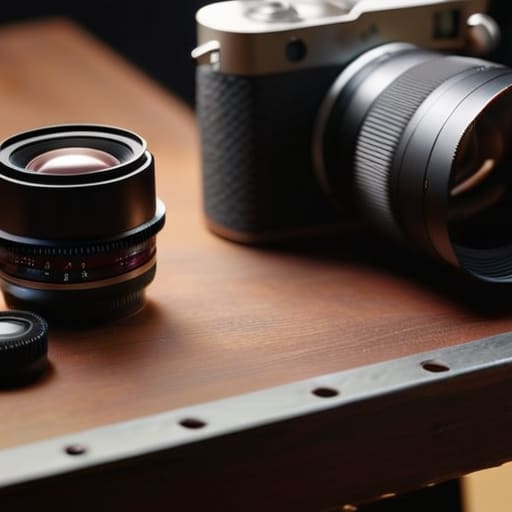
Start with the body. Don’t just turn the camera on and snap a few test shots in the rental shop’s lobby. You need to run through a proper pre-production equipment checklist while you still have the luxury of a technician standing five feet away. I always check the sensor first—not just for dust, but for any weird, permanent artifacts that suggest a previous user pushed the hardware too hard. Then, swap the lenses. Cycle through your zooms and primes, checking for any mechanical hesitation or a lack of focus accuracy. If a lens feels gritty when you turn the ring, it’s already failing you, and you don’t want to find that out when you’re thirty minutes into a high-stakes corporate headshot session.
Don’t stop at the sensor; the lights are where the real drama happens. When you’re testing camera and lighting gear, check the cables. I’ve lost more shoots to a frayed sync cord than I have to faulty sensors. Plug everything in, cycle the strobes through their full power range, and look for any flickering or inconsistent modeling lights. If a battery doesn’t click into the charger with a satisfying snap, leave it behind. You aren’t just checking if things work; you’re vetting your tools to ensure they don’t become your primary distraction once the client is sitting in the chair.
Beyond the Box a Pre Production Equipment Checklist for Real Life
Once you’ve confirmed the sensor isn’t covered in dust, stop looking at the body and start looking at the connections. A faulty battery charger or a proprietary cable that’s slightly bent can kill a shoot faster than a dead camera. When I’m putting together a pre-production equipment checklist, I always include the “boring” stuff: the sync cables for the strobes, the extra dummy batteries, and the specific SD cards that actually play nice with the card reader. If you’re renting lighting, don’t just turn the heads on; test the modeling lamps and the trigger distance in the rental shop’s hallway. If the sync is wonky there, it’ll be a nightmare when you’re staring at a client who’s already losing patience in a dim studio.
The goal isn’t just checking boxes; it’s preventing gear failure on set by anticipating the friction points. I’ve learned the hard way that a tripod head that feels “smooth” in the shop might seize up when you’re trying to execute a slow pan for a video commission. Check the tension, tighten the plates, and make sure every light stand actually locks. You want to spend your time managing the person in front of the lens, not fighting with a light stand that keeps creeping downward.
Preventing Gear Failure on Set Through Ruthless Rental Inspection Steps
When you’re actually on set, you don’t want to be playing technician; you want to be directing the subject. To make that happen, your rental equipment inspection steps need to be more aggressive than just clicking the power button. I always start with the glass. Don’t just look through the viewfinder; take a high-aperture shot of a plain surface to hunt for dust or scratches that the rental house might have missed. If you’re renting lighting, don’t just check if the strobe fires. Cycle through the power levels and check the modeling lamp. There is nothing more soul-crushing than a flash that works at 1/1 but dies the moment you try to dial it down for a moody, low-key portrait.
Finally, treat your batteries and media like they’re actively trying to betray you. Load the cards, format them in-camera, and—this is the part people skip—run a quick burst of shots to ensure the write speed actually holds up. Preventing gear failure on set is really about rigorous, boring repetition. If a battery looks slightly swollen or a cable has a suspicious kink, leave it behind. It is much easier to deal with a missing piece of kit at the rental desk than it is to explain to a client why you’re sitting in the dark.
The Art of Testing Camera and Lighting Gear in Isolation
When you finally get the gear home, don’t just turn it on and feel relieved. That’s a trap. You need to actually break it in a controlled environment before you’re standing in a drafty studio with a client waiting. Start with the camera body: swap every single lens you’ve rented, checking the mount and the autofocus motors. I’ve seen too many shoots derailed by a lens that hunts in low light or a sensor that has a microscopic speck of dust right in the corner of a portrait. This is a vital part of your pre-production equipment checklist because a clean sensor in your living room is a lot easier to fix than one in a client’s office.
Next, move to the lights. Don’t just check if the flash fires; check the consistency. Set your strobe to a specific power level and take a series of shots at different distances to see if the output actually holds. If you’re renting a modifier, like a large octabox, check the ribs. There is nothing quite as soul-crushing as a collapsing softbox mid-session. By testing camera and lighting gear in isolation, you’re essentially troubleshooting the physics of your setup before the clock starts ticking.
Essential Rental Gear Troubleshooting Before the Room Becomes the Enemy
Once you’ve confirmed the sensor is clean and the lights actually fire, you have to look at the connections—the literal threads holding your shoot together. I’ve spent way too many hours in a dark studio staring at a flickering monitor because a cheap HDMI cable decided to quit halfway through a client’s interview. Don’t just check if the cable works; tug it. If the connection wobbles, it’s a liability. This is part of your essential rental gear troubleshooting that nobody tells you about: testing the physical integrity of every single port and plug. If a battery door feels loose or a tripod leg doesn’t lock with a definitive click, leave it at the rental house.
The same logic applies to your power supply. There is nothing quite as soul-crushing as realizing your rented lighting kit is missing a specific proprietary charger or a sync cord when you’re already fighting a difficult subject in a cramped room. Part of preventing gear failure on set is realizing that “complete” is a subjective term. I always run a quick cycle of charging every single battery and testing the sync speed between the trigger and the strobe. If it isn’t 100% certain, it isn’t ready.
Minimizing Technical Issues During Shoots by Facing the Risks Early
The goal isn’t just to make sure the gear turns on; it’s to ensure it doesn’t betray you when the client is finally sitting in the chair. You can follow every rental equipment inspection step in the book, but if you haven’t accounted for how the gear behaves in a real-world environment, you’re just delaying the inevitable. I’ve sat in studios where the light was perfect, but a faulty sync cord turned a high-stakes portrait session into a frantic exercise in troubleshooting. You have to be your own harshest critic during that initial setup.
Minimizing technical issues during shoots really comes down to anticipating the friction. If you’re renting a specific modifier or a new prime lens, don’t just glance at the glass. Check the focus motor under pressure and ensure the battery life isn’t a lie. By prioritizing these small, annoying checks, you aren’t just being pedantic; you are preventing gear failure on set before the clock starts ticking and the mood in the room begins to sour.
Five Ways to Make Sure Your Rental Doesn't Leave You Hanging
- Run a stress test on the sensor with a clean white card and a high aperture; I’ve lost count of how many times a “perfect” rental body showed up with a dust spot that looked like a mountain range once I actually started shooting.
- Don’t just click the shutter; cycle through every single menu setting and button on the body to ensure nothing is sticking or unresponsive, because a sticky menu button is a nightmare when you’re trying to adjust exposure in a dark studio.
- Check the battery terminals and the charging cable before you leave the shop, because there is nothing more soul-crushing than arriving at a client’s office only to realize the “new” battery is a refurbished dud that won’t hold a charge.
- Mount every lens and check the autofocus motor for any grinding or hesitation, especially if you’re shooting video, because a lens that hunts in the shop will absolutely fail you when you’re trying to nail a client’s headshot.
- Test your lighting modifiers for structural integrity—look for loose rods or tears in the diffusion fabric—because a light stand that wobbles or a softbox that won’t stay open is just more chaos you don’t need when the subject is already getting restless.
The Rental House Litmus Test
Don’t wait until you’re standing in a client’s living room with a ticking clock to find out your rented strobe has a temperamental trigger; take the kit home, plug everything in, and break it yourself in your own space, because once you’re on set, you don’t have the luxury of being surprised.
Iwona Krawczyk
The Last Line of Defense
At the end of the day, testing your rented kit isn’t about being a gear nerd; it’s about protecting your sanity. You’ve gone through the checklist: you’ve checked the sensor for dust, cycled through every battery, and made sure the light stands don’t wobble like they’re made of toothpicks. You’ve isolated the gear from the chaos of the studio so that when you finally arrive at the client’s office—only to find the windows are bigger than expected or the subject is terrified of their own shadow—the one thing you don’t have to worry about is your equipment. You’ve eliminated the variables you can actually control, which leaves you much more headspace to deal with the variables you can’t.
I know it feels tedious. I know there are days when you just want to grab the bags and get to the shoot. But trust me, the twenty minutes you spend squinting at a lens element in a rental shop is worth more than the three hours you’ll spend panicking on set when a flash fails mid-sequence. We don’t do this because we love gear; we do it because we love the work. When the technical foundation is solid, you stop being a technician and you can actually start being a photographer. Now, go double-check your SD cards one last time.
