
I once spent forty-five minutes in a cramped, drafty studio trying to explain to a terrified author why his eyes weren’t “blown out” just because the little preview screen looked bright. He was convinced the gear was failing him, but the truth was much simpler: he was staring at a glowing LCD in a dim room and trusting his eyes instead of the data. Most photography courses will try to teach you how to read a histogram for exposure by using perfectly lit, clinical examples that look nothing like a real shoot. They make it sound like a mathematical equation, but in the field, it’s actually about learning to trust the graph when the light is behaving like a moody teenager and your eyes are lying to you.
I’m not here to give you a lecture on light physics or academic theory. This is a notebook for the moments when you’re sweating under a single strobe and the client is checking their watch. I’m going to show you how to look at that little mountain range on your screen and actually make a decision based on it. No fluff, no expensive gear requirements—just the practical reality of knowing when you’ve hit the sweet spot and when you’re about to lose your highlights to the void.
The Light Is Never the Problem How to Read a Histogram for Exposure

Look, I’ve spent enough time in dark studios and bright, window-lit offices to know that the light itself is rarely the enemy. The light is just doing what it does. The real struggle is managing the gap between what your eye sees and what your sensor can actually digest. This is where reading camera histogram charts stops being a technical chore and starts being your only way to see the truth. If you’re staring at your subject’s face instead of the little graph on your LCD, you’re basically flying blind in a fog.
When you look at that graph, don’t hunt for perfection; hunt for the edges. If the data is bunched up against the far right, you’re avoiding blown out highlights by a very slim margin, and you’re likely one step away from losing all texture in a white shirt or a forehead. Conversely, if the mountain is slumped against the left, you’re gambling on underexposed shadows recovery later in post-production—and trust me, trying to pull detail out of digital mud is a special kind of misery I wouldn’t wish on anyone.
Reading Camera Histogram Charts to Understand the Room
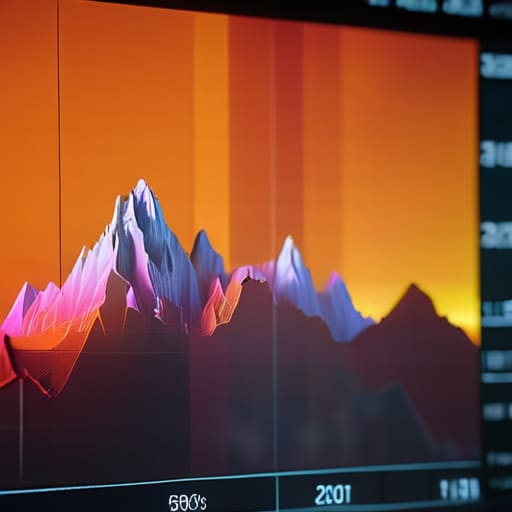
When you’re staring at that little mountain range on your LCD, don’t just look at the shape; look at what it’s telling you about the space you’re standing in. If that graph is shoved hard against the right-hand side, you aren’t just “bright”—you’re losing data. You’re avoiding blown out highlights by realizing that once that peak hits the wall, the detail is gone forever, no matter how much you paid for your sensor. It’s not a technical glitch; it’s just a window behind your subject that’s too bright for the room you’ve built.
The same goes for the left side. If the graph is hugging the left edge, you’re dealing with heavy, muddy shadows. While I love a bit of mood, you need to know if you have enough underexposed shadows recovery left in the file to actually pull a face out of the dark, or if you’ve just shot a black hole. Reading camera histogram charts is really about measuring the breathing room between the brightest highlight and the deepest shadow. It’s how you figure out if the room is actually working with you, or if you’re just fighting a losing battle against the architecture.
Avoiding Blown Out Highlights When the Sun Refuses to Cooperate
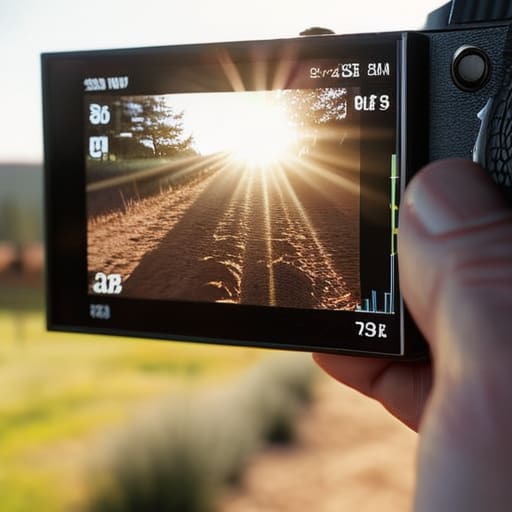
We’ve all been there: you’re shooting a corporate team outdoors, the sun is doing that aggressive, mid-afternoon thing, and suddenly your subject’s forehead looks like a literal lightbulb. You can try to fix it in post, but once those pixels are gone, they are gone for good. When you’re avoiding blown out highlights, your eyes will lie to you because they adjust to the glare, but the histogram won’t. If you see that mountain of data crashing hard against the right-hand wall, you aren’t just “bright”—you are losing detail that no amount of editing can bring back.
In these high-contrast moments, I stop trusting my screen and start leaning heavily on exposure compensation using the histogram. If the graph is hugging that right edge, I’m dialing it down immediately, even if the subject looks a bit too moody in the shadows. I’d much rather deal with a slightly dark frame and attempt some underexposed shadows recovery later than try to resurrect a face that has been bleached into white nothingness by the sun. It’s about choosing your battles; I’ll take a dark room over a lost highlight every single time.
Managing Underexposed Shadows Recovery and the Unpredictable Subject
Now, let’s talk about the other side of the coin: the dark bits. We spend so much time obsessing over avoiding blown out highlights that we often forget about the shadows, especially when you’re working with a client who has decided to wear a black turtleneck in a dim studio. If your histogram looks like a steep mountain range leaning hard against the right side, you might think you’re safe, but you’re actually just burying the detail in the mud. I’ve sat in front of a monitor after a long shoot only to realize that my underexposed shadows recovery was going to be a nightmare because I let the blacks get too heavy in an attempt to “save” the highlights.
The reality is that every sensor has its limits regarding dynamic range and exposure. You can’t just pull detail out of pure, digital nothingness. If that little graph is hugging the far left wall, you aren’t just “going for a moody look”—you’re losing the texture of the subject’s skin or the weave of their clothing. When I’m shooting a portrait, I’m constantly checking that the graph has a little bit of “breathing room” on both ends. It’s about finding that middle ground where the light actually exists.
Dynamic Range and Exposure Navigating the Messy Realities
Here is the reality of dynamic range and exposure: your sensor is a finite container, and the world is often far too big for it. I’ve spent countless hours in studios where a single window provides a sunbeam so bright it feels violent, while the rest of the room sits in a heavy, velvet gloom. When you are looking at your screen, you have to make a choice. You can’t have everything. You are constantly negotiating between the two extremes, trying to find a middle ground that doesn’t leave your subject looking like a ghost or a silhouette.
This is where most people panic and start clicking buttons wildly. Instead, use exposure compensation using histogram data to decide which side of the scale you are willing to lose. If I’m shooting a corporate headshot against a bright office window, I’m going to prioritize the skin tones and let the background turn into a white wash. I’d rather have a blown-out window than a client with “crunchy,” digital-looking highlights on their forehead. You aren’t just capturing light; you are deciding which parts of the mess are worth saving.
Mastering Exposure Compensation Using Histogram to Salvage the Moment
Here is where the theory meets the panic. We’ve all been there: you’re mid-shoot, the client is starting to lose confidence because they think they look “too dark,” and you realize your meter is lying to you because the background is a bright, white wall. This is exactly when exposure compensation using histogram data becomes your best friend rather than just another setting in a menu. Instead of blindly trusting the little line on your screen, look at the graph. If you see that mountain of data sliding toward the right edge, you need to dial in that compensation immediately.
Don’t wait until you’re back at the laptop to realize you’ve lost the skin tones. If you’re working with a subject who has pale skin against a dark backdrop, the camera is going to try to make them look muddy. You have to manually nudge the exposure up, but do it with intention. Check the graph to ensure you aren’t sacrificing the highlights just to save the shadows. It’s a constant, tiny tug-of-war, but once you stop guessing and start reacting to the shape of that data, you stop fighting the gear and start actually controlling the light.
Five Ways to Stop Guessing and Start Seeing
- Stop staring at the LCD screen in the dark. The backlight on your camera is a liar; it makes everything look punchier and brighter than it actually is. Trust the histogram, not your eyes, especially when you’re shooting in a dim studio or a moody cafe.
- Watch the “clumping” effect. If your histogram looks like a single, tight mountain in the middle, you’re playing it safe, but you’re probably losing the texture in those expensive linen shirts your client is wearing. You want a little bit of spread, even if it feels risky.
- Identify the “cliff.” If the graph is literally slamming into the right-hand wall, your highlights are gone. No amount of Photoshop wizardry or “saving it in post” is going to bring back the detail in a white wedding dress once those pixels have turned into pure, empty white.
- Check for the “left-side slide” during portraits. If you’re shooting a subject against a dark background and the graph is hugging the far left, you aren’t just getting “moody” shadows—you’re getting digital noise that will look like colorful sand in your final edit.
- Use the histogram as a diagnostic tool for the room, not just the subject. If the graph keeps shifting wildly every time someone walks past a window, stop fighting the camera and start moving your light stand. The histogram is telling you the environment is unstable.
The Data vs. The Reality
Stop looking at the histogram as a math problem to be solved and start seeing it for what it actually is: a map of how much light is actually hitting your sensor versus how much is being wasted by a room that refuses to behave. If the graph is crashing into the right wall, it doesn’t matter how much you trust your eyes—you’ve lost the skin tones, and no amount of post-production magic is going to bring them back.
Iwona Krawczyk
Stop Chasing the Perfect Graph
At the end of the day, the histogram isn’t a grade on your photography; it’s just a map of the mess you’re standing in. We’ve talked about why you shouldn’t panic when the graph hugs the left wall in a dim studio, how to stop your highlights from turning into white voids when a client stands near a window, and why exposure compensation is your best friend when the room refuses to behave. Remember, the goal isn’t to produce a perfectly balanced mathematical distribution of light. The goal is to ensure that when you look at the file later, you haven’t lost the texture of a linen jacket or the subtle expression in a subject’s eyes because you were too busy staring at the numbers and not enough at the actual light hitting the face.
If you find yourself obsessing over every spike and dip, take a breath and look up from the LCD. The histogram is a tool to help you manage the chaos of a real shoot, not a set of rules to keep you prisoner. Most of the time, the most important “exposure” happens in how you direct the person in front of you and how you move your light to match the mood. Use the graph to sanity-check your technical decisions, but never let it replace your eyes. If the histogram looks a bit wonky but the portrait feels honest, you’ve done your job. Now, go out and shoot something that actually matters.
