
I once spent three hours in a drafty studio in East London, trying to coax a decent headshot out of a CEO who was convinced he looked “too much like a thumb,” only to have my primary camera die right as the light finally hit the modifier perfectly. It wasn’t a technical failure of the sensor or a lack of talent; it was just a dead piece of lithium-ion sitting in my bag. People love to sell you expensive, high-speed chargers and “smart” power banks, but they never talk about the actual anxiety of wondering how to manage batteries on a long day when you’re halfway through a wedding or a back-to-back corporate session.
I’m not going to give you a lecture on chemical compositions or theoretical capacity. Instead, I want to talk about the unsexy logistics of survival. I’ll tell you exactly how I organize my kit, which chargers are actually worth the weight in my bag, and the specific, slightly paranoid rituals I use to ensure I’m never staring at a black screen while a client is waiting. This is about staying in control of the shoot, rather than being at the mercy of your gear.
The Gear Is Ready but Is Your Power How to Manage Batteries on a Long Day
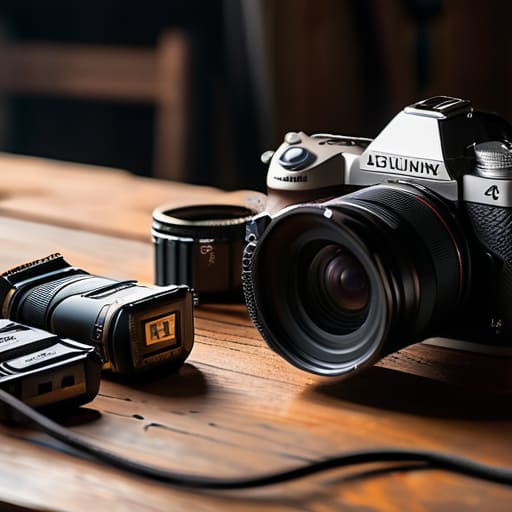
I’ve spent enough time in dimly lit studios and drafty wedding venues to know that a dead battery is the fastest way to lose a client’s trust. It’s not just about your primary camera bodies; it’s the peripheral chaos. I always carry a dedicated pouch for my spares, but I’ve learned the hard way that the impact of temperature on battery performance is real. If you’re shooting an outdoor autumn wedding and your gear is sitting in a cold car, those percentages are going to drop faster than you can say “exposure compensation.”
Don’t make the mistake of assuming your phone is just for quick emails. If you’re using it to control your lighting via an app or checking your shot list, you need to treat it like a primary tool. I keep a strict regimen of low power mode settings active on my phone from the moment I leave the house. It’s also worth looking into a portable charger capacity guide before you head out for a multi-day commission; you don’t want to realize your “backup” power bank is actually just a glorified paperweight halfway through a corporate headshot session.
The Silent Thief the Brutal Impact of Temperature on Battery Performance
I once spent three hours in a drafty, unheated studio in January trying to shoot a series of minimalist portraits, only to watch my camera’s battery percentage plummet like a stone. It wasn’t a faulty cell; it was the air. When you’re working in the cold, the chemical reaction inside the battery slows down, and suddenly, that “full” bar is lying to you. Understanding the impact of temperature on battery performance is less about chemistry and more about survival. If you’re shooting outdoors or in a poorly heated warehouse, keep your spares in an inside pocket, close to your body heat. If they get cold, they’ll fail you exactly when the light gets interesting.
The same goes for the heat. If you’re shooting a summer wedding under a heavy sun, your gear will struggle to vent, and your power management becomes a frantic game of damage control. I’ve learned to treat my spare batteries like living things—keep them warm when it’s freezing and shielded when it’s sweltering. Don’t trust a digital readout when the temperature swings wildly; if the camera feels cold to the touch, assume you have half the runtime you think you do.
Beyond the Camera Power Bank Essentials for Travel and Survival
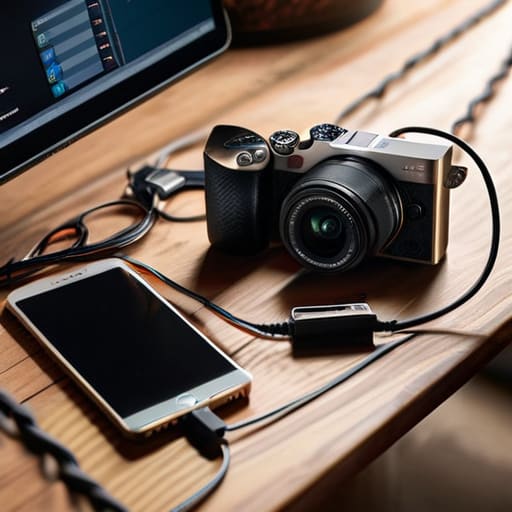
If you think the camera is the only thing that needs juice, you’re going to have a very long, very dark afternoon. I’ve learned this the hard way while trying to coordinate a shoot via WhatsApp in a studio with zero outlets. You need a reliable kit of power bank essentials for travel that isn’t just a cheap plastic brick from a gas station. I carry one high-capacity unit specifically for my phone and tablet; if my phone dies, I can’t check the lighting diagrams I sent the client, and I certainly can’t call the driver when the session runs over.
Don’t just grab anything, either. Look for a decent portable charger capacity guide when you’re shopping—you want something that can actually handle a heavy-duty smartphone without wilting halfway through a client’s frantic email thread. I keep mine tucked in a side pocket of my bag, not buried under heavy lenses, so I can grab it the second I see that dreaded 5% icon. It’s about maintaining that slim margin of error between a professional workflow and a total digital meltdown.
A Portable Charger Capacity Guide for When the Light Fails
I’ve spent enough time in drafty studios and remote locations to know that your phone is often more important than your backup camera. It’s your lighting meter, your schedule, your client communication, and your way to check the tethered shots. If your phone dies mid-shoot, the momentum doesn’t just slow down—it stops. When you’re building your kit, don’t just grab the cheapest brick you find on Amazon; you need a portable charger capacity guide that actually accounts for real-world usage.
For a standard day of author portraits, a 10,000mAh power bank is usually plenty to keep your phone alive through heavy social media use and constant brightness adjustments. However, if you’re out on a location shoot where you’re constantly using GPS and high-brightness screens to fight the sun, aim for 20,000mAh. It’s heavier in your bag, but it’s the difference between a smooth wrap and a frantic search for a wall outlet in a café that doesn’t exist. I always suggest optimizing device energy consumption by keeping your screen brightness at the lowest usable level and sticking to low power mode settings the moment you hit 40%. It sounds tedious until you’re three hours from home and the screen goes black.
The Digital Squeeze Optimizing Device Energy Consumption on Site
It’s not just the camera and the lights that bleed you dry; it’s the phone in your pocket. I’ve sat in a studio, mid-way through a corporate team shoot, only to realize my phone is at 4% because I’ve been using it as a continuous light meter, a stopwatch, and a way to check my email. When you’re optimizing device energy consumption on a shoot, you have to treat your phone like a secondary camera. It is a tool, not a distraction.
The easiest fix is the one most people ignore until it’s too late: low power mode settings. I keep mine toggled on the second I step out of the car. It kills the background refreshes and dims the screen, which is a lifesaver when you’re trying to keep an eye on the clock. I also suggest turning off high-brightness auto-adjustments; that glowing screen is a massive drain. If you’re relying on your phone for everything from scheduling to client communication, treat it with the same respect you give your sensor. If the phone dies, the workflow dies with it.
Last Resorts Low Power Mode Settings and Extending Smartphone Battery Life
When you’re halfway through a corporate team shoot and your phone—which is currently acting as your primary light meter, your schedule, and your lifeline to the client—hits 15%, panic sets in. This is where you stop being a photographer and start being a technician. Don’t wait for the red bar; the moment you feel that slight warmth from the processor, trigger your low power mode settings. It’s not just about dimming the screen; it’s about killing the background processes that are silently draining your juice while you’re trying to focus on the subject.
I’ve learned the hard way that optimizing device energy consumption is a proactive game, not a reactive one. If you’re using your phone to check reference images or manage a digital shot list, turn off the cellular data and stick to Wi-Fi if you have it, or better yet, go full Airplane Mode. Every bit of signal searching in a concrete-heavy studio is a tiny, invisible theft of your power. It feels restrictive, sure, but it’s the difference between having a working device for the final hour and staring at a black screen while the client asks where the invoice is.
The Survival Checklist: 5 Ways to Stop Chasing Outlets
- Stop the “just in case” cycle. I used to carry three spares for every camera, but now I carry two fully charged ones and a dedicated charging station in the kit bag. If you’re over-packing, you’re just adding weight that makes you more prone to dropping things when you’re exhausted.
- The “One-In, One-Out” rule is my sanity saver. Never let your last working battery hit 0%. The moment you swap a dead one for a fresh one, that dead battery goes straight into a specific, labeled pocket in your bag to be charged immediately. Don’t leave them rolling around in a pile on a table.
- Check your charging cables before you leave the house. There is nothing quite as soul-crushing as realizing your high-speed USB-C cable has a fray in it right when you’re in a hotel room at 11 PM, trying to prep for a 6 AM shoot. If the cable feels flimsy, bin it.
- Use the “Airplane Mode” trick for your phone and tablet, even if you aren’t expecting a call. I’ve learned that constant background searching for a signal is what kills a device during a long shoot, not the actual work you’re doing on it.
- Label everything with a piece of masking tape. It sounds amateur, but when you’re tired and working in a dim studio, being able to feel the difference between a camera battery and a drone battery by a small tactile mark—or just seeing a clear “FULL” written on it—saves you from the nightmare of a mid-shot shutdown.
The Reality of the Red Light
You can spend months obsessing over the perfect prime lens or the way a softbox falls off a subject’s cheek, but none of that matters when you’re standing in a beautiful room with a dead camera and a client who’s finally starting to relax. Batteries aren’t a technical detail; they are the heartbeat of the shoot, and if you don’t respect them, the whole day just stops.
Iwona Krawczyk
The Final Check Before You Walk Out the Door
At the end of the day, managing your power isn’t about having the most expensive high-capacity cells; it’s about the logistics of the unpredictable. You’ve checked your spares, you’ve accounted for the temperature drop in that drafty studio, and you’ve optimized your phone so it doesn’t die while you’re trying to show the client a contact sheet. It’s a lot of mental overhead, but it’s the difference between finishing a session with a sense of accomplishment and finishing it in a frantic scramble to find a wall socket while your subject waits awkwardly in the lobby.
Don’t let the technicalities of energy consumption steal your focus from what actually matters: the person sitting in front of your lens. Once you have your systems in place—once you know your batteries are charged and your power banks are tucked in your bag—you can finally stop thinking about the gear and start thinking about the light. The goal is to reach a point where the power is just a silent, reliable foundation, allowing you to be fully present when that perfect, unrepeatable moment finally happens.
