
I spent years watching assistants try to implement these incredibly expensive, automated cloud-syncing workflows that promised to “revolutionize” their digital life, only to watch them lose half a wedding shoot because a server hiccuped during a thunderstorm. There is this massive, overpriced myth in our industry that you need a complex, multi-layered enterprise system to master how to archive a finished job. Honestly? Most of that is just expensive noise designed to make you feel like your current setup is broken. In reality, the best systems aren’t the ones with the most bells and whistles; they are the ones that actually work when you’re tired, caffeinated, and just want to stop looking at a progress bar.
I’m not going to give you a lecture on theoretical data redundancy or suggest you buy a subscription to a service you’ll forget to use. Instead, I’m going to show you the messy, manual, and reliable way I handle my own files once the client finally stops emailing me. We’re going to talk about folder structures that actually make sense, the physical drives you should actually trust, and how to build a workflow that survives a total hardware meltdown without costing you your sanity.
The Ghost in the Machine Why How to Archive a Finished Job Matters
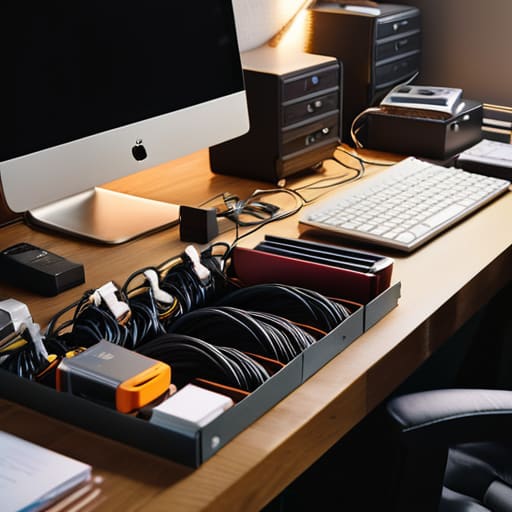
We’ve all been there: it’s six months later, a client emails you asking for that one specific crop from a wedding you’d rather forget, and suddenly you’re digging through three different external drives like a frantic scavenger. This isn’t just about being tidy; it’s about the fact that your memory is a liar. If you don’t have a solid grasp on your project file organization, you aren’t a professional—you’re just someone who happens to own a camera and a lot of expensive, disorganized clutter.
The real danger isn’t just losing a file; it’s the sheer, soul-crushing time wasted hunting for it. When you actually commit to a proper long-term data preservation strategy, you stop treating your hard drives like a junk drawer. You aren’t just saving pixels; you’re protecting your future self from the panic of a “where is it?” moment. It’s about building a system that works while you’re sleeping, or better yet, while you’re out shooting something that actually matters, rather than playing digital detective in your kitchen.
Taming the Digital Chaos Through Project File Organization

Look, I know the temptation. The shoot is done, the client has sent that final “love it!” email, and you just want to close your laptop and go find a glass of wine. But if you just leave your folders scattered across your desktop like digital debris, you’re setting a trap for your future self. You need a rigid project file organization system that doesn’t rely on your mood. I usually go for a standard hierarchy: Client Name > Year > Project Name > [Raws, Selects, Edits, Deliverables]. It sounds tedious, but it’s the only way to ensure that six months from now, when a client asks for a slight tweak to a portrait, you aren’t digging through a graveyard of “Final_v2_REALLY_FINAL.jpg” files.
Once the structure is set, you have to think about long-term data preservation. This isn’t just about dumping everything into a random folder on a drive you’ll lose in a drawer. I treat my hard drives like my film canisters—they need to be accounted for. A decent approach to digital asset management workflows means having a clear rule for when a project moves from your “active” SSD to a cold-storage drive or a cloud backup. If it isn’t organized, it’s effectively lost.
Beyond the Shoot Building Robust Digital Asset Management Workflows

You can’t just rely on a single external drive and a prayer. I’ve seen too many photographers lose a year’s worth of wedding commissions because a drive decided to stop spinning mid-Tuesday. Real digital asset management workflows aren’t about being a perfectionist; they are about building a system that survives your own laziness. This means following a strict “3-2-1” rule: three copies of everything, on two different types of media, with one copy physically located somewhere else—usually a cloud service.
Don’t get bogged down in fancy software right away. Start by establishing some basic data retention policies so you aren’t paying for cloud storage for a client who hasn’t replied to an email since 2019. Decide now: do you keep the RAW files for five years or forever? If you don’t decide, your hard drives will eventually become a graveyard of expensive, unorganized clutter. It’s better to have a deliberate system for what stays and what goes than to let your storage costs bleed you dry while you hunt for a specific portrait from three seasons ago.
Cloud Storage Best Practices for the Disorganized Soul
Look, I know the temptation. You’ve finished the retouching, the client has finally sent that last-minute “can we just see one more version?” email, and you just want to close your laptop and forget this shoot ever happened. But dumping everything into a single, massive folder on Dropbox isn’t a strategy; it’s a ticking time bomb. If you don’t implement some actual cloud storage best practices, you’ll spend your next Tuesday morning frantically searching for a specific RAW file from a wedding you did three years ago.
The trick is to treat the cloud like a secondary vault, not a junk drawer. I use a tiered approach: active projects live on my local drive, but once the final invoice is paid, the entire folder moves to the cloud. This is where your digital asset management workflows actually save your sanity. Don’t just upload it and pray; make sure your folder structure is identical to your local one. If you can’t find a file in under thirty seconds, your system has failed you, and you’re just creating more digital clutter for your future, more stressed-out self to clean up.
Setting Data Retention Policies Before the Memory Fades
Decide what stays and what goes before you’re staring at a 4TB drive in three years wondering if that blurry shot of a CEO’s left ear is worth the space. You need to establish data retention policies while the adrenaline of the shoot is still fresh, not when you’re panic-deleting files to make room for a new wedding commission. I usually set a rule: the raw files stay on my primary archive for two years, the selects live in the cloud indefinitely, and everything else—the failed exposures, the shots where the light hit the wall instead of the subject—gets purged.
Don’t fall into the trap of thinking “everything is precious.” It isn’t. If you don’t have a plan for long-term data preservation, your archive just becomes a digital graveyard of expensive, unorganized clutter. I’ve learned the hard way that trying to sort through five years of uncurated junk is a special kind of hell. Set a timeline for when a project moves from “active” to “cold storage,” and actually stick to it. It’s the only way to keep your sanity and your storage costs from spiraling.
Archiving Workflow Automation and the Art of Long Term Data Preservation
Look, I get it. The thought of setting up a system to handle your files feels like a chore you’ll definitely do “tomorrow,” which is a lie we all tell ourselves. But if you want to stop spending your Sunday nights hunting for a specific RAW file from a wedding you shot three years ago, you need to embrace some level of archiving workflow automation. You don’t need a complex, expensive server setup that requires a computer science degree; you just need a predictable sequence. Whether it’s a simple script that moves folders or a set of presets in your catalog that tags metadata the second you import, the goal is to remove the “human error” element—which, in my experience, is usually just me being tired.
Real long-term data preservation isn’t about being a perfectionist; it’s about being lazy in a smart way. If you build a workflow that automates the boring stuff—like moving proxies to a secondary drive or syncing your final selects to the cloud—you’re actually protecting your future self from a total meltdown. It’s about creating a closed loop where the files move from the camera to the archive without you having to touch every single one.
Five Ways to Stop Your Hard Drives From Becoming Digital Graveyards
- Kill the junk immediately. Don’t archive every single frame where the subject blinked or looked at the floor; keep the selects, the best outtakes for the client to choose from, and the raw files, but purge the blurry garbage so you aren’t paying for storage space you don’t need.
- Name things like a human, not a robot. “IMG_4829_final_v2_REALLY_FINAL” is a recipe for a breakdown; use a consistent date-client-project format so you can actually find the files three years from now when a client emails you asking for a resize.
- The 3-2-1 rule isn’t a suggestion, it’s a survival tactic. Three copies, two different types of media, and one off-site—usually a cloud provider that doesn’t crash during a sync—otherwise, you’re just one spilled coffee away from losing an entire year of work.
- Audit your physical drives once a quarter. If you have a stack of SSDs sitting in a drawer that you haven’t touched since the last wedding you did under protest, get them into a proper docking station, check their health, and move the contents to your long-term cold storage.
- Write down the “metadata” of the shoot while it’s still fresh. Not just the technical settings, but a quick note on which lighting setup worked or which modifier gave that specific skin tone, because by next year, you won’t remember if it was the 5-foot octabox or the beauty dish that saved the session.
The Post-Shoot Hangover
Archiving isn’t just about dumping files into a cold corner of a hard drive; it’s about making sure that six months from now, when a client calls panicking because they lost their headshots, you aren’t staring at a desktop full of folders named ‘Final_Final_v2’ wondering where your life went wrong.
Iwona Krawczyk
The Last Click
At the end of the day, archiving isn’t some lofty, academic exercise in digital preservation; it’s just the necessary cleanup after the chaos of a shoot. We’ve talked about everything from the immediate relief of shoving files into organized folders to the long-term headache of deciding what actually deserves a spot on a cloud server versus a dusty hard drive. It’s about building a system that survives the moment you’re too tired to care—the moment when the client has finally stopped emailing and you just want to go home. If you get the folder structure and the retention policy right now, you won’t be digging through a digital graveyard of half-finished weddings and abandoned corporate headshots three years from now when a client asks for a specific frame.
We spend so much of our energy on the “art”—the lighting, the composition, and trying to convince a nervous subject to stop clutching their hands like they’re holding a live grenade. But the work doesn’t actually end when you press the shutter. It ends when the data is safe, the project is closed, and you can finally clear your desk without feeling that low-level hum of anxiety about lost files. Treat your archive with the same respect you give your sensor. It is the quiet foundation that allows you to keep shooting, keep creating, and—most importantly—keep your sanity intact.
