
I once spent forty minutes during a high-stakes corporate shoot convinced my sensor was dying, only to realize I’d just let a stray piece of lint settle right in the middle of my frame. I was ready to write off a three-thousand-dollar body, blaming the electronics, when the reality was much more embarrassing: I just hadn’t learned how to service a camera properly. We spend all this time obsessing over aperture settings and the perfect modifier, but we treat our gear like it’s invincible. It isn’t. Dust, humidity, and the sheer chaos of a working day are constantly trying to sabotage your files, and if you aren’t proactive, they eventually will.
This isn’t a manual for gearheads who want to take their bodies apart with surgical precision; it’s a guide for the rest of us who actually have work to do. I’m going to show you the specific, non-destructive ways to keep your kit from failing you when the client is watching. We’ll cover everything from the right way to clean a lens without leaving streaks to the actual maintenance you should do between commissions so you aren’t left staring at a dead screen in a studio.
Guide Overview
Tools & Supplies
- Air blower (manual bulb to remove loose dust)
- Microfiber cloths (lint-free for lens and body cleaning)
- Soft-bristled brush (anti-static brush for sensor/crevices)
- Magnifying loupe (to inspect sensor for spots)
- Sensor cleaning swabs (sized to sensor dimensions)
- Sensor cleaning solution (specialized low-residue fluid)
- Isopropyl alcohol 99% (for external body cleaning)
Step-by-Step Instructions
- 1. First, grab a pressurized air blower—not the canned air, because those things can spray freezing liquid onto your sensor and ruin your entire week—and give the body a good blast. I’m talking about getting the grit out from the crevices around the battery door and the card slots. If you leave dust in those gaps, it eventually migrates toward the internals, and you really don’t want to be fighting a gritty shutter mechanism in the middle of a client shoot.
- 2. Next, you need to deal with the sensor, which is the part that actually makes you sweat. If you see a tiny dark spot on your images, don’t panic and start scrubbing like you’re cleaning a kitchen floor. Use a dedicated sensor swab and the right amount of cleaning fluid, and for heaven’s sake, move in one direction only. If you go back and forth, you’re just dragging the dust around, making a mess that’s much harder to fix than a single speck.
- 3. Now, let’s talk about the glass. I have a specific ritual for my lenses: I use a high-quality microfiber cloth and a bit of lens cleaning solution, but I apply the fluid to the cloth, never the element. If you drip liquid directly onto a lens, it can seep into the barrel and cause a permanent fogging issue. You want to work in small, circular motions until the surface is clear, and if you still see a smudge, don’t force it; you’ll just scratch the coating.
- 4. Check your contacts. This is the part everyone skips, but it’s why your autofocus suddenly starts acting like it’s had too much espresso. Take a clean, dry cloth or a tiny bit of isopropyl alcohol on a swab and wipe the gold-plated contacts on both the lens and the camera body. If those connections are even slightly oily from your fingers, the communication between the two will stutter at the worst possible moment.
- 5. Inspect the physical integrity of the buttons and dials. I like to go through every single setting—ISO, shutter speed, aperture—to make sure nothing feels “mushy” or stuck. If a dial feels gritty, it’s usually just a bit of skin oil or fine dust trapped in the mechanism. You don’t need to take the camera apart, but you should be hyper-aware of any resistance that wasn’t there during your last session.
- 6. Finally, check your rubber grips and weather sealing. If you’ve been shooting in humid environments or near the coast, that rubber can start to peel or feel tacky. Wipe the body down with a damp (not soaking) cloth to remove the salt and sweat. It sounds basic, but keeping the physical interface clean is what prevents the gear from feeling like a piece of junk after only two years of heavy use.
Understanding How to Service a Camera

Look, I’m not telling you to pull a screwdriver out and perform surgery on your body. If you try to open the chassis yourself, you’re likely just going to turn a working tool into a very expensive paperweight. When I talk about servicing, I’m talking about the difference between being a person who owns a camera and a person who actually manages a tool. You need to start thinking about preventative camera care as a non-negotiable part of your workflow, not something you do only when a red error message pops up on the LCD.
Start by keeping a mental—or better yet, a physical—digital camera maintenance checklist tucked into your gear bag. It sounds tedious, but it’s what keeps you from panicking mid-shoot. This means checking your seals, ensuring your battery contacts aren’t corroded, and being obsessive about dust. I’ve seen more shoots ruined by a speck of grit on a lens element or a loose tripod screw than by a faulty sensor. If you aren’t sure if a problem is just a bit of grime or a genuine mechanical failure, don’t guess. That is the exact moment you stop playing technician and call in professional camera repair services.
Key Things to Know
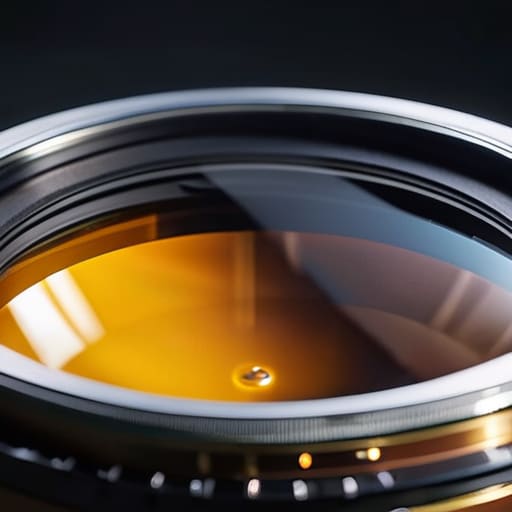
First, let’s talk about the panic that sets in when you see a speck of dust on your LCD screen. Most of the time, it’s just a smudge, but if that dust makes it onto the glass, you’re looking at a headache. I always keep a dedicated camera sensor cleaning kit in my bag, but I treat it like surgery—slow, steady, and never rushed. If you aren’t confident, don’t play hero with a Q-tip and some rubbing alcohol; that is a one-way ticket to a very expensive trip to professional camera repair services.
Second, stop ignoring the numbers. I used to think a high shutter count was just a trivia point, but it’s actually the odometer of your livelihood. It tells you how much life is left in that mechanical heart before it decides to quit mid-shoot. I keep a simple digital camera maintenance checklist taped to the side of my desk. It’s not about being obsessive; it’s about knowing exactly when your gear is starting to fatigue so a breakdown doesn’t happen when a client is paying you by the hour.
Practical Tips and Steps
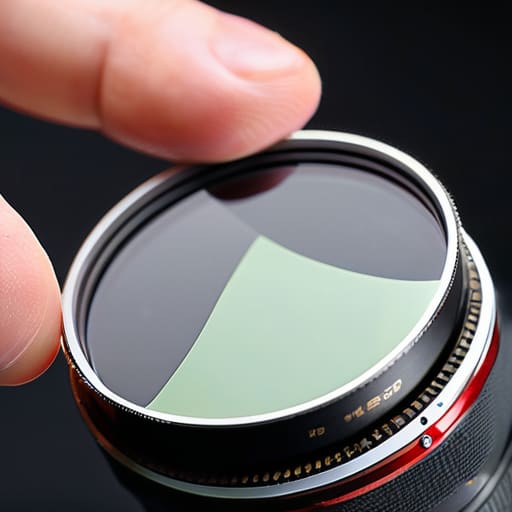
First, stop treating your gear like it’s indestructible. I learned the hard way that a tiny speck of dust on the sensor isn’t just a nuisance; it’s a distraction that kills the mood of a high-end portrait. If you aren’t already, invest in a decent camera sensor cleaning kit—the kind with the swabs that actually fit your sensor size—and learn to use it with a steady hand. But please, for the love of everything, don’t go hacking away at it if you see something stuck. If it looks like a permanent resident, take it to professional camera repair services and pay the fee. It’s cheaper than replacing a cracked sensor because you were feeling ambitious on a Tuesday afternoon.
Beyond the sensor, you need a routine. I keep a simple digital camera maintenance checklist taped to the side of my workstation. It’s not about being obsessive; it’s about preventative camera care. Check your rubber grips for peeling, wipe down your lens barrels after a shoot in a dusty location, and keep an eye on your shutter count. It’s not a magic number, but knowing the shutter count importance helps you predict when a body might start acting up before you’re stuck in the middle of a wedding.
The things I learned while cleaning up someone else's mess
- Stop treating your sensor like a window you can wipe with your shirt; get a dedicated blower and a swab, and for the love of god, don’t use canned air unless you want to spray liquid nitrogen onto your expensive glass.
- If you’re working a wedding or a long corporate session, your gear is going to get sweaty and dusty, so keep a dedicated microfiber cloth in a sealed Ziploc bag—never use the same cloth on your lens that you used to wipe the sweat off your forehead.
- Check your battery terminals every single time you swap them; if there’s a bit of corrosion or even just a layer of grime, your camera might decide to die right in the middle of a client’s best expression, and “it’s a technical glitch” is a terrible excuse to give a paying subject.
- Don’t just clean the lens glass and forget the barrel; a tiny bit of grit in the zoom ring can turn a smooth professional movement into a gritty, distracting mess that makes you look like an amateur.
- Treat your memory cards with more respect than your actual camera; if a card is acting sluggish or giving you “write errors,” ditch it immediately. Replacing a card is cheap; losing a client’s entire portrait session because you were too stubborn to buy a new SanDisk is a career-ender.
## The truth about the gear
You can spend your entire career obsessing over sensor cleaning and lens calibration, but don’t let the maintenance become a distraction. A clean camera is just a prerequisite; the real skill is knowing how to keep working when the humidity hits the glass or the autofocus starts acting like it’s having a mid-life crisis right in the middle of a client’s best angle.
Iwona Krawczyk
Beyond the Sensor Dust
At the end of the day, servicing your gear isn’t about achieving some unattainable, factory-sealed perfection; it’s about preventing a catastrophic failure when you’re halfway through a high-stakes corporate headshot or a wedding that’s running twenty minutes late. Remember that keeping your sensor clean, checking your battery contacts, and being obsessive about your lens glass is mostly about managing risk. You don’t need a laboratory, but you do need a consistent routine so that when the light is finally perfect and the subject stops fidgeting with their hands, you aren’t staring at a dark spot on your screen or a shutter that refuses to fire. It is the unsexy, repetitive work that ensures the gear stays out of your way.
If there is one thing I have learned from eight years of assisting and years of my own commissions, it is that your tools are meant to be used, not coddled. They will get bumped, they will get dusty, and they will inevitably fail you at the most inconvenient moment possible. But if you treat your maintenance like a part of the creative process rather than a chore to be avoided, you’ll find a certain peace of mind. Don’t let the fear of a technical glitch stop you from taking the shot. Respect the equipment enough to maintain it, but once you’re in the room, forget the camera exists and focus entirely on the person sitting in front of your lens.
