
I once spent three hours setting up a precise lighting grid for a tech firm, only to watch the entire project fall apart because the marketing manager forgot to tell the accounting department that “business casual” didn’t include neon Hawaiian shirts. You can own the most expensive Phase One system on the market, but if you don’t have a plan for how to keep a consistent look across a team shoot, you’re just documenting a chaotic wardrobe malfunction. People love to talk about color science and matching white balances, but those are the easy parts; the real battle is managing the human variables that make a cohesive gallery feel like a single, unified brand rather than a collection of random snapshots.
I’m not here to give you a lecture on sensor calibration or the physics of light fall-off. Instead, I want to talk about the actual logistics—the stuff that happens before I even take the lens cap off. I’m going to show you how to handle the client communications, the lighting compromises you’ll have to make when the room is too small, and the specific ways to direct people so they don’t look like they’re posing for a police lineup. This is about the unsexy, practical work of making a group of individuals look like a team.
The Variables That Actually Matter How to Keep a Consistent Look Across a T
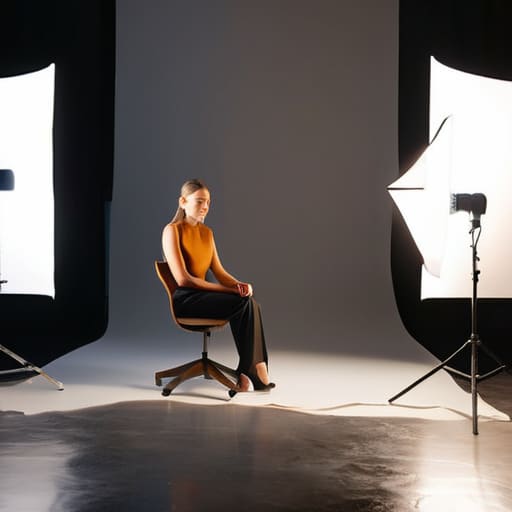
When I’m staring down a roster of twenty people, I stop thinking about the gear and start thinking about the physics of the room. If you want to achieve any semblance of maintaining aesthetic uniformity, you have to treat the light like a fixed architectural element, not something you play with every five minutes. I usually lock my strobe into a single position—let’s say a 5-foot Octabox positioned at a 45-degree angle to the subject—and I do not move it. If the next person in line is six inches taller or has a wider face, I move the person, not the light.
The real killer, though, is the subtle drift in your gear. If you aren’t careful with color temperature management, you’ll end up with one person looking warm and golden and the next looking like they’ve been caught in a fluorescent office morgue. I always check my white balance against a grey card before the first person even walks through the door, and I stick to a manual Kelvin setting. Don’t let the camera decide for you; if you let the auto-settings take over during a batch, you’re just creating a nightmare for your post-processing workflow later.
Battling the Light Standardizing Lighting Setups Before the Chaos Begins
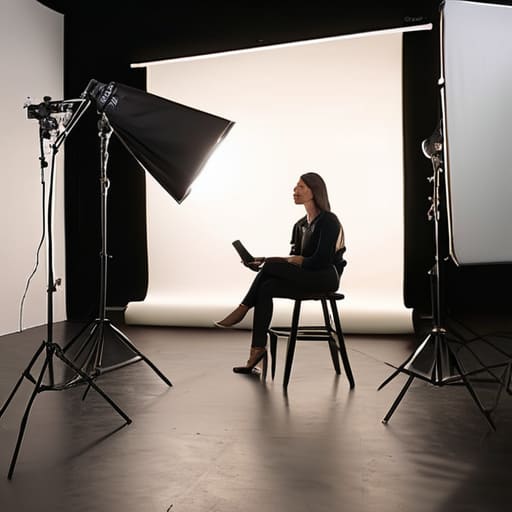
If you walk into a room and see three different windows, a flickering fluorescent tube, and a client who just insisted on moving the desk, you’re already losing. The biggest mistake I see is trying to “fix it in post.” You cannot save a team shoot if one person is bathed in warm sunlight and the next is under a sickly green office light. Standardizing lighting setups isn’t about being a perfectionist; it’s about survival. I always start by killing the ambient light whenever possible. If I can’t, I spend twenty minutes doing color temperature management before a single person sits down. I’d rather lose half my setup time than spend ten hours in Lightroom trying to make a tungsten bulb look like a softbox.
Once the light is locked, you have to lock the camera. I don’t care how tempting it is to adjust your exposure for a particularly dark sweater; you stay on your manual settings. If you’re doing a big batch, your camera settings for batch shooting need to be set in stone. Pick your aperture, your ISO, and your white balance, and do not touch them until the last person has left the chair. Consistency is built in the room, not the computer.
When Colors Drift the Art of Color Temperature Management
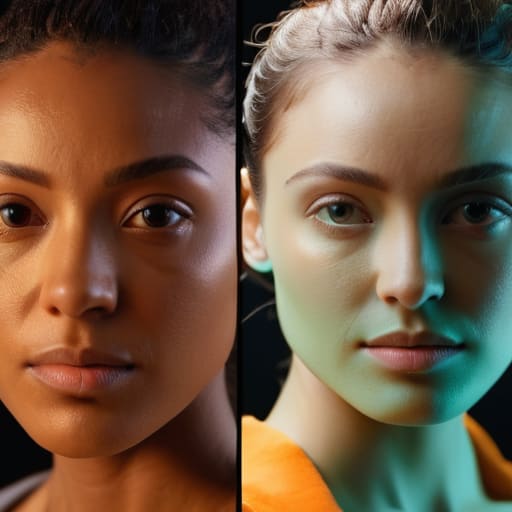
If you think you can just “fix it in post,” you’re setting yourself up for a massive headache. I’ve seen it happen a dozen times: you finish a corporate headshot session, sit down to edit, and realize the first person looks like they’re in a warm sunset while the fifth person looks like they’re under a fluorescent office light. This is where color temperature management becomes your best friend. If you aren’t locking your Kelvin values, you aren’t shooting; you’re just gambling. Even if you’re shooting on Auto White Balance, the camera will shift its logic every time a new person in a different colored shirt walks into the frame.
To avoid this, stop letting the camera make decisions for you. Pick a number—usually around 5500K if you’re using strobes—and stick to it for every single person in the room. This is the foundation of maintaining aesthetic uniformity across a whole department. When you nail the white balance in-camera, your post-processing workflow consistency becomes a breeze instead of a marathon of manual corrections. You want to spend your time retouching skin, not fighting a digital battle to make everyone’s skin tone match.
The Technical Anchor Camera Settings for Batch Shooting Without Losing Soul
Once you’ve wrestled the lighting and the color temperature into something tolerable, you have to stop playing with your dials. I’ve seen too many photographers treat a team shoot like a series of individual creative sessions, tweaking the aperture or ISO for every single person because “the light feels different on their skin.” That is a fast track to a nightmare in the edit. If you want to maintain aesthetic uniformity, you need to pick a baseline and stay there. Lock your shutter speed, your aperture, and your ISO. If you’re shooting a row of executives, they shouldn’t have different depths of field just because one person leaned an inch closer to the modifier.
This is where camera settings for batch shooting become your best friend, not your enemy. I usually aim for a slightly higher f-stop than I’d use for a solo portrait—maybe f/5.6 or f/8—just to give myself a safety net for movement. People fidget; they lean, they tilt, they try to find that one “good side.” If your depth of field is razor-thin, you’ll spend your entire post-processing workflow consistency phase trying to fix eyes that drifted out of focus. Set it, lock it, and move on.
Protecting the Visual Brand Identity in Photography Through Aesthetic Unifo
At the end of the day, your client isn’t just buying a set of nice portraits; they are buying a piece of their own brand. If you hand over a folder where one person looks like they’re in a moody noir film and the next looks like they’re in a bright, airy lifestyle catalog, you haven’t just failed the technical test—you’ve failed their visual brand identity in photography. This is where most photographers trip up. They get caught in the “hero shot” trap, trying to make every individual look like a magazine cover, forgetting that these images need to sit side-by-side on a “Meet the Team” page without causing a visual seizure for the viewer.
Maintaining aesthetic uniformity is less about being a perfectionist and more about being a gatekeeper. You have to decide, before the first person even walks into the studio, what the “rules” of this shoot are. Is the contrast high? Is the skin tone warm? Once you decide, you have to hold that line like a drill sergeant. This means your post-processing workflow consistency becomes just as important as your lighting. If you’re tweaking every single face to suit your own artistic whim, you aren’t doing your job; you’re just making a mess that the client will eventually have to pay someone else to fix.
The Final Battle Post Processing Workflow Consistency in the Edit
Once you’ve survived the shoot and finally sat down in front of your monitor, the real work of maintaining aesthetic uniformity begins. It’s tempting to treat every portrait like a solo art piece, but when you’re working on a corporate team, that’s how you ruin the project. If you go heavy on the contrast for the CEO and then realize you’ve given the marketing lead a completely different color cast, the whole set will look disjointed on their “About Us” page. You need a rigid, almost boring post-processing workflow consistency that prevents you from making creative decisions on a whim.
I usually start by picking the “anchor” image—the one where the skin tones look most honest and the light is exactly where it should be. From there, I build a master preset, but I don’t just slap it on everything and call it a day. You have to manually adjust for the slight shifts in how each person caught the light. It’s about standardizing the look without making everyone look like they’ve been processed through the same heavy-handed filter. The goal isn’t perfection; it’s making sure they all look like they belong in the same room.
Five ways to stop the visual drift before it starts
- Pick a single light source and stick to it. If you’re using a single Octabox at 45 degrees, don’t decide halfway through the session that the CEO needs a more “dramatic” look with a strip box. Once you change the modifier or the distance, you’ve broken the spell, and you’ll spend your entire evening in Lightroom trying to fake the physics back into place.
- The “shirt check” is your best friend. I don’t care if they’re professionals; people show up in varying shades of navy or off-white that look completely different under studio strobes. Before you even turn the lights on, have them stand in a neutral spot and check their tones against a grey card. It’s much easier to ask someone to swap a blazer now than to try and fix a neon-yellow tie in post.
- Watch the floor. If you’re moving people around a studio, realize that a person standing on a dark rug versus someone standing on a white laminate floor is going to bounce different light back into their jawline. Try to keep everyone on the same surface, or at least be aware that the “floor bounce” is changing your color temperature every time you move the subject.
- Use a physical anchor for your white balance. Don’t trust the camera’s “Auto” setting to behave when a person in a bright red sweater walks into the frame. Use a grey card for every single person, or at the very least, every time the lighting environment shifts. If you don’t, you’ll end up with a gallery where half the team looks sun-kissed and the other half looks like they’ve been living in a basement.
- Control the “hand fidget” factor. This sounds like it’s about posing, but it’s actually about consistency. If one person is holding their hands in their lap and another is gesturing wildly, their skin tones and shadows will shift constantly. Give them a specific, repeatable way to hold themselves—even if it feels slightly stiff—so the way the light hits their features remains predictable.
The illusion of consistency
You can spend all morning obsessing over your white balance and your exposure compensation, but if you haven’t sat down with the client to figure out why one person is wearing a navy blazer and the other is in a bright lemon-yellow linen shirt, no amount of technical wizardry is going to save the grid. Consistency isn’t just a setting on your camera; it’s the discipline of managing the chaos that walks through the studio door.
Iwona Krawczyk
The reality of the finished roll
At the end of the day, consistency isn’t about magic; it’s about the unglamorous work you did before the first person even sat in the chair. It’s about the fact that you checked the white balance three times, you fought with the client about that one neon tie, and you actually bothered to measure the distance between the softbox and the subject’s nose. When you look back at a folder of fifty portraits and they actually feel like they belong to the same company, it isn’t luck. It’s the result of controlling the variables—the light, the color temperature, and the technical settings—so that the only thing left to worry about is the person in front of you.
Don’t let the technical checklist swallow the soul of the work. The goal of all this standardization isn’t to produce a set of identical, lifeless clones; it’s to build a stable enough foundation that you can actually afford to be creative within the boundaries. Once the lighting is locked and the color is predictable, you finally have the mental bandwidth to stop worrying about your histogram and start noticing how a subject’s eyes light up when they finally stop fidgeting with their hands. That is where the real photography happens.
